Sekiro Debug Menu
⚪ Last updated 2020⚠️ Install Order · 1 step
Install in this order, then this mod last — most mods fail to load without their framework and dependencies in place.
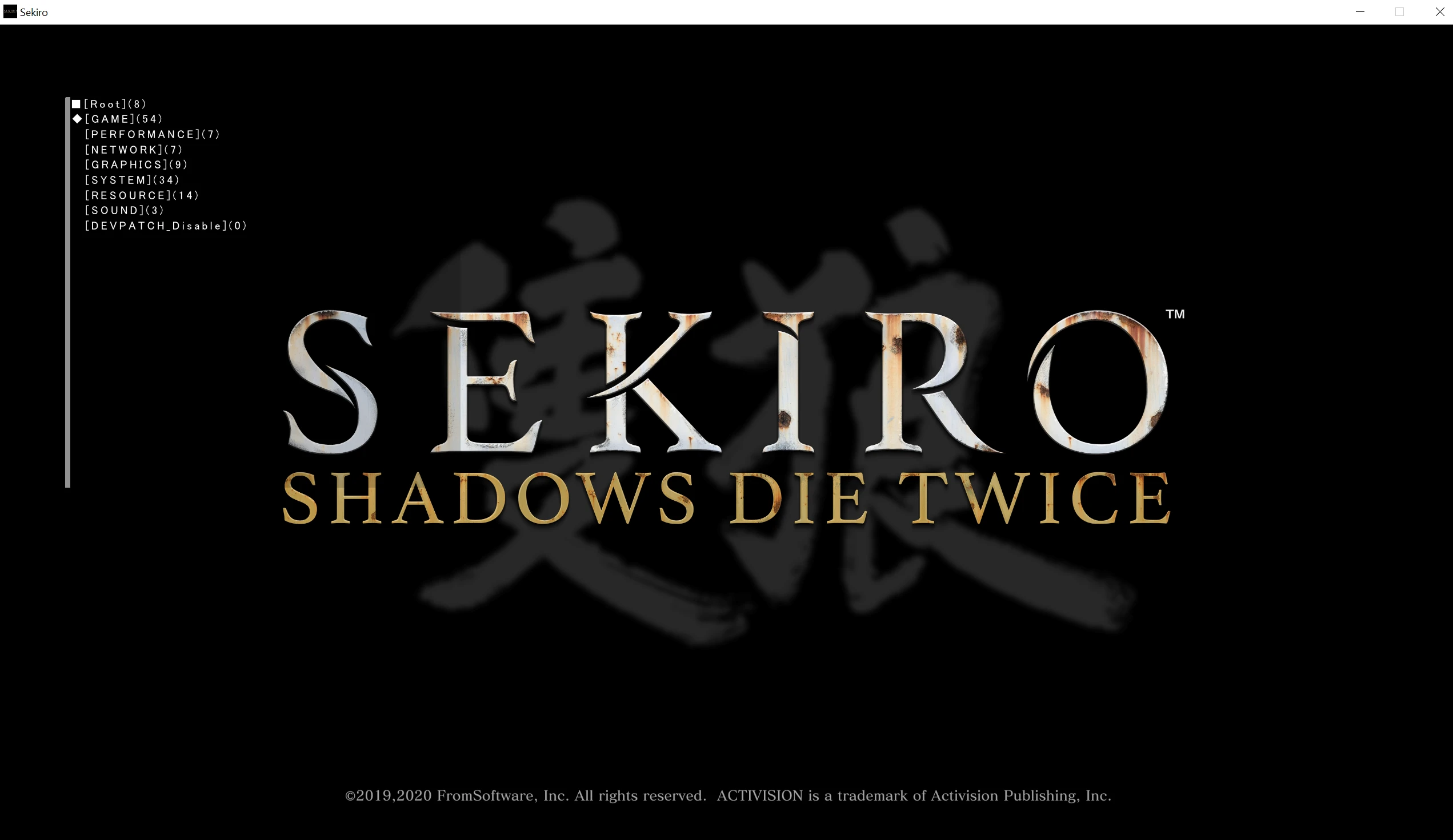
Preview
🔍 Analysis
- 👍 3.2% endorsement rate — high engagement, a strong quality signal
- 🏆 #7 of 36 Utilities mods in this game by downloads
📋 About This Mod
The developer debug menu for Sekiro.
It's practically identical to the Dark Souls III debug menu, seeing as the games are pretty much the same.
The debug menu font was cut from the game, so custom fonts had to be added. Huge thanks to Enlisted for practically making the entire draw function.
This mod only activates the menu, and displays the text. The core functionality is leftover from FromSoftware themselves, hence the Japanese text.
If you enjoy this mod, and you'd like to support me, you can buy me a coffee here.
Best used with an xbox controller, in windowed mode at the moment.
Simply drag and drop "dinput8.dll", and "debugfont.ttf" into your Sekiro directory (where your .exe is located)
Delete dinput8.dll", and "debugfont.ttf" from your Sekiro directory.
Q) What is it?
A) The developer's debug menu for the game, it includes so many options I can't list them here.
Q) Can I use it in my mod?
A) Of course! I've released it really as a resource other modders can use to change various aspects of the game. I'd appreciate you letting me know if you're going to package this mod with yours beforehand though just to avoid any misunderstandings, otherwise go ahead.
Q) 'X' crashes!
A) Let me know what crashes and I'll have a look into it, this is the debug menu though, so some things will inevitably be removed.
Q) I can't see text on the GUI windows
A) That's still broken, I'll fix it later
If you have more questions, feel free to either make a post here, send me a message, or join the souls modding discord here: https://discord.gg/mT2JJjx
Special thanks for Enlisted for helping me figure out the draw function.
Special thanks for Pav for restoring some of the menu drop-downs.
Sekiro Debug Menu is a comprehensive debug utility for Sekiro, offering players access to hidden developer tools. With 647 endorsements and over 20,000 downloads, it's a popular mod for those wanting to experiment with game mechanics. Last updated in November 2020, it remains a go-to for debugging and testing.
✨ Key Features
📊 Pros & Cons
✅ Pros
- Community-approved with 647 endorsements — clearly a trusted tool.
- Over 20,000 downloads shows real demand from players.
- Opens up the game for experimentation and testing.
⚠️ Cons
- Last updated in 2020 — may not work with the latest game patches.
- No detailed feature list provided by the author.
- Debug menus can break game balance if used carelessly.
For Sekiro players who want to dig into the game's mechanics, test mods, or just mess around with developer tools. Skip if you're looking for a pure gameplay overhaul — this is a utility, not a content mod.
💡 Beginner Tips
- Make sure to back up your save files before using the debug menu, as it can alter game state.
- Use the debug menu to test combat scenarios or unlock items for experimentation.
- Check the mod's comments section for any known issues with specific game versions.
📊 Mod Details
- Game
- Sekiro Mods
- Author
- Yui
- Version
- 2.01
- Downloads
- 20,192
- Endorsements
- 647
- Category
- Utilities
- Created
- 3/8/2020
- Updated
- 11/21/2020
🔧 How to Install Sekiro Mods
Download from Nexus.
📖 Full step-by-step install guide for Sekiro →
Visit the official mod page for specific installation instructions for this mod.
🎮 Need cheat codes or console commands? Check ur gaming wiki for Sekiro commands, item IDs, and more.
Keep browsing — more Sekiro mods await