Native PS4 Buttons
⚪ Last updated 2019⚠️ Install Order · 1 step
Install in this order, then this mod last — most mods fail to load without their framework and dependencies in place.
Preview
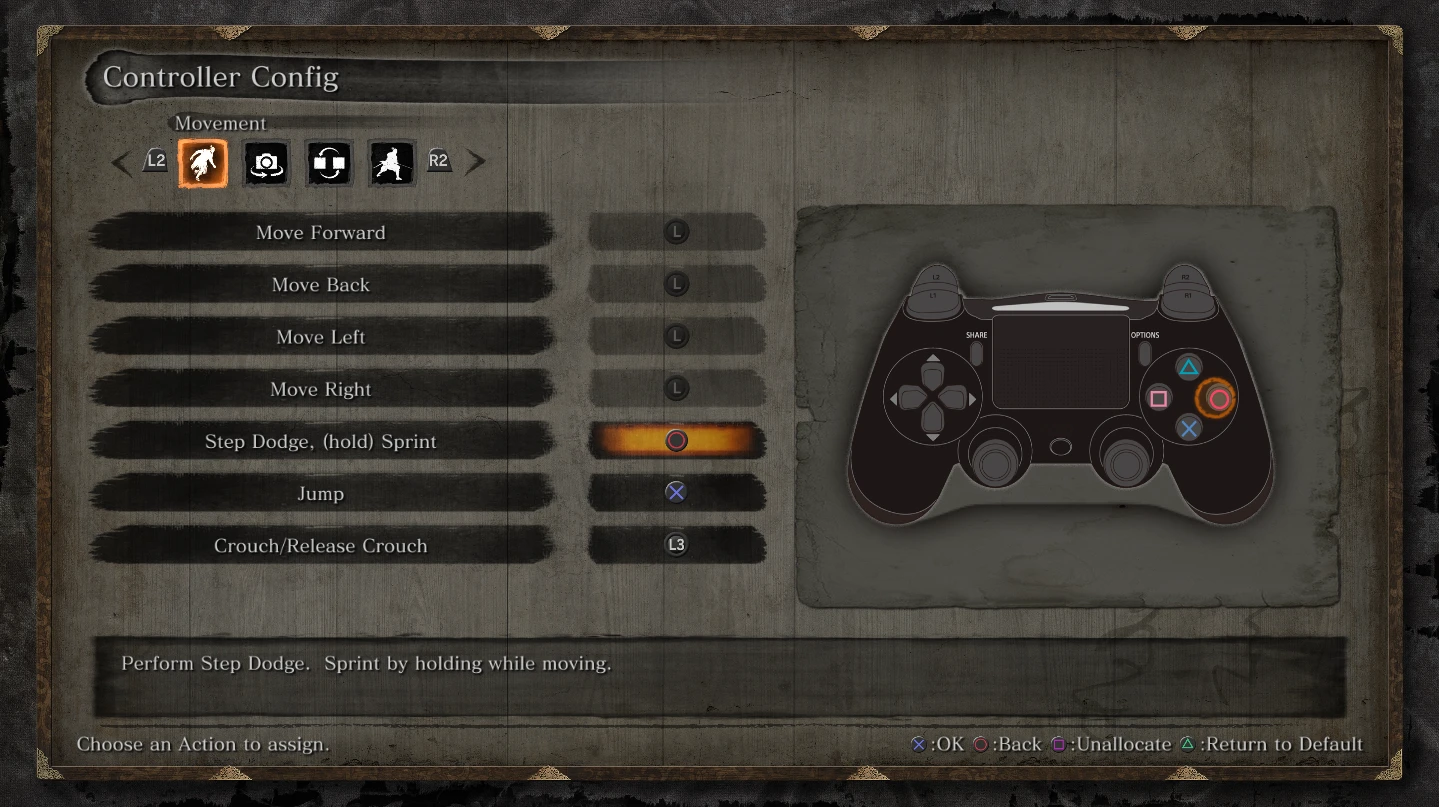
🔍 Analysis
- 👍 3.2% endorsement rate — high engagement, a strong quality signal
- 🏆 #1 of 74 User Interface mods in this game by downloads
📋 About This Mod
Turns out Sekiro has assets for PS4 buttons/menus but it wasn't activated in the final release. This mod modifies the UI layout files to restore them.
Installation:
1. Install mod engine (https://www.nexusmods.com/sekiro/mods/6). This is needed to modify Sekiro game files.
2. Extract the zip file and copy the "menu" directory to Sekiro\mods (or your mod directory if you create a custom one in modengine.ini).
3. You have PS4 menus now.
TROUBLESHOOTING:
Here's some common issues I've seen and how to resolve them:
1. Try the latest version of mod engine. I've made updates to it to try and make it more compatible with potentially different exe versions.
2. Make sure you create a directory called "mods" in the Sekiro directory. Make sure it has no "\" or "/". See the mod engine image for what this may look like.
3. "menu" should be copied directly inside "mods". Not the parent directory "PS4Buttons".
If your menus are missing or look weird, update to mod engine 0. 1. 9. This should fix the issue (for real this time).
If this still doesn't fix your issue, try copy pasting mods\menu to the Sekiro directory so that you have both Sekiro\mods\menu and Sekiro\menu. Let me know in the comments that Mod Engine 0. 1. 9 still doesn't work.
Native PS4 Buttons is a simple file mod that restores Sekiro's built-in PS4 button prompts without requiring third-party texture injectors. It has 5,581 endorsements and 175,950 downloads, last updated in March 2019.
✨ Key Features
📊 Pros & Cons
✅ Pros
- Community favorite with 5,581 endorsements.
- Huge download count (175,950) shows it's widely used.
- No extra tools needed—just drop in files.
⚠️ Cons
- Last updated in 2019, so may not be compatible with newer game patches.
- Only affects button prompts, not other UI elements.
- Potential conflict with other UI mods that alter button icons.
For Sekiro players on PC who prefer the original PS4 button prompts over the default keyboard or Xbox icons. If you're using a PS4 controller and want authentic prompts without hassle, this is for you. Skip if you're fine with default prompts or use a different controller.
💡 Beginner Tips
- Make sure to back up your original files before replacing them, just in case you want to revert.
- If you're using a mod manager, you can install this mod through it to easily manage and uninstall.
- Check if the mod is compatible with your game version, as it hasn't been updated since 2019.
📊 Mod Details
- Game
- Sekiro Mods
- Author
- Katalash
- Version
- 1.0
- Downloads
- 175,950
- Endorsements
- 5,581
- Category
- User Interface
- Created
- 3/23/2019
- Updated
- 3/26/2019
🔧 How to Install Sekiro Mods
Download from Nexus.
📖 Full step-by-step install guide for Sekiro →
Visit the official mod page for specific installation instructions for this mod.
🎮 Need cheat codes or console commands? Check ur gaming wiki for Sekiro commands, item IDs, and more.
Keep browsing — more Sekiro mods await