More Outfit Slots And Random Outfits
🟠 Updated over a year ago⚠️ Install Order · 1 step
Install in this order, then this mod last — most mods fail to load without their framework and dependencies in place.
Preview
🔍 Analysis
- 👍 2.6% endorsement rate — high engagement, a strong quality signal
- 🏆 #223 of 310 Gameplay mods in this game by downloads
📋 About This Mod
Supported language: English, 简体中文, 繁體中文
中文说明看这里:https://www.bilibili.com/video/BV1QaLcz5ETX/
The usage is translated by Deepseek.
Gameplay:
Each death or revival will trigger a randomized appearance change.
Usage Instructions:
The parts folder in mod contains 10 empty model (each 1kb). Replace them with your preferred appearance mods. You don't need to replace all 10—up to 10 sets are allowed. Check the ids in the Sculptor's Idol.
I've also uploaded my own parts files for convenience. Feel free to overwrite them if you don't want to search for others.
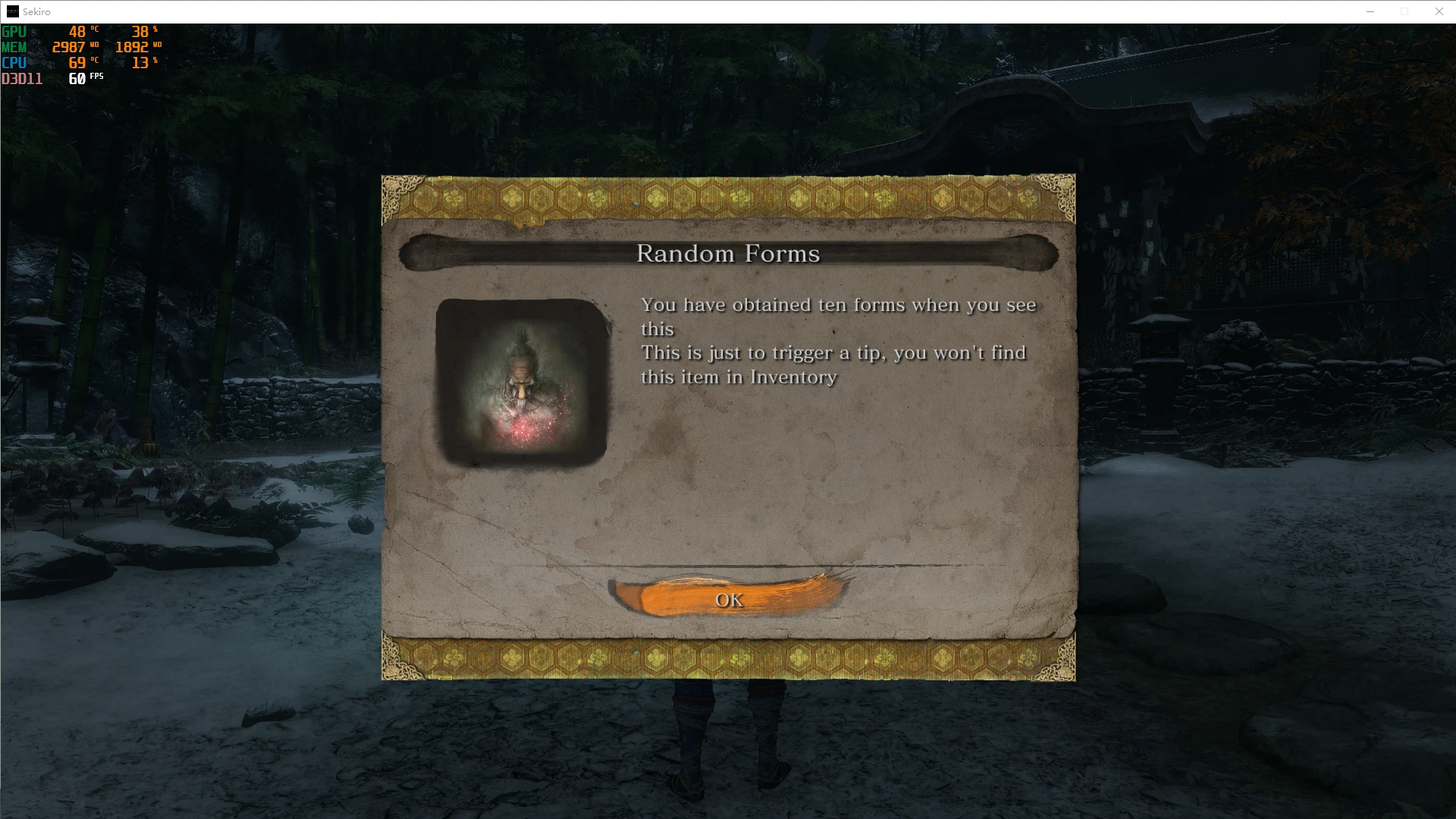
Upon first launching the game, a "new item obtained" prompt will appear. This is just a confirmation that the mod is working—the script will automatically discard the item, so ignore it.
A new menu has been added in the Sculptor's Idol.
Use it to toggle randomization on/off and view the current appearance id in the bottom-left corner.
Warnings:
The new appearances will appear in the "Change Form" menu, but DO NOT equip them there. Doing so will create garbled items that cannot be deleted. Do NOT equip! Do NOT equip! Do NOT equip!
Appearance Conflicts:
Filename Conflicts:
Mods use uniquely named .dcx files, but the game also checks internal filenames within the .dcx.
Unpack the .dcx using Yabber. Drag the .dcx onto Yabber to unpack it.
Open the .xml file. If any internal file paths/names match those of another mod, conflicts will occur.
Fix: Locate conflicting files in the unpacked folder, rename them uniquely, and update their names in the .xml. You can also rename folders.
Repack the folder with Yabber.
MTD File Conflicts:
Some mods include .mtd files. If a mod with .mtd still crashes after resolving filename conflicts, it's likely an MTD conflict.
These conflicts require advanced modding skills (editing textures/materials) to fix. If you lack these skills, avoid using conflicting MTD mods.
Adds ten extra outfit slots to the game, letting you store more favorite outfits. Also enables random outfit changes upon player death or revival. A niche gameplay tweak for players who want more wardrobe variety.
✨ Key Features
📊 Pros & Cons
✅ Pros
- Simple and straightforward: ten extra slots for your favorite outfits.
- Random outfit on death/revive adds a fun twist to gameplay.
- Lightweight mod with 604 downloads, so it's been tried by a few.
⚠️ Cons
- Only 16 endorsements, so it's not widely vetted by the community.
- Last updated May 2025 — may not be compatible with future game patches.
For players who want more outfit variety and enjoy a bit of randomness when they die or respawn. Skip if you're looking for major gameplay overhauls — this is a small quality-of-life tweak.
💡 Beginner Tips
- Check if the mod requires a mod manager or manual installation by looking at the file structure.
- If the game has anti-cheat, verify that mods are allowed before installing.
- Test the random outfit feature by dying in a safe area to see how it works.
📊 Mod Details
- Game
- Sekiro Mods
- Author
- dddder4
- Version
- 1.0.2
- Downloads
- 604
- Endorsements
- 16
- Category
- Gameplay
- Created
- 4/20/2025
- Updated
- 5/1/2025
🔧 How to Install Sekiro Mods
Download from Nexus.
📖 Full step-by-step install guide for Sekiro →
Visit the official mod page for specific installation instructions for this mod.
🎮 Need cheat codes or console commands? Check ur gaming wiki for Sekiro commands, item IDs, and more.
Keep browsing — more Sekiro mods await