Resident Evil 4 - Reshade
⚪ Last updated 2022Preview
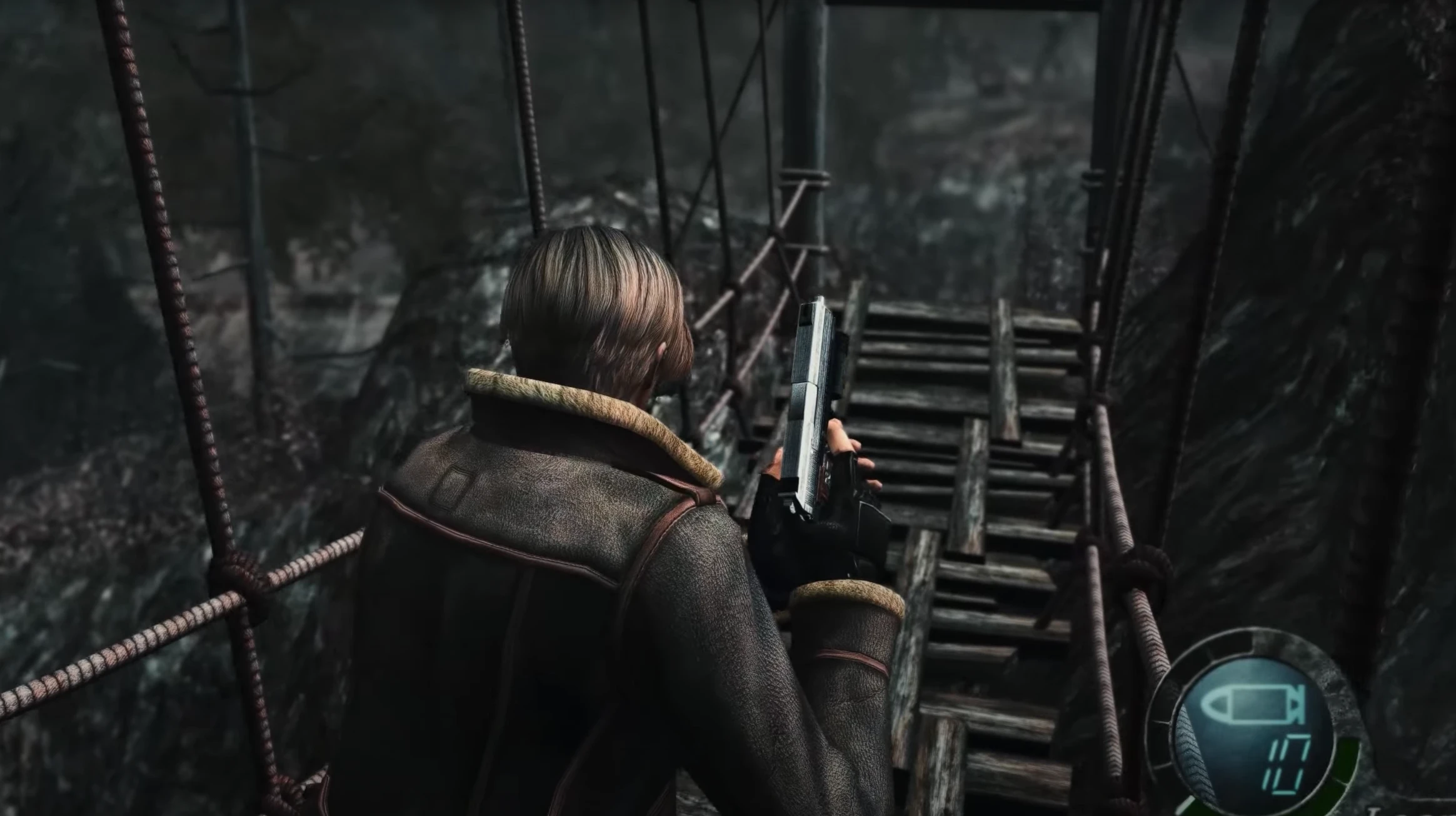
🔍 Analysis
- 👍 2.3% endorsement rate — high engagement, a strong quality signal
- 🏆 #2 of 43 Visuals mods in this game by downloads
📋 About This Mod
Only settings files.
First install reshade and rtgi shader then move my ini files to game folder
CUTSCENE PROBLEM SOLVED.
🤖 AI-enhanced — based on mod data
A Reshade preset for Resident Evil 4 that enhances visuals with ray-traced global illumination. Includes three INI variants: low depth of field, no depth of field, and original color. Requires Reshade v5.0.2 and RTGI shader. 432 endorsements, last updated June 2022.
✨ Key Features
Three INI presets: Low Depth of Field (LA), No Depth of Field (NA), and Original Colour (OC).
Designed to work with Reshade v5.0.2 and RTGI shader for ray-traced global illumination.
Fixes cutscene issues with the preset.
Instructions to disable in-game anti-aliasing for best results.
📊 Pros & Cons
✅ Pros
- Community-approved with 432 endorsements and over 18k downloads.
- Offers multiple preset options to suit different visual preferences.
- Addresses a common issue with cutscenes, a nice touch.
⚠️ Cons
- Requires manual installation of Reshade and RTGI shader, which can be finicky.
- Only settings files, so you need to source the core mods yourself.
- Last updated in 2022, so may not be compatible with newer Reshade versions.
🎯 Is This For You?
For Resident Evil 4 players who want enhanced visuals with ray-traced global illumination and are comfortable installing Reshade and RTGI. Skip if you prefer a simple plug-and-play mod or don't want to tweak settings.
For Resident Evil 4 players who want enhanced visuals with ray-traced global illumination and are comfortable installing Reshade and RTGI. Skip if you prefer a simple plug-and-play mod or don't want to tweak settings.
📦 Install:Medium· 10-15 minutes
💡 Beginner Tips
- Make sure to disable anti-aliasing in the game options to avoid conflicts with the preset.
- Place the INI files directly into the game folder after installing Reshade and RTGI.
- If cutscenes still have issues, try the 'No Depth of Field' variant.
📊 Mod Details
- Game
- Resident Evil 4 Mods
- Author
- LemoCol
- Version
- 2.0
- Downloads
- 18,564
- Endorsements
- 431
- Category
- Visuals
- Created
- 9/3/2021
- Updated
- 6/16/2022
🔧 How to Install RE4 Mods
Use Fluffy Mod Manager. Drop mods into /Mods/ folder.
📖 Full step-by-step install guide for RE4 →
Visit the official mod page for specific installation instructions for this mod.
🎮 Need cheat codes or console commands? Check ur gaming wiki for RE4 commands, item IDs, and more.
Keep browsing — more RE4 mods await