RE4 Ultimate HD Plus Reshade
⚪ Last updated 2019Preview
🔍 Analysis
- 👍 5.2% endorsement rate — high engagement, a strong quality signal
- 🏆 #4 of 43 Visuals mods in this game by downloads
📋 About This Mod
PLEASE: If you downloaded and liked my preset, don't forget to return here and click on "ENDORSE"! That's my only request to you! I've spent time and work with it, so endorsing my mod you will be helping me and I will appreciate it so much. Thank you all!!
ALSO CHECK MY OTHER WORKS
PhoenixVivid ENB-Reshade for Skyrim SE
Phoenix Cinematic ENB-Reshade for Fallout 4
Phoenix Enhancer Reshade for The Elder Scrolls Online
Phoenix Luminance ENB for Dragon's Dogma DA
Drangleic Enhanced Reshade for Dark Souls II
Phoenix Undead Reshade for Dark Souls III
Imaginarium ENB for Skyrim SE
Insanity ENB for Skyrim LE
NCW ENB for Fallout 4
YQBOqIDyw6Q j5DEfL6tApY
QxUZ3MuXNCs
Subscribe to my YouTube Channel
Follow me on Flickr
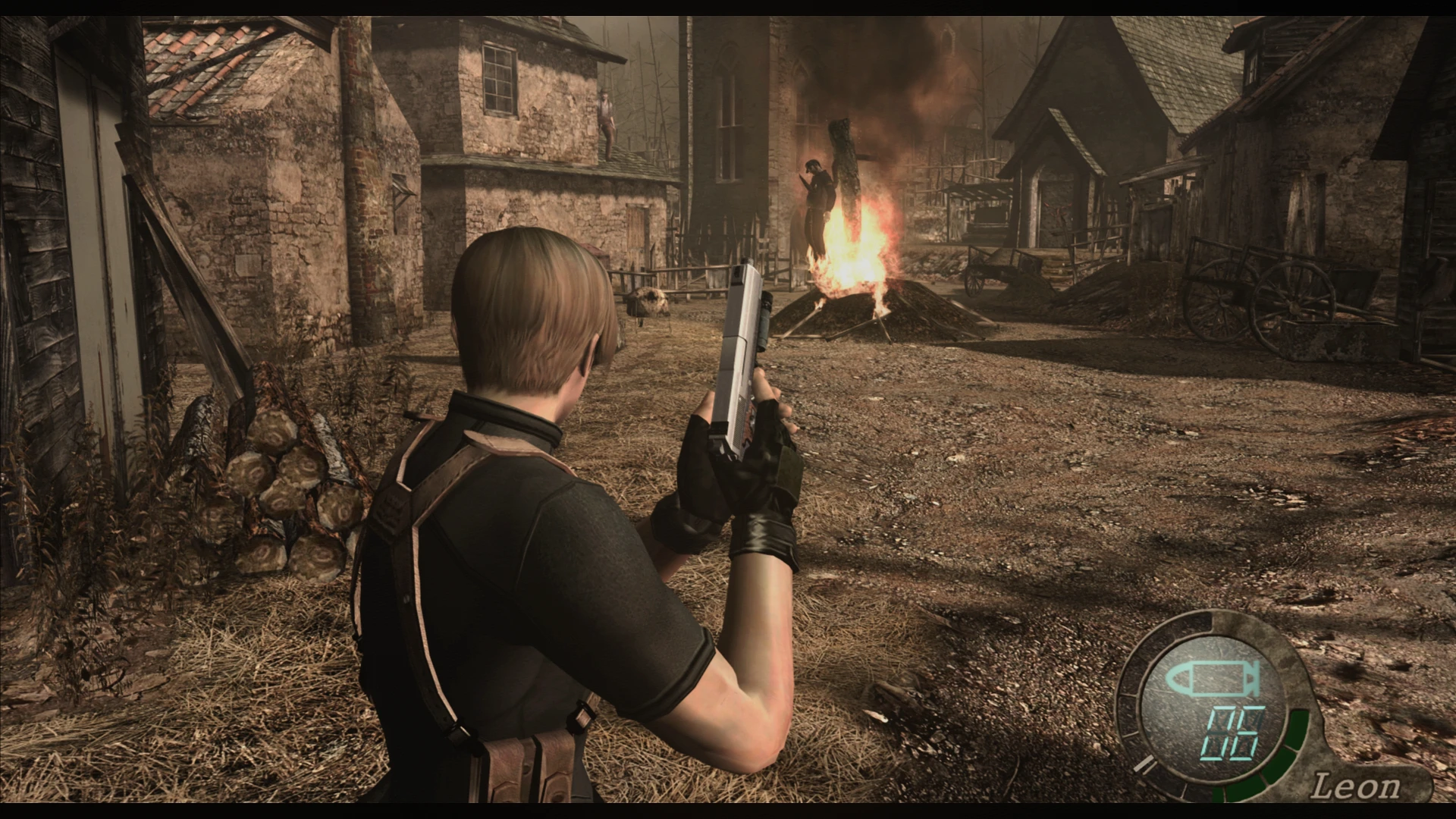
Ultimate HD Plus Reshade is a preset that will improve some details of Resident Evil 4 original graphics with minimal or no performance impact. Several adjustments were made for a better color balance and for a better general look. Reshade resources used: AmbientLight, Border, Colourfulness, Curves, DPX, HDR, Technicolor2, LumaSharpen and Tonemap.
- REQUIREMENTS
1- ONLY for NVIDIA users: If you are using HDMI conection, Its VERY IMPORTANT to set your Dynamic Range in full, in the graphics card control panel (see this image). For AMD Users: open AMD control panel, click on Gaming tab > Games >Global Graphics > Display > Pixel Format and set to: RGB 4:4:4
Pixel Format PC Standard (Full RGB).
2- Not mandatory, but HIGH RECOMMENDED to use the HD textures from : Resident Evil 4 HD Project
- INSTALLATION STEPS
1- Download the latest Reshade version from https://reshade.me/ ;
2- Run the executable to install the Reshade ----> select the game or browse until find the game executable .exe folder (usually [........ Steam\steamapps\common\Resident Evil 4\Bin32 ] ) and click on the game .exe file ----> Click on Next ----> select DirectX9 ----> Next ----> In the shaders collections window check Legacy Effects box ----> Next ----> wait the download of the shaders ---> Finish...
ATTENTION: The
A Reshade preset that enhances the original graphics of Resident Evil 4 Ultimate HD Edition. With 759 endorsements and over 14,000 downloads, it's a popular choice for players wanting improved visuals without replacing textures. Last updated in 2019, it remains a stable option for the game.
✨ Key Features
📊 Pros & Cons
✅ Pros
- Community favorite with 759 endorsements and 14k downloads
- Easy to install if you already have Reshade
- Gives the original game a visual boost without heavy texture mods
⚠️ Cons
- Requires Reshade to be installed separately
- May conflict with other Reshade presets or ENB-like mods
- Not updated since 2019, so may not work with newer Reshade versions
For RE4 players who want a quick visual upgrade without overhauling textures. If you're new to Reshade, this is a good starting point. Skip if you prefer full texture packs or are using a different reshade preset.
💡 Beginner Tips
- Make sure you have Reshade installed and set up for RE4 before adding this preset.
- If you're using a different reshade preset, back it up or remove it to avoid conflicts.
- Test the preset in different lighting conditions (e.g., daytime, indoor) to adjust settings if needed.
📊 Mod Details
- Game
- Resident Evil 4 Mods
- Author
- Phoenix
- Version
- 1.0
- Downloads
- 14,452
- Endorsements
- 756
- Category
- Visuals
- Created
- 7/9/2019
- Updated
- 7/9/2019
🔧 How to Install RE4 Mods
Use Fluffy Mod Manager. Drop mods into /Mods/ folder.
📖 Full step-by-step install guide for RE4 →
Visit the official mod page for specific installation instructions for this mod.
🎮 Need cheat codes or console commands? Check ur gaming wiki for RE4 commands, item IDs, and more.
Keep browsing — more RE4 mods await