Rando Items 9000
⚪ Last updated 2021Preview
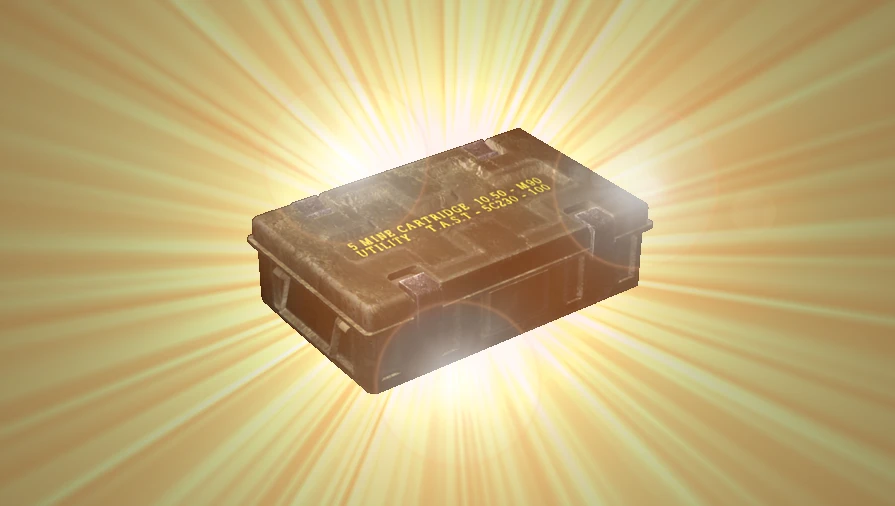
🔍 Analysis
- 👍 3.6% endorsement rate — high engagement, a strong quality signal
- 🏆 #6 of 43 Gameplay mods in this game by downloads
📋 About This Mod
This Mod is for Resident Evil 4 Ultimate HD Edition, Steam version.
Game versions tested: 1. 1. 0 and 1. 0. 6.
Main purpose of this mod is replacing selected item pickups with other items.
Definitions of what is replaced with what is done via INI configuration files.
For INI documentation, use text editor and open provided "rando_items_dll. 001.ini" file that is in the default download. It is self documented.
Features
-
[]Randomizes or replaces static items in the game.
[
]Full configuration via INI files.[]Possibility to replace items 1:1 or create a randomization formula instead.
[]No additional program to run in the background needed.
[]Does not require to run in the Administrator mode.
[]Does not require . NET Framework to run.
[]Tested and works on Windows 7.
Installation
This mod is in the form of loadable DLL file that needs to be loaded into the game process.
Following methods can be used to initialize this mod:
-
[]#1. Use external program, like CFF Explorer VIII, to modify game executable.
[]#2. Use Cheat Engine by Dark Byte to load mod DLL into running RE4 game.
[]#3. The default method. Use provided launcher executable to start the game..
#1 Modify game executable with external program like CFF Explorer VIII.
-
[]Copy mod DLL and configuration files to the '\Bin32' directory inside the RE4 game.
[
]Follow instructions found in this article on how to use CFF Explorer VIII.Make sure to create necessary backups of files being modified first, in essence, the main game executable (bio4.exe).
#2 Loadd mod DLL into running RE4 process using Cheat Engine.
-
[]Start the RE4 game and the Cheat Engine program.
[
]In Cheat Engine, open process list and select Resident Evil 4.[]Open the Memory View window.
[]From the window menu, select 'Tools' and select 'Inject DLL'.
[]Browse for the mod DLL. If it asks for executing function in the DLL - it is not needed.
#3 Using the default method - installation.
(This method has been removed because virus false positives on the provided launcher executable. You can still use it by getting the launcher from the older version from archived downloads.)
-
[]Download the file archive.
[]Unpack ZIP file to the directory where "\Bin32" folder inside the RE4 game is.
[]Start the game by clicking provided batch (.bat) file.
This batch file already contains necessary parameters to start the game using provided launcher executable in turn. If needed, edit this file or examine launcher executable for more options.
Limitations
Only static items can be replaced. This includes items in the environment that are waiting to be picked up or hidden inside breakable objects. Some items that enemies drop are also replaced. Further testing is needed to tell which.
Swapping of basic items, like ammo boxes, should work in all game modes. However, replacing items that normally doesn't belong to that particular mode will cause the game to crash. Examples of unwanted items:
-
[]Bow ammo in the main game, playing as Leon mode.
[
]Mine darts in the Assignment Ada mode.
Most of treasure items, when loaded into the level they normally doesn't appear in, will crash the game the same way.
For ammo boxes, there are arbitrary limits on how many bullets they can add to the inventory. If the ammo box ends up with that too large ammo value, then what happens instead is the actual number of bullets added is automatically capped, even though on the pickup screen it will show the higher value.
Typical usage
-
[]For the first test, make sure you're using default INI config.
[
]When mod DLL starts, it plays additional sound sample - an inventory item swap sound.[]Start the game and load the first stage.
[]Check if handgun ammunition boxes are being replaced by some other ammo type.
Project Information
(This is not installation requ
-
[]Download the file archive.
-
[]Copy mod DLL and configuration files to the '\Bin32' directory inside the RE4 game.
-
[]#1. Use external program, like CFF Explorer VIII, to modify game executable.
Rando Items 9000 randomizes or replaces static items in the game, offering comprehensive user configuration. You can swap ammo types, replace treasures with herbs, or add specific ammo to rooms. It's a flexible tool for players seeking to customize item placements and create unique playthroughs.
✨ Key Features
📊 Pros & Cons
✅ Pros
- 122 endorsements show the community trusts it.
- Deep config options let you fine-tune exactly what gets swapped.
- Adds replay value by shaking up item placement.
⚠️ Cons
- Last updated in 2021, so it may not work with the latest game patches.
- Configuration can be overwhelming if you just want a quick randomizer.
- Potential conflicts with other mods that alter item placements.
This is for players who want to freshen up their playthroughs with randomized item placements. It's also great for modders who want to create custom item distribution scenarios.
💡 Beginner Tips
- Start with the default settings to see how the randomization feels before tweaking.
- Use the configuration to target specific item types, like ammo or herbs, for a more controlled experience.
- If you're unsure about a swap, test it in a low-stakes area first.
📊 Mod Details
- Game
- Resident Evil 4 Mods
- Author
- ike9000
- Version
- 1.1.5
- Downloads
- 3,384
- Endorsements
- 122
- Category
- Gameplay
- Created
- 7/29/2021
- Updated
- 8/6/2021
🔧 How to Install RE4 Mods
Use Fluffy Mod Manager. Drop mods into /Mods/ folder.
📖 Full step-by-step install guide for RE4 →
Visit the official mod page for specific installation instructions for this mod.
🎮 Need cheat codes or console commands? Check ur gaming wiki for RE4 commands, item IDs, and more.
Keep browsing — more RE4 mods await