FidelityFX Super Resolution 2.0
⚪ Last updated 2022⚠️ Install Order · 1 step
Install in this order, then this mod last — most mods fail to load without their framework and dependencies in place.
Preview
🔍 Analysis
- 👍 2.1% endorsement rate — high engagement, a strong quality signal
- 🏆 #20 of 110 Miscellaneous mods in this game by downloads
📋 About This Mod
NOW SUPPORTS VULKAN GRAPHICS API
! No longer maintained due to the addition of an official FSR implementation from Rockstar !
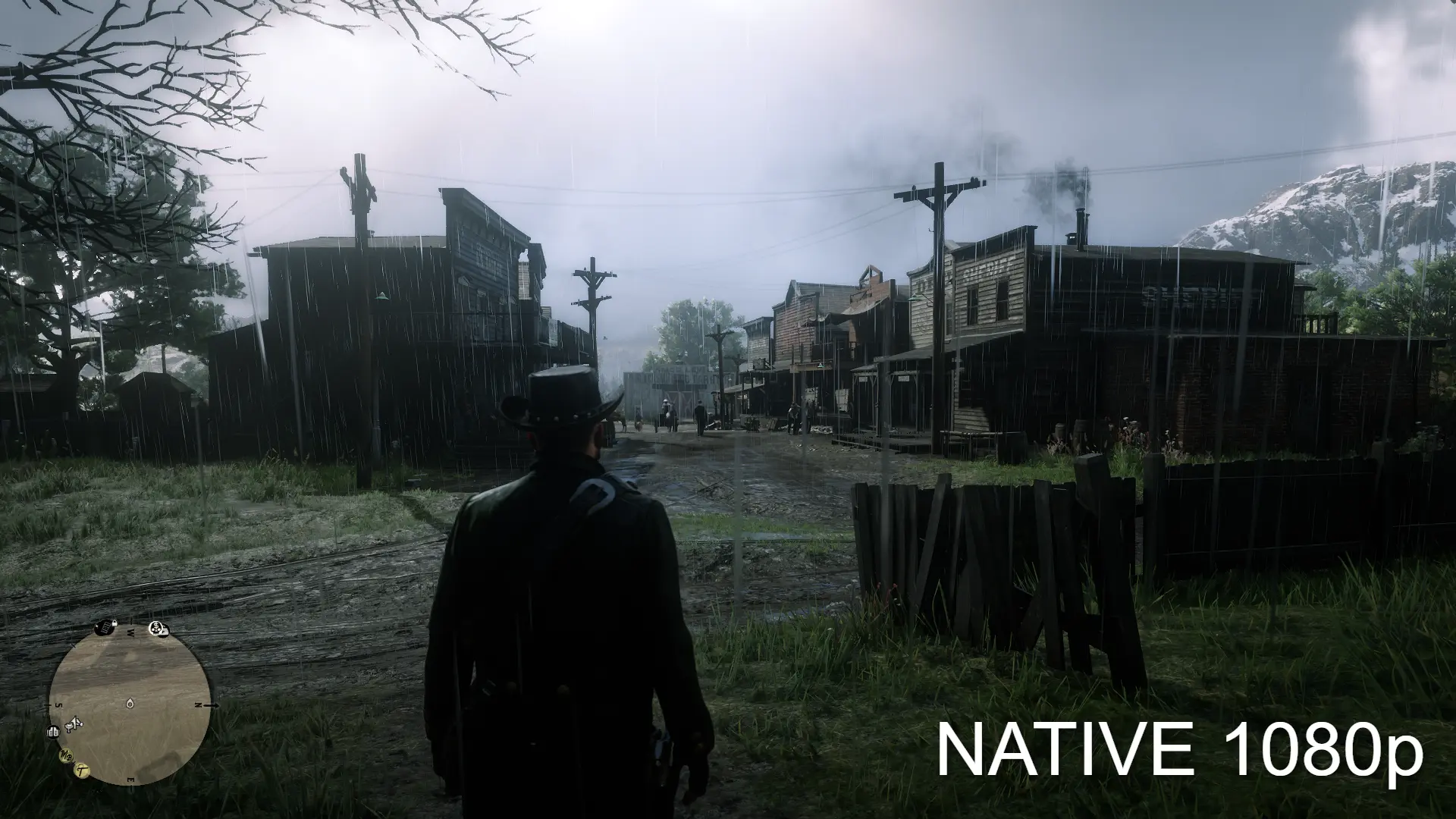
Based on PotatoOfDoom's Cyberpunk 2077 FSR2. 0 mod, this mod brings AMD's FideltyFX Super Resolution 2. 0 to Red Dead Redemption 2; replacing its DLSS implementation. With similar-to-dlss performance gains and improved visual fidelity this mod is perfect if you struggle to run Red Dead Redemption 2 at your native resolution on a non-RTX graphics card.
Again, the implementation of this mod is based on PotatoOfDoom's Cyberpunk FSR 2. 0 mod (Github) so updates concerning FSR 2. 0 bugs will most likely be mainly handled by himself and the rest of the open-source community. I have simply made a loader for his mod and implemented the correct ViewMatrix offset!
You can view the source code for this project here.
Please, if you want extended support for PotatoOfDoom's almost universal FSR 2. 0 implementation so mods like this can continue to be updated and have bugs squashed, support him here!
Installation
-
[]Download the latest release
[
]Unzip the content to your RDR2 executable directory[]Run RDR2 and enable DLSS (This is still FSR 2. 0)
Uninstallation
-
[]Remove nvngx.dll, nvngx.ini, d3d11.dll, ffx_fsr2_api_dx12_x64.dll, ffx_fsr2_api_vk_x64.dll and ffx_fsr2_api_x64.dll from your RDR2 executable directory.
-
[]Social Club error 4
[
]Restart RDR2 and try again. It may take up to 3 tries but usually you wouldn't get this error. You can also try disabling overlay software such as MSI afterburner, steam overlay, discord etc.[]Error MessageBox FFFFFF
[]Ensure that you are using a legitimate, up-to-date copy of RDR2 and you have followed the installation steps correctly.
[]Black Screen/Crashes
[]Set asyncComputeEnabled is set to false in your system.xml file found in Documents\Rockstar Games\Red Dead Redemption 2\Settings\system.xml
[]Option for DLSS not appearing in settings
[]Follow installation steps correctly and ensure you are using a legitimate, up-to-date version of RDR2.
[]Game looks bad/blurry with FSR 2. 0 enabled
[]Lower TAA sharpening or disable it completely and set anisotropic filtering to 16x
[]Other
[]If you are still having problems or your issue isn't listed you can try disabling Windows memory integrity in your Windows settings. Refer to this guide here (W11/10). This is due to the nature of the loader and R's anti-cheat.
-
[]Social Club error 4
-
[]Remove nvngx.dll, nvngx.ini, d3d11.dll, ffx_fsr2_api_dx12_x64.dll, ffx_fsr2_api_vk_x64.dll and ffx_fsr2_api_x64.dll from your RDR2 executable directory.
This mod replaces Red Dead Redemption 2's DLSS implementation with AMD's FidelityFX Super Resolution 2.0, offering similar performance gains and improved visual fidelity for non-RTX GPUs. It supports Vulkan and is no longer maintained due to Rockstar's official FSR implementation. Based on PotatoOfDoom's Cyberpunk 2077 FSR 2.0 mod.
✨ Key Features
📊 Pros & Cons
✅ Pros
- Huge community adoption (1,287 endorsements, 61k downloads) shows it works for many players
- Gives non-RTX cards a real performance boost with quality similar to DLSS
- Simple drop-in install—no mod manager needed, just unzip and go
⚠️ Cons
- No longer maintained—Rockstar added official FSR, so this mod is outdated and may have unfixed bugs
- Requires enabling DLSS in-game even though it's actually FSR, which can confuse players
- Potential compatibility issues with overlays (MSI Afterburner, Steam, Discord) causing Social Club errors
For RDR2 players on AMD or older Nvidia GPUs who want DLSS-like performance without an RTX card. Also for tinkerers who enjoy open-source mods and don't mind manual file placement. Skip if you already use Rockstar's official FSR or prefer a maintained mod.
💡 Beginner Tips
- If you get Social Club error 4, restart the game up to 3 times and disable overlays like MSI Afterburner or Discord.
- Make sure you're on a legit, updated copy of RDR2 to avoid the FFFFFF error message.
- For black screens or crashes, set asyncComputeEnabled to false in your system.xml file in Documents.
📊 Mod Details
- Game
- RDR2 Mods
- Author
- PotatoOfDoom and RealIndica
- Version
- 1.3.1
- Downloads
- 61,490
- Endorsements
- 1,287
- Category
- Miscellaneous
- Created
- 7/3/2022
- Updated
- 7/16/2022
🔧 How to Install RDR2 Mods
Install Script Hook RDR2 first. Most mods go in game directory.
📖 Full step-by-step install guide for RDR2 →
Visit the official mod page for specific installation instructions for this mod.
🎮 Need cheat codes or console commands? Check ur gaming wiki for RDR2 commands, item IDs, and more.
Keep browsing — more RDR2 mods await