Pip-Boy 2500A - The Arm Mounted Pipboy 2500
⚪ Last updated 2015⚠️ Install Order · 5 steps
Install in this order, then this mod last — most mods fail to load without their framework and dependencies in place.
Preview
🔍 Analysis
- 👍 3.6% endorsement rate — high engagement, a strong quality signal
- 🏆 #507 of 621 Models and Textures mods in this game by downloads
📋 About This Mod
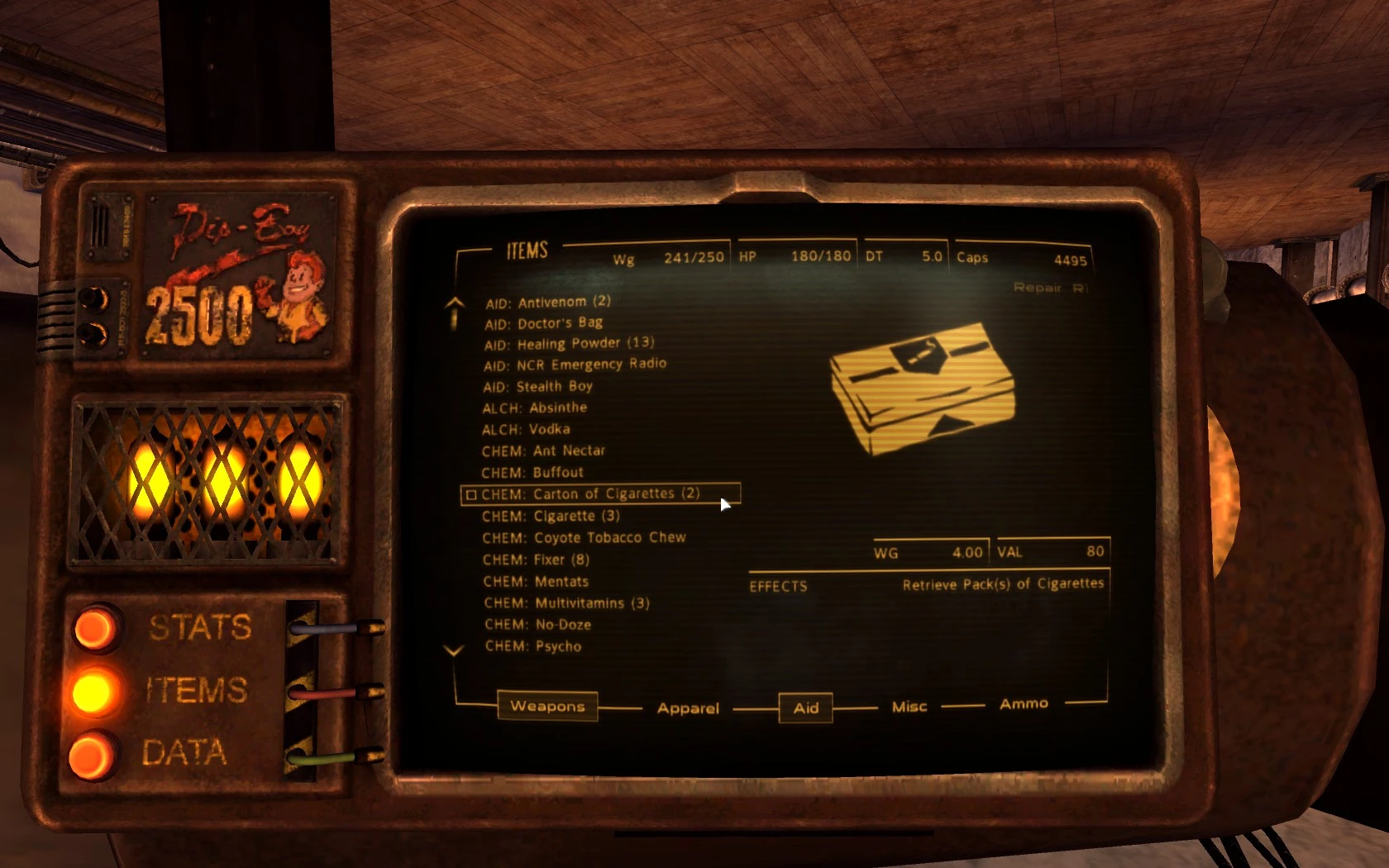
Did you like the Pip-Boy 2500, but didn't like having to dig into your pocket every time you wanted to see your personal information processor? Give the Pip-Boy 2500A a try!
This is an alternate version of the Pip-Boy 2500 that doesn't require NVSE. If you didn't like the somewhat wonky animations, having to wait for the model to load ("digging it out of your pocket"), or any other glitch of the NVSE-required version, the Pip-Boy 2500A is what you're looking for.
The Pip-Boy 2500A directly replaces your Pip-Boy 3000 on your arm (and you can see it in third person), and comes complete with its own custom armband.
As a note, if you'd like to use this version of the Pip-Boy 2500, but only want to see it when you use it, you can use this mod in conjunction with Vivanto's Pip-Boy Remover.
Alternatively, if you do want to try the other version of the Pip-Boy 2500, you can always find it here.
FREQUENTLY ASKED QUESTIONS / TROUBLESHOOTING:
The Pip-Boy 2500A appears too large on my screen!
This can happen if you're playing on a non-widescreen resolution. Go to your My Documents/My Games/FalloutNV folder and open up your Fallout.ini file. Find fPipboy1stPersonFOV=47. 0 and change the 47 to your desired FOV.
The armband clips with some of my armours!
I've tried my best to make it not clip with most of the armours, but this is somewhat unavoidable as there are so many armours to account for - and only one Pip-Boy model that can be used. To be fair, even the original Pip-Boy 3000 clips through many armours. The only solution to this is to download the 'no armband' version available on the download page.
However, keep in mind that the arm space under where the Pip-Boy 3000 was never meant to be seen. You may see twisted or squished arms and other funny looking things. To fix this without NVSE would require you to unequip/equip your armour using a hotkey outside the Pip-Boy.
Your best option is to use the 'no armband' of the Pip-Boy 2500A and to use it with Vivanto's Pip-Boy Remover to fix this, however, this will result in only being able to see the Pip-Boy when you pull it up.
Pip-Boy 2500A is a cosmetic mod for Fallout 4 that repositions the Pip-Boy 2500 to the arm, offering an alternative for players who prefer not to have it in their pocket. With over 4,000 endorsements and 117,000 downloads, it's a popular choice for visual customization.
✨ Key Features
📊 Pros & Cons
✅ Pros
- Huge community trust (4,272 endorsements)
- Over 117,000 downloads shows it's a go-to for many players
- Simple concept, does exactly what it says
⚠️ Cons
- Last updated in 2015, so may not be compatible with latest game patches
- Only one variant, no customization options mentioned
For Fallout 4 players who want a more tactical or visible Pip-Boy placement. If you're tired of the default wrist model and want something that feels more like a wearable device, this is for you. Skip if you want gameplay changes or multiple style options.
💡 Beginner Tips
- Make sure to place the files in your Fallout 4 Data folder or use a mod manager like Nexus Mod Manager for easy installation.
- If you're using other Pip-Boy mods, check load order to avoid conflicts.
- Since it's from 2015, test it after game updates to ensure it still works.
📊 Mod Details
- Game
- New Vegas Mods
- Author
- EdisLeado
- Version
- 2
- Downloads
- 117,184
- Endorsements
- 4,272
- Category
- Models and Textures
- Created
- 3/21/2013
- Updated
- 8/28/2015
🔧 How to Install New Vegas Mods
Download from Nexus.
📖 Full step-by-step install guide for New Vegas →
Visit the official mod page for specific installation instructions for this mod.
🎮 Need cheat codes or console commands? Check ur gaming wiki for New Vegas commands, item IDs, and more.
Keep browsing — more New Vegas mods await