WILDS Reshade - Natural Enhancements
🟠 Updated over a year agoPreview
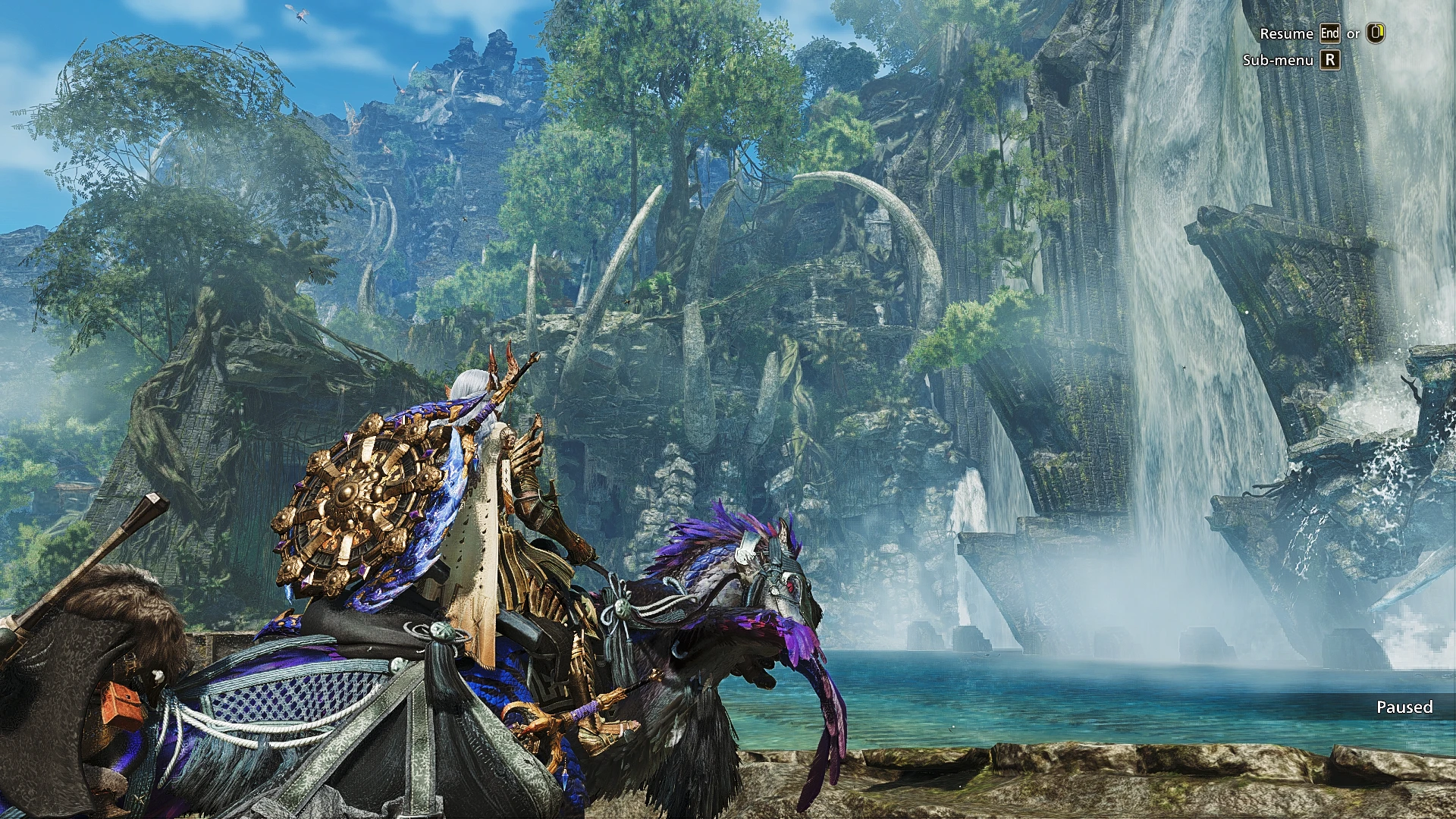
🔍 Analysis
- 👍 1.5% endorsement rate — high engagement, a strong quality signal
- 🏆 #11 of 140 Visuals mods in this game by downloads
📋 About This Mod
Looking for something clean, more visual balanced for your gameplay, not overdone specific aspects like crank up A LOT of contrast, saturation or brightness?
Both my main presets got tweaked to look good and natural for most in-game conditions as possible with many techniques, a lot of changes may very subtle, not obvious for all weather/lighting situations or very hard to see through screenshots.
-> v1 vanilla preset only use 2 effects (LumaSharpen for clearer textures and LightRoom for color/contrast correction), almost no performance cost, for people prefer closer to vanilla look. But it can be slightly bright in Plenty seasons, and visual still a bit 'flat' like vanilla in some environments. Can't really improve that without overkill contrast/exposure/brightness like most presets out there.
-> v2 enhanced preset can look significantly better with a more intense adaptive contrast/highlight effect - especially in muddy bad weathers it makes the visual pop out, more punchy, you'll see what I mean when compare v2 to v1 in sandstorm, it can look bright in clear sunny weather but will adjust itself a little bit. Draw back are ~1% more performance hit (like from 2% to 3%) and it can look slightly dark in some areas.
*If you using HDR monitor you might need tweak some settings yourself (especially the new pd80 fx for v2 was reported behave differently with HDR on)
Installation: Just extract whole zip file to where the game exe is. Keep it simple, no need to download Reshade and effects yourself.
On keyboard:
Press HOME to open the reshade menu - you can change preset files, or uncheck "performance mode" to select/edit each effect here, like turn off or adjust sharpening (try AMD Contrast Adaptive Sharpening if you want to adjust sharpness yourself, it's adaptive and quite easier to use)
WILDS Reshade is a performance-friendly visual enhancement for Skyrim, offering subtle color, contrast, and clarity tweaks with minimal FPS impact (1-3%). Designed for playability, it reduces the game's muddy look while keeping a natural appearance across most conditions. Ideal for players wanting improved visuals without heavy performance costs.
✨ Key Features
📊 Pros & Cons
✅ Pros
- Performance-friendly: only 1-3% FPS hit, so you keep your frames
- Natural look that doesn't oversaturate or blow out colors
- Community-trusted with 522 endorsements and 34k downloads
⚠️ Cons
- No screenshots or before/after comparisons provided by author
- Last updated September 2025 – may not be tested with the latest Skyrim patches
For Skyrim players who want a subtle visual upgrade without sacrificing performance. Great for those who find ENBs too heavy or complex. Skip if you're after dramatic, fantasy-style visuals – this is all about natural enhancement.
💡 Beginner Tips
- Make sure you have ReShade installed and set up before adding this preset.
- After installing, tweak the strength of effects in-game using the ReShade overlay to match your taste.
- If you're using other visual mods, test this preset with them to ensure no conflicts.
📊 Mod Details
- Game
- Monsterhunterwilds Mods
- Author
- Huy98
- Version
- 3.1
- Downloads
- 34,685
- Endorsements
- 522
- Category
- Visuals
- Created
- 2/27/2025
- Updated
- 9/20/2025
🔧 How to Install Monster Hunter Wilds Mods
Download from Nexus Mods.
📖 Full step-by-step install guide for Monster Hunter Wilds →
Visit the official mod page for specific installation instructions for this mod.
🎮 Need cheat codes or console commands? Check ur gaming wiki for Monster Hunter Wilds commands, item IDs, and more.
Keep browsing — more Monster Hunter Wilds mods await