Wilds OPTIMIZER FPS BOOST LOW CPU CLEANER VISUALS AND BETTER STABILITY
🟠 Updated over a year agoPreview
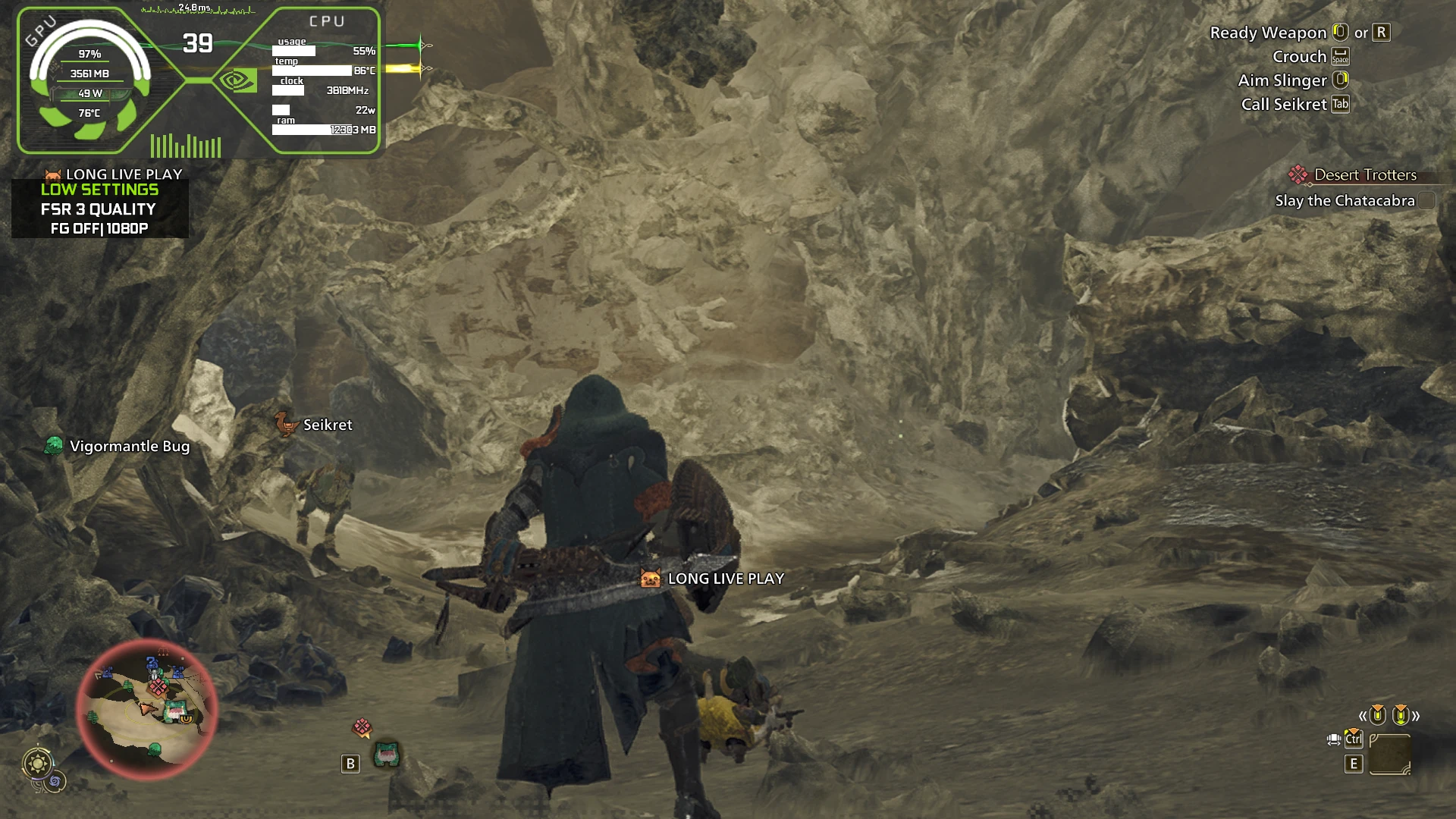
🔍 Analysis
- 👍 1.5% endorsement rate — high engagement, a strong quality signal
- 🏆 #3 of 140 Visuals mods in this game by downloads
📋 About This Mod
performance boost and more
Monster Hunter Wilds – Performance Boost Config. This is a simple tweaked config file for Monster Hunter Wilds that works on any GPU and improves performance by 10+ FPS depending on your hardware. It also reduces CPU usage by 10-15%, making the game run smoother.
This tweak does not drastically change visuals but disables some unnecessary effects to boost performance:
-
[]Removed minor post-processing effects (Fog, volumetric effects, lens distortion, film grain, etc.).
[
]Optimized CPU load by adjusting thread limits and reducing redundant calculations.[]Tweaked GPU settings to lower background resource usage without affecting textures or main visuals.
-
[]Download the config file from the Files section.
[]Paste it into the game’s main folder:
[]Steam\steamapps\common\Monster Hunter Wilds\
[]Replace your existing config file when prompted.
[]IMPORTANT: Right-click the config file, go to Properties, and set it to Read-Only to prevent the game from resetting the tweaks.
Uninstall / Revert Changes
-
[]Simply delete my config file, and the game will generate a new one.
[
]Keep a backup of your original config before replacing it, in case you want to revert later.
UPDATE V1. 2 - fixed possible crashes and disabled frame gen
THIS MOD WORKS ON ALL GPU
This is NOT a "low settings mod." The config is based on the lowest preset, but you can change graphics settings in-game (Low to Ultra), and the tweaks will still work. These optimizations are external—they adjust settings that can’t be changed from the in-game menu.
Resolution: If you want to change it from 1080p, open the config file, find the resolution setting, change it to your monitor’s resolution, and save the file.
Important: Set the config file to Read-Only so the game doesn’t override tweaks. But if you experience crashes or want to tweak settings frequently, you can uncheck Read-Only anytime.What This Mod Tweaks - CPU Optimizations:
[]ParallelBuildCommandList=Enable → Enables multi-threaded rendering.
[]ParallelBuildProcessorCount=8 → Uses up to 8 threads for better performance.
[]UsingIndepentRenderWorker=Enable → Separates render workers for smoother CPU usage.
[]RenderWorkerThreadPriorityAboveNormal=Disable → Prevents CPU overload on rendering.
[]CentralUpdateTileMapping=Disable → Reduces unnecessary CPU calculations.
-
[]Simply delete my config file, and the game will generate a new one.
📊 Mod Details
- Game
- Monsterhunterwilds Mods
- Author
- VANILLA
- Version
- 1.0
- Downloads
- 251,339
- Endorsements
- 3,815
- Category
- Visuals
- Created
- 2/28/2025
- Updated
- 3/2/2025
🧩 Commonly Used Together
Users add these mods to the same collections — a real compatibility signal, not an AI guess.
🔧 How to Install Monster Hunter Wilds Mods
Download from Nexus Mods.
📖 Full step-by-step install guide for Monster Hunter Wilds →
Visit the official mod page for specific installation instructions for this mod.
🎮 Need cheat codes or console commands? Check ur gaming wiki for Monster Hunter Wilds commands, item IDs, and more.
Keep browsing — more Monster Hunter Wilds mods await