Disable Post Processing Effects
🟠 Updated over a year ago⚠️ Install Order · 1 step
Install in this order, then this mod last — most mods fail to load without their framework and dependencies in place.
Preview
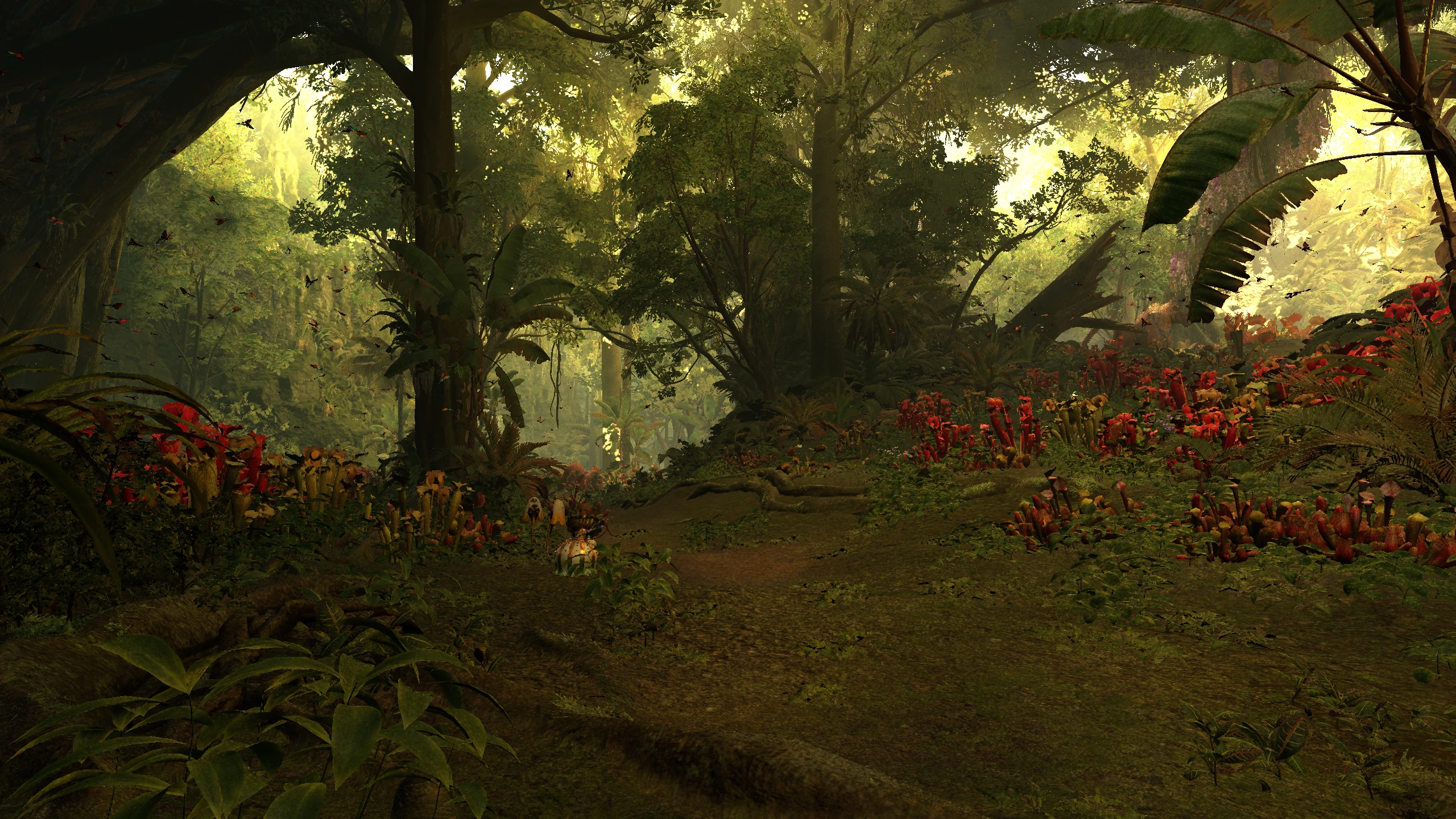
🔍 Analysis
- 👍 1.5% endorsement rate — high engagement, a strong quality signal
- 🏆 #2 of 140 Visuals mods in this game by downloads
📋 About This Mod
Other alternatives/mods/presets:
RenoDX - HDR and SDR Fix - Tonemap - Color Grade by Ritsu and Kickfister (rewrite of grading pipeline to fix HDR/SDR and other features)
No Color Filters by korone (removes the color filter by replacing the color filter LUT with a neutral one)
Disable Lens Distortion by SnakeyHips (disables lens distortion only)
Disable Ambient Lighting by SnakeyHips (disables ambient lighting)
Tweak In-Game Volumetric Fog(s) by TheFuzzy (tweak volumetric fog and ambient lighting parameters)
Lite Environment - OGU (Old Gens Unbloat) by HolographicWings (improves fps by disabling wind simulation, volumetric fog, ambient lighting)
More graphics options by Aiyke (allows you to adjust a variety of graphics options with the goal of increasing performance)
ColorCorrection_MonsterHunterWilds_LCPD15 by LCPD15 (ReShade preset bundled with REFramework and this script)
Monster Hunter Wilds ReGraded by Duke Bilgewater (ReShade preset made to be used with this script)
Wilds Rehydrated - ReShade by ISpectre23 (ReShade preset that uses this mod for the SDR version)
GitHub mirror: https://github.com/TonWonton/RE_DisablePostProcessingEffects
Important
If you are updating from a version older than v2. 0. 0 to v2. 0. 0+:
- Delete the old version in `\GAME_FOLDER\reframework\autorun\mhwilds_disable_postprocessing.lua
- Config will be reset (uses new config file)
Description
Disable or change the settings of different post-processing effects.
Features
- Disable or change the settings of different post-processing effects
- Anti-aliasing
- Color correct
- Sharpening
- Local exposure
- Auto exposure
- Gamma (game and UI)
- Brightness (game and UI)
- Volumetric fog
- Film grain
- Lens distortion
- All options have a `Default` setting
- The mod will not change things set to `Default`
- Allows for choosing which options you want to change without affecting other options or scenes
- Settings are saved to config file and automatically loaded
Installation
Lua
1. Install REFramework
- NexusMods: https://www.nexusmods.com/monsterhunterwilds/mods/93
- GitHub: https://github.com/praydog/REFramework-nightly/releases
2. Download the lua script and extract to game folder
- `MHWilds_DisablePostProcessingEffects.lua` should be in `\GAME_FOLDER\reframework\autorun\MHWilds_DisablePostProcessingEffects.lua`
C#
1. Install REFramework an
A REFramework script for disabling or adjusting post-processing effects like TAA, color correction, lens distortion, local exposure, sharpening, volumetric fog, and film grain. Popular with 3,780 endorsements and 253,941 downloads, last updated July 2025. Ideal for players seeking a cleaner, sharper image or better performance.
✨ Key Features
📊 Pros & Cons
✅ Pros
- Huge community trust: 3,780 endorsements and over 250k downloads show this mod is widely used and appreciated.
- Gives you control over multiple post-processing effects, letting you tailor the visuals to your preference or boost performance.
- Actively maintained with a recent update in July 2025, so it's likely compatible with current game versions.
⚠️ Cons
- Requires REFramework as a dependency, so you'll need to install that first if you haven't already.
- No detailed instructions or feature list beyond the brief description, so you might need to experiment to get the look you want.
- As a script, it may not work with all games that REFramework supports, so check compatibility with your specific game.
For players who want to remove or tweak post-processing effects to get a sharper, more natural image or improve performance. If you're tired of TAA blur or heavy film grain, this is for you. Skip if you're happy with the default visuals or don't want to mess with REFramework.
💡 Beginner Tips
- Make sure you have REFramework installed and updated to the latest version, as this mod depends on it.
- After installing, launch the game and open the REFramework overlay (usually Insert key) to find the post-processing settings and tweak them to your liking.
- If you're unsure which effects to disable, start with TAA and film grain for a sharper image, then adjust others as needed.
📊 Mod Details
- Game
- Monsterhunterwilds Mods
- Author
- TonWonton
- Version
- 1.3.3
- Downloads
- 253,941
- Endorsements
- 3,780
- Category
- Visuals
- Created
- 3/5/2025
- Updated
- 7/13/2025
🧩 Commonly Used Together
Users add these mods to the same collections — a real compatibility signal, not an AI guess.
🔧 How to Install Monster Hunter Wilds Mods
Download from Nexus Mods.
📖 Full step-by-step install guide for Monster Hunter Wilds →
Visit the official mod page for specific installation instructions for this mod.
🎮 Need cheat codes or console commands? Check ur gaming wiki for Monster Hunter Wilds commands, item IDs, and more.
Keep browsing — more Monster Hunter Wilds mods await