Greatsword Effect Replace Supported Ice Borne
⚪ Last updated 2021⚠️ Install Order · 1 step
Install in this order, then this mod last — most mods fail to load without their framework and dependencies in place.
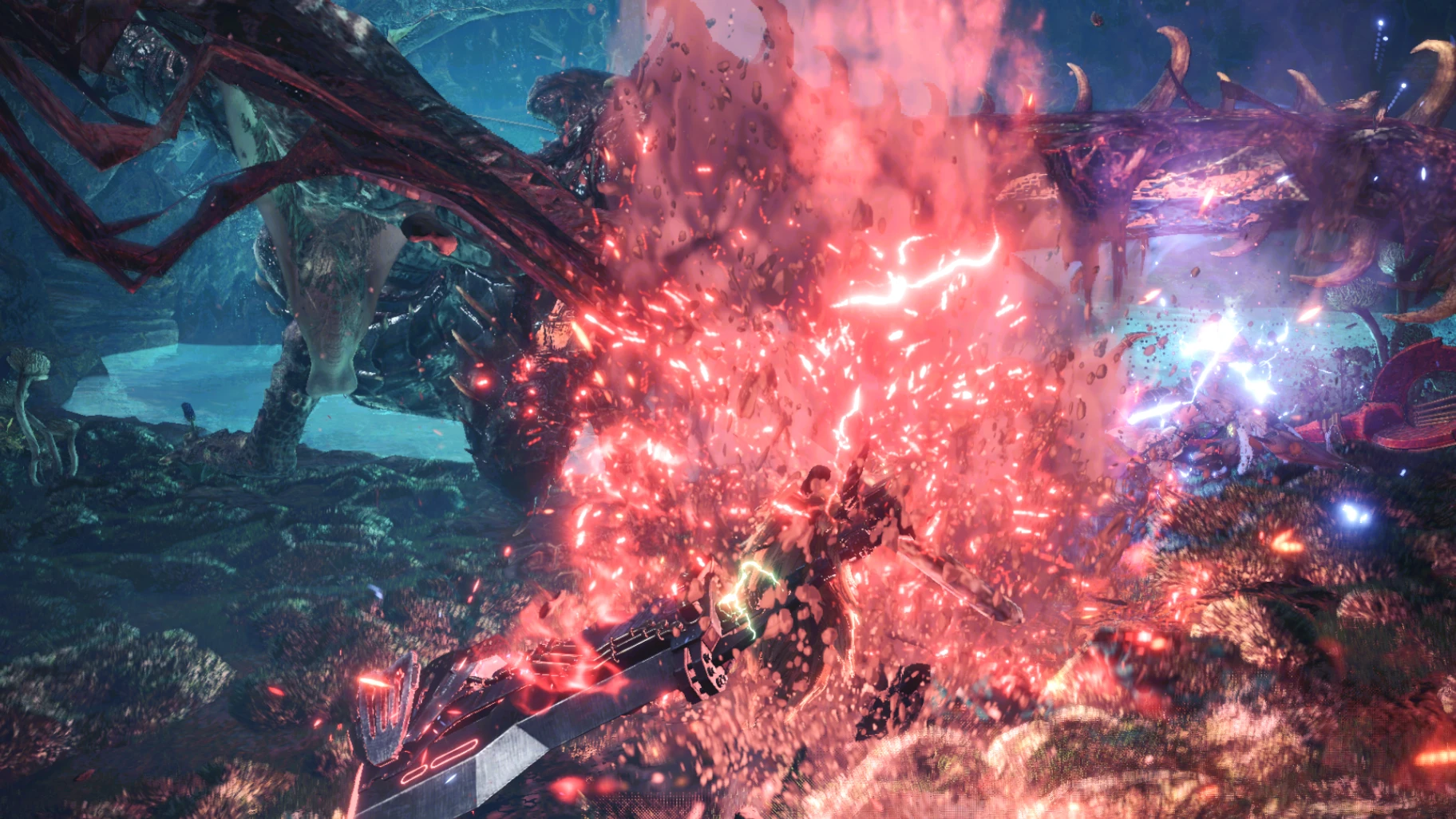
Preview
🔍 Analysis
- 👍 2.9% endorsement rate — high engagement, a strong quality signal
- 🏆 #35 of 69 Visuals and Graphics mods in this game by downloads
📋 About This Mod
SORRY LET YOU GUYS WAITING,today i just update the effect to supported iceborne with new additional little effect added to version 1 hope you guys like it again :D Check video for the effects
-Suggestion or Problem-
if you have any good suggestion or problem kindly leave me an comment in comment section :-D
-How To Install-
1. Download the version you like you can check the effect on video section
2. After download the zipfile open it then drop it to your main folder of monster hunter world
3. Enjoy The Charge! :-D
-how to Delete-
1.open you main folder of monster hunter then\nativePC\vfx\efx\wp\wp00 and \nativePC\wp\two\epv
2. Delete the files inside then its clean.
Greatsword Effect Replace Supported Ice Borne is a visual mod by Yuna that updates the original version to 2.0, adding support for Iceborne. It replaces greatsword effects with new visuals, as shown in the linked video. With 700 endorsements and 24,051 downloads, it's a popular choice for Monster Hunter: World players seeking cosmetic changes.
✨ Key Features
📊 Pros & Cons
✅ Pros
- Community-approved with 700 endorsements and over 24k downloads.
- Iceborne support means it works with the expansion.
- Visual effects overhaul adds fresh flair to greatsword gameplay.
⚠️ Cons
- No detailed feature list—you'll need to watch the video to see what changes.
- Last updated in 2021, so it may not be compatible with the latest game patches.
- Potential conflicts with other visual mods that alter weapon effects.
For Monster Hunter: World players who want to spice up their greatsword visuals, especially those playing Iceborne. If you're a completionist looking for a fresh look, this is a solid pick. Skip if you prefer vanilla effects or want gameplay changes—this is purely cosmetic.
💡 Beginner Tips
- Check the linked video to see the effects before installing.
- If you use other visual mods, test for conflicts by installing this one last.
- Since it's a simple file replacement, back up your original files if you want to revert.
📊 Mod Details
- Game
- Monster Hunter World Mods
- Author
- Yuna
- Version
- 2.0
- Downloads
- 24,049
- Endorsements
- 700
- Category
- Visuals and Graphics
- Created
- 10/15/2018
- Updated
- 5/19/2021
🔧 How to Install MHW Mods
Install Stracker\
📖 Full step-by-step install guide for MHW →
Visit the official mod page for specific installation instructions for this mod.
🎮 Need cheat codes or console commands? Check ur gaming wiki for MHW commands, item IDs, and more.
Keep browsing — more MHW mods await