Final Form ReShade
⚪ Last updated 2020⚠️ Install Order · 1 step
Install in this order, then this mod last — most mods fail to load without their framework and dependencies in place.
Preview
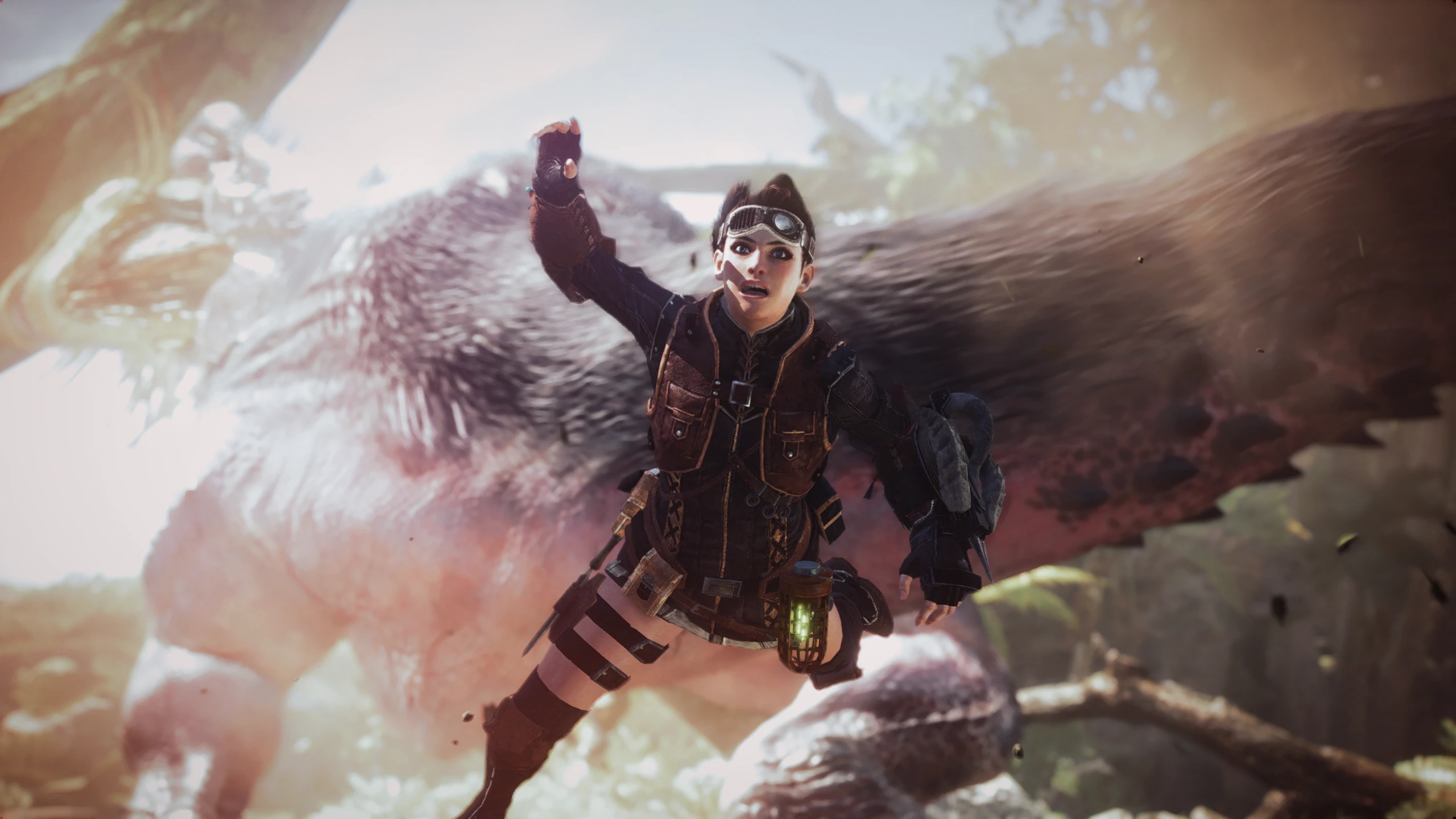
🔍 Analysis
- 👍 5.1% endorsement rate — high engagement, a strong quality signal
- 🏆 #54 of 69 Visuals and Graphics mods in this game by downloads
📋 About This Mod
A True next generation ReShade that adds a new level of depth, color, and visual effects to the original graphics of Monster Hunter World. This is the "Final Form". I've done the research so you don't have to. Enjoy!
If you like this mod, please consider clicking the Endorse button, it only takes a second.
Thank You!
INSTALLATION
Copy everything from the "Main files" folder to your game directory.
(e.g. .... Steam\Steamapps\common\Monster Hunter World)
Leave the in-game brightness at default, and use Fullscreen mode.
Play your game! :)
RESHADE CONTROLS
End key to toggle main effects
PageDown key to toggle Depth of Field (DOF)
Home key to open GUI
TROUBLESHOOTING
Always remove ReShade files from a previous install before installing.
Rename "dxgi.dll" to "d3d11.dll" or "d3d12.dll" if your game crashes.
Disable Steam overlay if you have issues.
Disable third-party programs, and seek help in the forums if all else.
Final Form ReShade is a visual enhancement preset for Monster Hunter World that adds depth, color, and visual effects to the original graphics. It has 783 endorsements and 15,371 downloads, last updated in February 2020. This mod is for players seeking a next-generation look without manual tweaking.
✨ Key Features
📊 Pros & Cons
✅ Pros
- Community-approved with 783 endorsements and over 15k downloads.
- One-click preset—no need to fiddle with ReShade settings yourself.
- Gives the game a fresh, modern visual punch without changing gameplay.
⚠️ Cons
- Last updated in 2020—may not be compatible with newer game patches or ReShade versions.
- Requires ReShade to be installed separately, which adds setup steps.
- Visual presets can be subjective—might not match your taste or tank performance on lower-end rigs.
For Monster Hunter World players who want a quick, dramatic visual upgrade without spending hours tweaking ReShade settings. If you're a purist who prefers the original look or you're on a low-end PC, you might want to skip this one.
💡 Beginner Tips
- Make sure you have ReShade installed and set to the correct DirectX version for Monster Hunter World.
- After installing, test the preset in a dense area like the Ancient Forest to check performance impact.
- If the game crashes, try disabling depth buffer effects in ReShade settings.
📊 Mod Details
- Game
- Monster Hunter World Mods
- Author
- Vanguard1776
- Version
- v1.0c
- Downloads
- 15,367
- Endorsements
- 783
- Category
- Visuals and Graphics
- Created
- 1/21/2020
- Updated
- 2/16/2020
🔧 How to Install MHW Mods
Install Stracker\
📖 Full step-by-step install guide for MHW →
Visit the official mod page for specific installation instructions for this mod.
🎮 Need cheat codes or console commands? Check ur gaming wiki for MHW commands, item IDs, and more.
Keep browsing — more MHW mods await