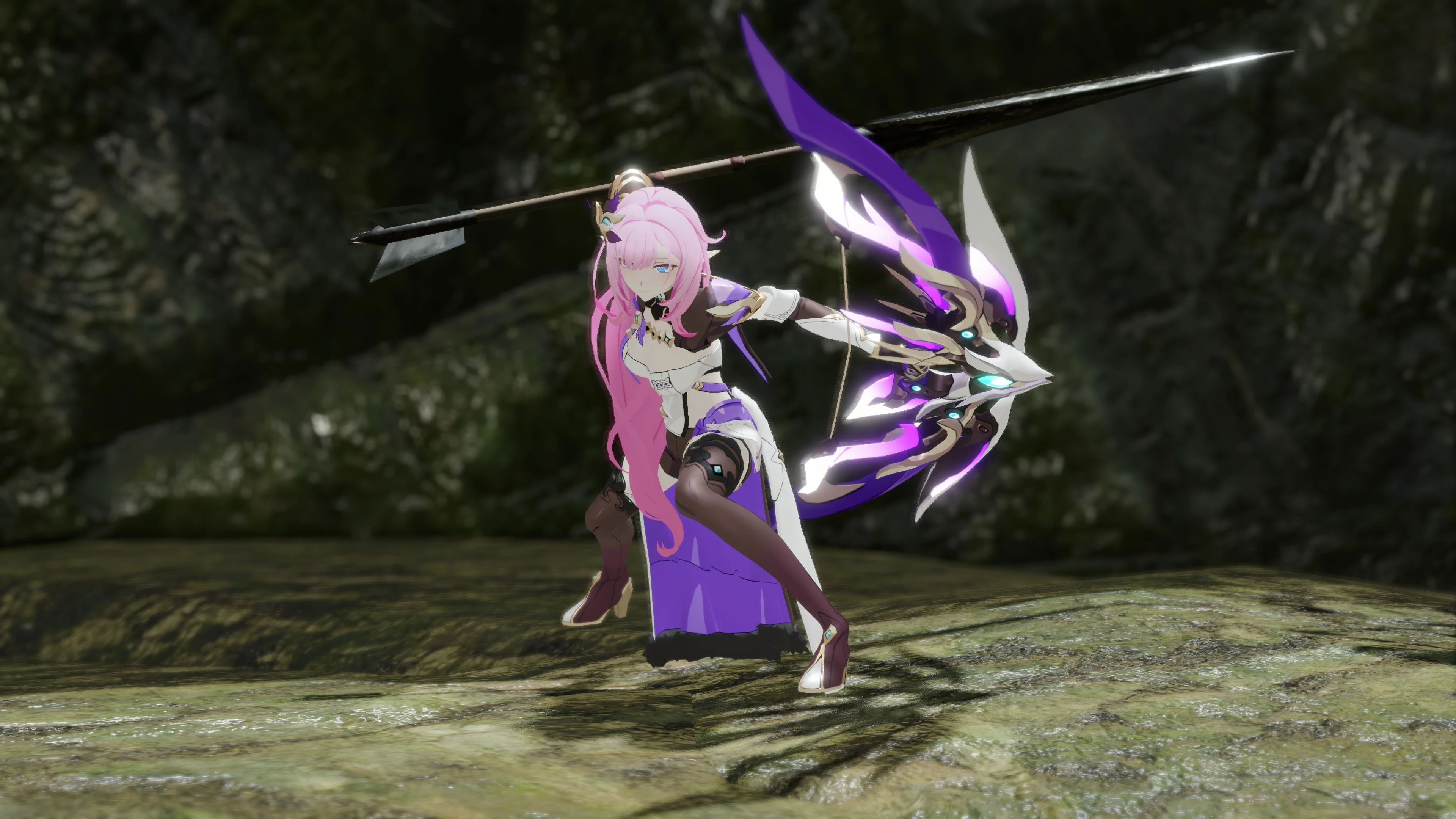
Honkai 3rd Elysia with weapon (Bow)
⚪ Last updated 2023Preview
🔍 Analysis
- 👍 2.6% endorsement rate — high engagement, a strong quality signal
- 🏆 #267 of 286 Apparel mods in this game by downloads
📋 About This Mod
Elysia is here!
There are two versions of the character mod.
Ver. A changes the bone file, it clashes with other bone-changing mods.
Ver. B uses LUA Bone System 2. 0 to tweak the joints. This version does not change the bone file, works fine with mods like Feminine Hunter Animations.
How to apply the joint tweaks in ver. B:
1. Install the latest version of LUA Bone System 2. 0.
2. Open the LUA Bone System in game and enable it.
3. That's it! The joints should be in the correct positions now.
How to apply the mod to other armors:
1. Download and unzip the file to a new folder (do not unzip to current folder).
2. Go to natives\STM\player\mod\f\pl279.
3. Change the "279" in every file name to the corresponding ID of the armor you want to apply the mod to. You can find the ID list here in the "Model Name" column. For example, Kamura is 200, Leather is 001, Guild Cross is 279.
4. Change the "279" in the folder name.
5. Go to natives\STM\player\prefab\mod\f\pl279, change the "279" in "f_leg279.pfb. 17".
6. Change the "279" in the folder name.
7. If you are using ver. B, you also need to go to reframework\data\LUABoneSystem\custom, and change all the "279" in the json file's names.
8. Go back and re-zip the whole folder (the new folder, not the natives folder), drag it into Fluffy Manager, then enable it.
The physical effects might be disabled if you change it to certain armors. You can use this mod to avoid that.
If the mod is not working as expected, please try the following steps:
1. Make sure you have the latest steam version of the game, and are using the latest version of fluffy manager.
2. Make sure you didn't hide any armor parts, all five parts must be shown.
3. Disable all the mods in fluffy manager.
4. Go to Steam\steamapps\common\MonsterHunterRise, delete the "natives" folder.
5. Drag my mod into fluffy manager and enable it. If you are also using Dysters Physics Enabler, enable it before enabling my mod. Otherwise files in my mods will be overwritten.
6. Start the game to see if it is working.
If your issue still exists, it might be clashing with other reframework mods.
This cosmetic mod replaces the Female Guild Cross armor with Elysia from Honkai 3rd and swaps the Chaotic Thrall weapon for Elysia's bow. It's a niche visual overhaul for fans of the anime-style character, with 206 endorsements and 7,835 downloads, last updated in October 2023.
✨ Key Features
📊 Pros & Cons
✅ Pros
- Decent community traction with 206 endorsements and 7,835 downloads.
- Directly swaps two items, so it's a straightforward install.
- Brings a popular anime character into the game for fans.
⚠️ Cons
- Only affects two items, so it's a very narrow cosmetic change.
- Last updated in October 2023, so it may not be compatible with the latest game patches.
- Potential conflicts with other mods that alter the same armor or weapon.
For players who want to bring Honkai 3rd's Elysia into their game, especially fans of the character. It's purely cosmetic, so skip if you're looking for gameplay changes or broader armor overhauls.
💡 Beginner Tips
- Make sure to place the mod files in the correct game directory, typically the 'Data' folder.
- If you're using a mod manager, enable the mod and check that it loads after any other armor mods.
- Verify that the game version matches the mod's update date to avoid compatibility issues.
📊 Mod Details
- Game
- Monster Hunter Rise Mods
- Author
- VALIS
- Version
- 1.0
- Downloads
- 7,836
- Endorsements
- 206
- Category
- Apparel
- Created
- 10/27/2023
- Updated
- 10/27/2023
🔧 How to Install MHRise Mods
Install REFramework. Drop mod files into game directory.
📖 Full step-by-step install guide for MHRise →
Visit the official mod page for specific installation instructions for this mod.
🎮 Need cheat codes or console commands? Check ur gaming wiki for MHRise commands, item IDs, and more.
Keep browsing — more MHRise mods await