Structures
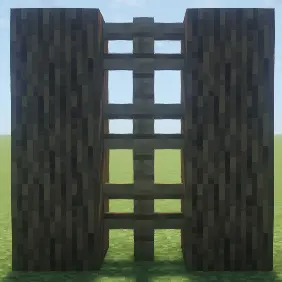
🟡 Updated this year🖼️ Gallery (1 images)
🔍 Analysis
- 👍 1.2% endorsement rate — high engagement, a strong quality signal
- 🏆 #945 of 1452 bukkit mods in this game by downloads
📋 About This Mod
# Structures A packet-based structure system for Minecraft, powered by (https://modrinth.com/plugin/packetblocks). Structures lets you create, manage, and display packet-based builds that can be shown or hidden for specific players. All without changing the actual world! --- ## Features - Create Packet-Based Structures — Build entirely virtual structures that exist only as packets. - Per-Player Visibility — Show or hide structures for individual players on demand. - Instant Updates — No world edits or block updates, everything is rendered client-side! - Custom Animations — Add show/hide animations to structures for smooth transitions. - In-Game Editor — Build structures block-by-block using an intuitive edit mode. - Copy & Duplicate — Clone existing structures and paste them anywhere with automatic rotation. - Integration Ready — Perfect for developers wanting to display custom visuals, events, or world overlays. --- ## Example Uses - Show private or team-only structures. - Create holographic arenas, minigame visuals, or build previews. - Display world regions, borders, or effects visible to certain players only. - Build dynamic event structures that appear and disappear with animations. - Preview builds before placing them in the real world. --- ## Requirements - Minecraft: 1.21+ (Paper/Purpur recommended) - Dependency: (https://modrinth.com/plugin/packetevents) - Dependency: (https://modrinth.com/plugin/packetblocks) --- ## Commands - `/structure help` — View all available commands. - `/structure reload` — Reload configuration and structures. - `/structure info` — Get the structure ID of a block you're looking at. - `/structure edit <id>` — Create or edit a structure (place/break blocks to add/remove). - `/structure delete <id>` — Delete a structure. - `/structure view <id> ` — Toggle structure visibility for yourself or a specific player. - `/structure copy <id> <new id>` — Copy a structure to the block you're looking at (auto-rotates based on your direction). - `/structure animation <id> <show/hide> <animation id>` — Set show/hide animations for a structure. --- ## Configuration Structures includes a fully customizable config with: - Custom prefix with gradient color support - Localized messages for all commands and feedback - Action bar notifications when editing structures - Animation support for smooth structure transitions All messages and colors can be modified in `config.yml`. --- ## How to Use 1. **Create a structure:** `/structure edit mystructure` — Start editing mode. Place blocks to add them, break blocks to remove them. Run the command again to save. 2. **Show to a player:** `/structure view mystructure playerName` — Toggle visibility. 3. **Copy a structure:** Look at a block, then: `/structure copy mystructure mystructure_copy` — Creates a rotated copy based on your facing direction. 4. **Add animations:** `/structure animation mystructure show block_particle` — Structure shows block particles when shown. --- <sup>Built for server owners, developers, and builders who want full control over player-specific visuals.<sup>
# Structures A packet-based structure system for Minecraft, powered by (https://modrinth.com/plugin/packetblocks).
Structures lets you create, manage, and display packet-based builds that can be shown or hidden for specific players. All without changing the actual world!
## Features
- Create Packet-Based Structures — Build entirely virtual structures that exist only as packets.
- Per-Player Visibility — Show or hide structures for individual players on demand.
- Instant Updates — No world edits or block updates, everything is rendered client-side!
- Custom Animations — Add show/hide animations to structures for smooth transitions.
- In-Game Editor — Build structures block-by-block using an intuitive edit mode.
- Copy & Duplicate — Clone existing structures and paste them anywhere with automatic rotation.
- Integration Ready — Perfect for developers wanting to display custom visuals, events, or world overlays.
## Example Uses
- Show private or team-only structures.
- Create holographic arenas, minigame visuals, or build previews.
- Display world regions, borders, or effects visible to certain players only.
- Build dynamic event structures that appear and disappear with animations.
- Preview builds before placing them in the real world.
## Requirements
- Minecraft: 1. 21+ (Paper/Purpur recommended)
- Dependency: (https://modrinth.com/plugin/packetevents)
- Dependency: (https://modrinth.com/plugin/packetblocks)
## Commands
- `/structure help` — View all available commands.
- `/structure reload` — Reload configuration and structures.
- `/structure info` — Get the structure ID of a block you're looking at.
- `/structure edit
` — Create or edit a structure (place/break blocks to add/remove). - `/structure delete
` — Delete a structure. - `/structure view
` — Toggle structure visibility for yourself or a specific player. - `/structure copy
` — Copy a structure to the block you're looking at (auto-rotates based on your direction). - `/structure animation
` — Set show/hide animations for a structure.
## Configuration
Structures includes a fully customizable config with: - Custom prefix with gradient color support - Localized messages for all commands and feedback - Action bar notifications when editing structures - Animation support for smooth structure transitions
All messages and colors can be modified in `config.yml`.
## How to Use
1. Create a structure: `/structure edit mystructure` — Start editing mode. Place blocks to add them, break blocks to remove them. Run the command again to save.
2. Show to a player: `/structure view mystructure playerName` — Toggle visibility.
3. Copy a structure: Look at a block, then: `/structure copy mystructure mystructure_copy` — Creates a rotated copy based on your facing direction.
4. Add animations: `/structure animation mystructure show block_particle` — Structure shows block particles when shown.
Built for server owners, developers, and builders who want full control over player-specific visuals.
📊 Mod Details
- Game
- Minecraft Plugins
- Author
- BitByLogic
- Version
- 1.0.1
- Downloads
- 505
- Endorsements
- 6
- Category
- bukkit
- Created
- 10/5/2025
- Updated
- 1/22/2026
- Game Versions
- 1.21, 1.21.1, 1.21.2, 1.21.3, 1.21.4
- Tags
- decoration, management, utility
🔧 How to Install Minecraft Plugins Mods
Download from Modrinth. Use Prism Launcher or drop into your mods folder.
📖 Full step-by-step install guide for Minecraft Plugins →
Visit the official mod page for specific installation instructions for this mod.
🎮 Need cheat codes or console commands? Check ur gaming wiki for Minecraft Plugins commands, item IDs, and more.
❓ Frequently Asked Questions
Which Minecraft Plugins versions does Structures support?
The author lists 1.21, 1.21.1, 1.21.2, 1.21.3, 1.21.4, 1.21.5. Other versions may work but are untested by the author.
What is the latest version of Structures?
Version 1.0.1, published 2026-01-22 with 505 downloads recorded at the source.
Keep browsing — more Minecraft Plugins mods await