Sorted
🟢 Updated this month⚠️ Install Order · 2 steps
Install in this order, then this mod last — most mods fail to load without their framework and dependencies in place.
🖼️ Gallery (7 images)
🔍 Analysis
- 👍 0.4% endorsement rate
- 🏆 #526 of 920 fabric mods in this game by downloads
📋 About This Mod
Smart inventory sorting with zone-aware layout, persistent chest memory, and quick stack to nearby containers. Fully client-side, vanilla UI that follows resource packs.
Client-side inventory sorting with chest memory and quick stack.
> Fabric · Client-only · 1. 21.x · 26.x
Your inventory gets messy. You open chests looking for things you put somewhere. You manually move stacks around you already have in a nearby barrel.
Sorted handles all of that. It sorts your inventory with a real layout in mind, remembers what's in every chest you've opened, and lets you push/pull items across nearby containers in one button press.
!(https://cdn.modrinth.com/data/vtsGVHan/images/28ce8cc65378754b675d365b11a1714f10c3f746.png)
- Auto-sort on pickup — items land in the right place the moment you pick them up
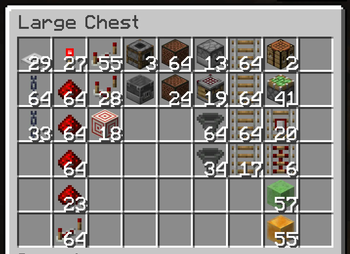
- Zone layout — gear and tools first, then food, then building blocks, then everything else — same order every time
- Hotbar stays put — sorting only rearranges your main inventory; your hotbar gear is never touched
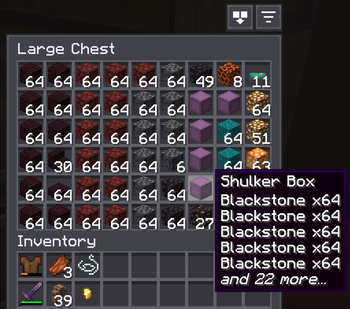
- Sort buttons — sort your inventory or any open chest with one click
- Quick Stack — deposit matching items into nearby containers in one keybind (Terraria players, this one's for you)
- Quick Empty / Fill / Pull — dump your bags, top up partial stacks, or pull a whole chest to your inventory
- Chest knowledge — remembers what's in every chest you've opened, persists across restarts
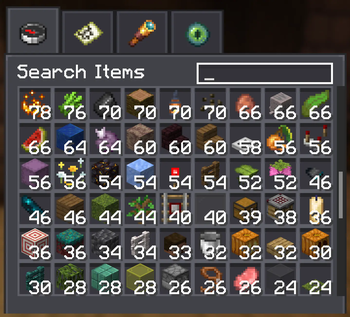
- Container search — find any item across all cached containers near you, with count and position
- Find it in the world — click a result and the chest holding it lights up, visible through walls
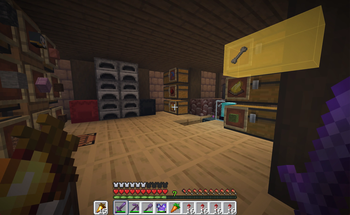
- Container labels — nearby chests, barrels, and shulker boxes show their contents (and custom name) floating right on top — see inside without opening
- Vanilla button frames — buttons sit in vanilla widget frames, so any resource pack that restyles buttons restyles these too
- Server-friendly — a built-in block list that disables the mod entirely on servers that ban automation, plus an adaptive throttle that lowers its action rate per server if a kick lands mid-sort
- Client-only — no server mod needed; works on vanilla servers, Realms, and most modpacks
## Chest knowledge
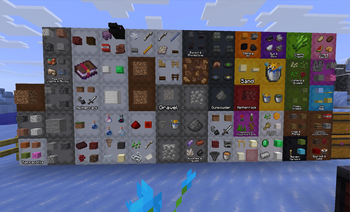
Open a chest once and Sorted records its contents — persistently, in a local database per world/server. That data survives restarts. When you want to find something, open the container search screen and type the item name. It shows you every container that has it, with count, position, and dimension.
The cache invalidates itself. Broken container? Entry dropped. Chunk loads? It re-checks. Data reflects the last time you opened each container — it updates the moment you open one again.
!(https://cdn.modrinth.com/data/vtsGVHan/images/f32cf3a2639feb40455fe311f0f8805cab97a640.png)
Click a search result and Sorted highlights the chest in the world — even through walls — so you walk straight to it.
!(https://cdn.modrinth.com/data/vtsGVHan/images/514593d13eb74c911fb04a560b91b59bbaa1bffb.png)
## See inside without opening
Glance at a shulker box, barrel, or chest and its contents sit right on the lid — a small grid of the items inside, plus the container's custom name if you've renamed one. No opening, no hovering, no menus.
!(https://cdn.modrinth.com/data/vtsGVHan/images/5bd1ac7c7d8f1f397c0b99317e287631a81a0c1a.jpeg)
The label lies flat on the face the lid opens from, so it reads right whether a shulker sits on the floor, hangs from the ceiling, or is stuck to a wall — and on top/bottom lids it turns to face you. You choose what shows — just the items, just the name, both, or the name only when a container is empty — plus how many items, how far away labels appear, and which container types get them (shulker boxes on by default; chests and barrels opt-in).
In singleplayer the contents are read live. On servers they come from what Sorted has already recorded, so a container fills in the first time you open it (or let auto-scan read it for you).
## Sorting with a real layout
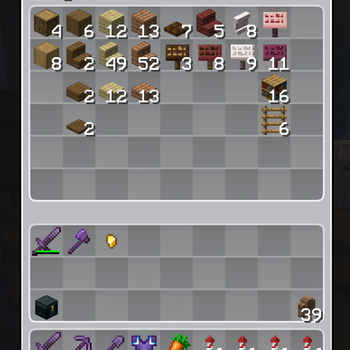
Not alphabetical. Not random. There's a consistent layout, applied top-to-bottom across your main inventory:
- Weapons, tools, and armor sort to the top
- Food and consumables come next
- Building blocks fill the middle, grouped by material and dimension
- Everything else lands at the bottom
Your hotbar is left alone — sorting only rearranges the main inventory, so your active gear and quick-slots stay exactly where you put them. Pick something up — it sorts itself in. Open a chest — sort button's right there. Same rules everywhere.
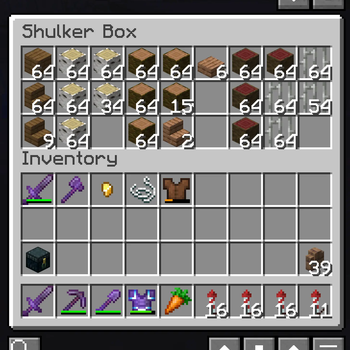
Shulker boxes get sorted too — each one slots in next to its primary item, so a box of redstone lands with your redstone.
!(https://cdn.modrinth.com/data/vtsGVHan/images/89dce62993315fe8a86f5a33341ca21fb06d99
📊 Mod Details
- Game
- Minecraft Mods
- Author
- L4stIdi0t
- Version
- 26.2
- Downloads
- 4,841
- Endorsements
- 19
- Category
- fabric
- Created
- 6/11/2026
- Updated
- 9/4/2026
- Game Versions
- 26.1.2
- Tags
- management, storage, utility
🔧 How to Install Minecraft Mods Mods
Download from Modrinth. Use Prism Launcher or drop into your mods folder.
📖 Full step-by-step install guide for Minecraft Mods →
Visit the official mod page for specific installation instructions for this mod.
🎮 Need cheat codes or console commands? Check ur gaming wiki for Minecraft Mods commands, item IDs, and more.
❓ Frequently Asked Questions
Which Minecraft Mods versions does Sorted support?
The author lists 26.1.2. Other versions may work but are untested by the author.
What is the latest version of Sorted?
Version 26.2, published 2026-09-04 with 4,841 downloads recorded at the source.
Keep browsing — more Minecraft Mods mods await