Fullbright+Lowfire+Lowshield
🟡 Updated this year⚠️ Install Order · 2 steps
Install in this order, then this mod last — most mods fail to load without their framework and dependencies in place.
🖼️ Gallery (1 images)
🔍 Analysis
- 👍 0.0% endorsement rate
- 🏆 #142 of 236 equipment mods in this game by downloads
📋 About This Mod
# FLL — Fullbright + Low Fire + Low Shield **FLL** bundles three of the most-wanted client tweaks into one tiny, client-side mod. Toggle each one on or off, tune it to taste, and get a cleaner, clearer view — especially in PvP. ## ✨ Features - 💡 **Fullbright** — light up the whole world, see in the dark, caves included. No shaders, no resource packs. Adjustable brightness, and it restores your normal gamma the moment you turn it off. - 🔥 **Low Fire** — when you're on fire, the flame overlay is pushed down so it stops covering your screen. Height is adjustable. - 🛡️ **Low Shield** — while you're blocking, the first-person shield is lowered so it doesn't eat half your view. Offset is adjustable. ## 🎛️ How to use Open the settings through **(https://modrinth.com/mod/modmenu)**, or bind keys in **Options → Controls → FLL** (open settings / quick-toggle Fullbright). Flip the toggles and drag the sliders to dial each effect in. Everything is saved automatically. ## 📦 Requirements - **Fabric Loader** + **(https://modrinth.com/mod/fabric-api)** - **(https://modrinth.com/mod/modmenu)** *(optional, recommended — adds a config button)* Client-side only — safe to use on any server. --- *Made with ♥ by **x1eqn**.*
# FLL — Fullbright + Low Fire + Low Shield
FLL bundles three of the most-wanted client tweaks into one tiny, client-side mod. Toggle each one on or off, tune it to taste, and get a cleaner, clearer view — especially in PvP.
## ✨ Features
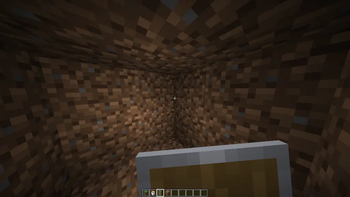
- 💡 Fullbright — light up the whole world, see in the dark, caves included. No shaders, no resource packs. Adjustable brightness, and it restores your normal gamma the moment you turn it off.
- 🔥 Low Fire — when you're on fire, the flame overlay is pushed down so it stops covering your screen. Height is adjustable.
- 🛡️ Low Shield — while you're blocking, the first-person shield is lowered so it doesn't eat half your view. Offset is adjustable.
## 🎛️ How to use
Open the settings through (https://modrinth.com/mod/modmenu)**, or bind keys in Options → Controls → FLL (open settings / quick-toggle Fullbright). Flip the toggles and drag the sliders to dial each effect in. Everything is saved automatically.
## 📦 Requirements
- Fabric Loader + (https://modrinth.com/mod/fabric-api)**
- *(https://modrinth.com/mod/modmenu)** (optional, recommended — adds a config button)
Client-side only — safe to use on any server.
Made with ♥ by x1eqn.*
📊 Mod Details
- Game
- Minecraft Mods
- Author
- x1eqn
- Version
- 1.0.0+26.2
- Downloads
- 11,841
- Endorsements
- 5
- Category
- equipment
- Created
- 6/14/2026
- Updated
- 8/22/2026
- Game Versions
- 26.2
- Tags
- equipment
🔧 How to Install Minecraft Mods Mods
Download from Modrinth. Use Prism Launcher or drop into your mods folder.
📖 Full step-by-step install guide for Minecraft Mods →
Visit the official mod page for specific installation instructions for this mod.
🎮 Need cheat codes or console commands? Check ur gaming wiki for Minecraft Mods commands, item IDs, and more.
❓ Frequently Asked Questions
Which Minecraft Mods versions does Fullbright+Lowfire+Lowshield support?
The author lists 26.2. Other versions may work but are untested by the author.
What is the latest version of Fullbright+Lowfire+Lowshield?
Version 1.0.0+26.2, published 2026-08-22 with 11,841 downloads recorded at the source.
Keep browsing — more Minecraft Mods mods await