Creative Dimension
🟡 Updated this year🖼️ Gallery (1 images)
🔍 Analysis
- 👍 1.4% endorsement rate — high engagement, a strong quality signal
- 🏆 #1094 of 1805 datapack mods in this game by downloads
📋 About This Mod
<iframe width="560" height="315" src="https://www.youtube-nocookie.com/embed/m3Jc3KeQi-U" title="YouTube video player" frameborder="0" allow="accelerometer; autoplay; clipboard-write; encrypted-media; gyroscope; picture-in-picture; web-share" allowfullscreen></iframe> # **Creative Dimension** **A superflat creative dimension for survival worlds** This data pack adds a superflat creative dimension, that can be safely used in survival worlds. **This presentation concerns the latest version of the data pack** For older ones, you can check them on Github: - (https://github.com/KawaMood/creative_dimension/tree/for_1.20_to_1.20.2) - (https://github.com/KawaMood/creative_dimension/tree/for_1.20.3_to_1.20.4) # 🪄Introduction ## What is Creative Dimension? Minecraft survival players ofently want to pre-desing their buildings or ideas in creative mode before creating them in their survival world. If you own a survival server and want to collaborate on such project, it would require another server or a multiverse plugin to provide two different worlds, with splited inventories and a specific gamemode. Creative Dimension data pack offers the ability to create portals on your survival world that can teleport players in a dedicated creative dimension. Their inventory (including ender chest one), xp, health, gamemode, and effects will be stored and they will retrieve them back when they join a vanilla dimension back. Thus, you can finally test your ideas together and play in survival mode on a vanilla server. _Of course, you can also use this data pack in single player._ ## Installing details ⚠️ Disclaimer: It is important to not that this data pack use worldgen features, that are still considered as **experimental** by Mojang. Installing it is easy, but removing it is harder. Check the "Uninstall" section further for more information. After having placed the data pack in the `/datapacks` folder of your world, you would need to **restart** the server (or world in single player) completly. As it involves worldgen features, a single `/reload` won't be enough to install it correctly. ## How to join the Creative Dimension? After you installed the data pack, you will be able to create a new type of block : the **Pot'al** (which is a pot, that creates a portal). The recipe of this block is the following one: !(https://cdn.modrinth.com/data/cached_images/87b6998a5e0ae0d02c86f8d54dc1612c90481d76.png) In this pot'al, you can place a plant that will grow into a **Creative Portal**. The pot accepts different types of plants : oak sappling, birch sappling, dark oak sappling, warped fungus and crimson fungus. Each plant would grow into their respective variant of portal. <details> <summary>See render of each portal</summary> !(https://cdn.modrinth.com/data/cached_images/1fb7929baa1189c6875aab936c702c32bd48963d.png) </details> Planting them will run a short animation, after what the portal will be ready to use. You just need to stand in the middle of it (where the light block is), and the portal will teleport your to the creative dimension. ## How to exit the creative dimension? In order to return to reality, you will need to consume a **slow falling** potion. You can also splash one on yourself. The goal is just to get the effect. After some seconds, you will be teleported back to the vanilla dimension. ## How to customize or disable a portal? Creative portals actually have a single block's that matters: the light block, in the middle of them. You can alter all blocks around it if you want to customize the design of the portal, till you don't touch to this block. Removing this light block will disable the relative portal. You can then remove the rest of the structure, and it will be like it has never existed. # ⚙️Settings <details> <summary>Disable creative portals use</summary> If enabled, players won't be able to use creative portals anymore. It is useful if you want to temporary restrict the access to the Creative Dimension. You can **enable**, **disable** or **get** the current state of the setting using these following commands respectively: ``` /function pk_cr_di:settings/disable_portals_use/true /function pk_cr_di:settings/disable_portals_use/false /function pk_cr_di:settings/disable_portals_use/get ``` </details> # 🧹 Uninstall As Creative Dimension involves worldgen, it is quite technical to uninstall it properly. If you're not confident with the following process, you can join the (https://discord.com/invite/w8s9XWgN6v) and ask for support with uninstallation on your world. You can also watch the dedicated part of the (https://youtu.be/m3Jc3KeQi-U) to follow steps precisely. First, be sure that no player currently are or previously leaved the server while being in the creative dimension. As my other data packs, Creative Dimension comes with an automatic
# Creative Dimension
A superflat creative dimension for survival worlds
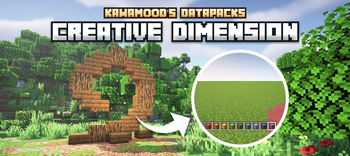
This data pack adds a superflat creative dimension, that can be safely used in survival worlds.
This presentation concerns the latest version of the data pack For older ones, you can check them on Github: - (https://github.com/KawaMood/creative_dimension/tree/for_1. 20_to_1. 20. 2) - (https://github.com/KawaMood/creative_dimension/tree/for_1. 20. 3_to_1. 20. 4)
# 🪄Introduction ## What is Creative Dimension?
Minecraft survival players ofently want to pre-desing their buildings or ideas in creative mode before creating them in their survival world. If you own a survival server and want to collaborate on such project, it would require another server or a multiverse plugin to provide two different worlds, with splited inventories and a specific gamemode.
Creative Dimension data pack offers the ability to create portals on your survival world that can teleport players in a dedicated creative dimension. Their inventory (including ender chest one), xp, health, gamemode, and effects will be stored and they will retrieve them back when they join a vanilla dimension back. Thus, you can finally test your ideas together and play in survival mode on a vanilla server.
_Of course, you can also use this data pack in single player._
## Installing details
After having placed the data pack in the `/datapacks` folder of your world, you would need to restart the server (or world in single player) completly. As it involves worldgen features, a single `/reload` won't be enough to install it correctly.
## How to join the Creative Dimension?
After you installed the data pack, you will be able to create a new type of block : the Pot'al (which is a pot, that creates a portal). The recipe of this block is the following one:
!(https://cdn.modrinth.com/data/cached_images/87b6998a5e0ae0d02c86f8d54dc1612c90481d76.png)
In this pot'al, you can place a plant that will grow into a Creative Portal. The pot accepts different types of plants : oak sappling, birch sappling, dark oak sappling, warped fungus and crimson fungus.
Each plant would grow into their respective variant of portal.
See render of each portal
!(https://cdn.modrinth.com/data/cached_images/1fb7929baa1189c6875aab936c702c32bd48963d.png)
Planting them will run a short animation, after what the portal will be ready to use. You just need to stand in the middle of it (where the light block is), and the portal will teleport your to the creative dimension.
## How to exit the creative dimension?
In order to return to reality, you will need to consume a slow falling potion. You can also splash one on yourself. The goal is just to get the effect. After some seconds, you will be teleported back to the vanilla dimension.
## How to customize or disable a portal?
Creative portals actually have a single block's that matters: the light block, in the middle of them. You can alter all blocks around it if you want to customize the design of the portal, till you don't touch to this block. Removing this light block will disable the relative portal. You can then remove the rest of the structure, and it will be like it has never existed.
# ⚙️Settings
Disable creative portals use
If enabled, players won't be able to use creative portals anymore. It is useful if you want to temporary restrict the access to the Creative Dimension. You can enable, disable or get the current state of the setting using these following commands respectively: ``` /function pk_cr_di:settings/disable_portals_use/true /function pk_cr_di:settings/disable_portals_use/false /function pk_cr_di:settings/disable_portals_use/get ```
# 🧹 Uninstall
As Creative Dimension involves worldgen, it is quite technical to uninstall it properly. If you're not confident with the following process, you can join the (https://discord.com/invite/w8s9XWgN6v) and ask for support with uninstallation on your world.
You can also watch the dedicated part of the (https://youtu.be/m3Jc3KeQi-U) to follow steps precisely.
First, be sure that no player currently are or previously leaved the server while being in the creative dimension.
As my other data packs, Creative Dimension comes with an automatic
📊 Mod Details
- Game
- Minecraft Data Packs
- Author
- KawaMood
- Version
- V.3.3.0
- Downloads
- 8,348
- Endorsements
- 117
- Category
- datapack
- Created
- 7/3/2024
- Updated
- 7/2/2026
- Game Versions
- 26.2
- Tags
- game-mechanics, social, worldgen
🔧 How to Install Minecraft Data Packs Mods
Download from Modrinth. Use Prism Launcher or drop into your mods folder.
📖 Full step-by-step install guide for Minecraft Data Packs →
Visit the official mod page for specific installation instructions for this mod.
🎮 Need cheat codes or console commands? Check ur gaming wiki for Minecraft Data Packs commands, item IDs, and more.
❓ Frequently Asked Questions
Which Minecraft Data Packs versions does Creative Dimension support?
The author lists 26.2. Other versions may work but are untested by the author.
What is the latest version of Creative Dimension?
Version V.3.3.0, published 2026-07-02 with 8,348 downloads recorded at the source.
Keep browsing — more Minecraft Data Packs mods await