Niar Cinematic Reshade MELE
⚪ Last updated 2021Preview
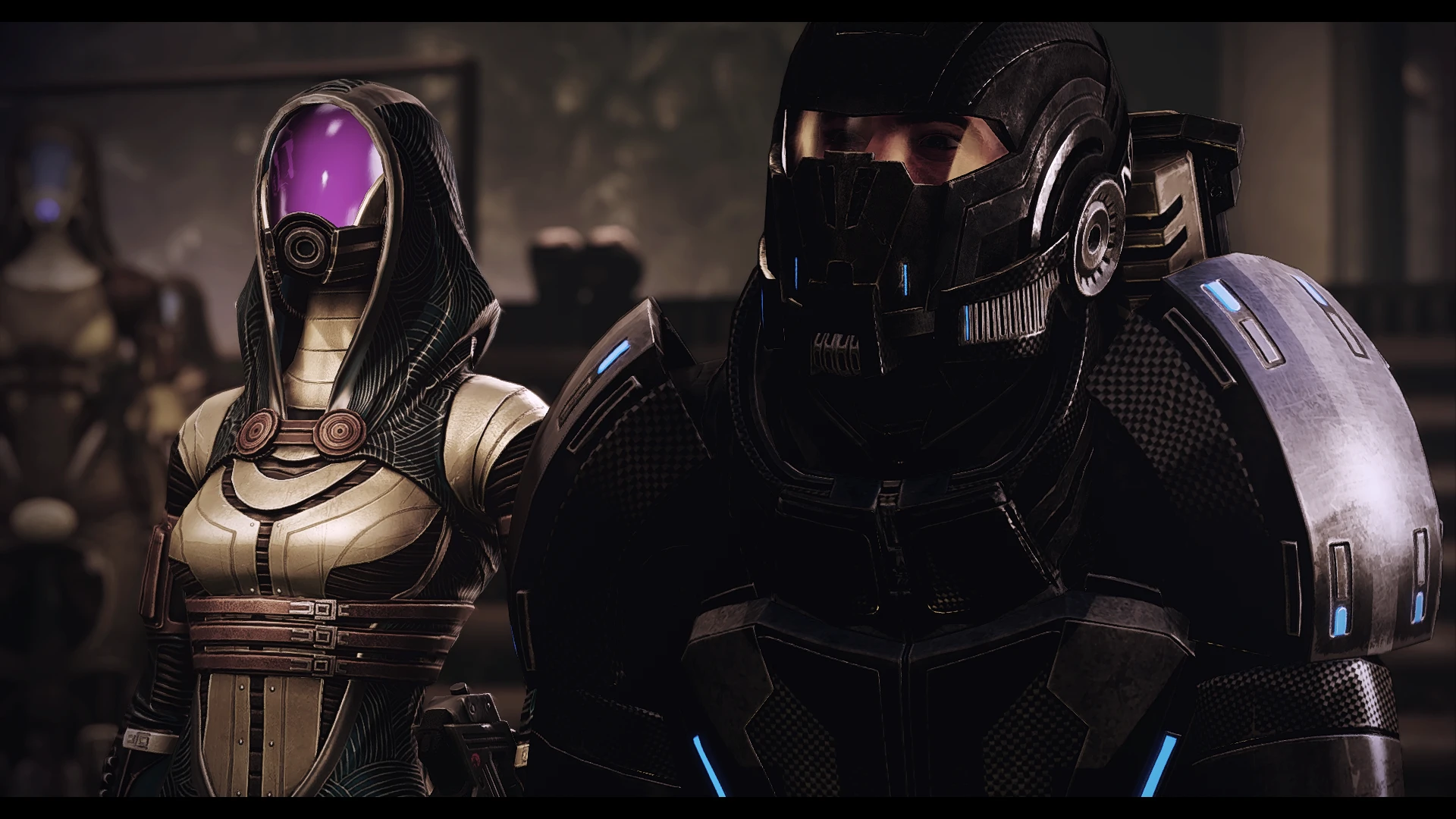
🔍 Analysis
- 👍 7.1% endorsement rate — high engagement, a strong quality signal
- 🏆 #83 of 173 Visuals mods in this game by downloads
📋 About This Mod
This is my first reshade mod release ever, so you will have to excuse me if i'm not big into descriptions.
This is a personal preset i made for myself. I called it "Niar Reshade". I've been asked to release it for others, and so here i am.
Installation instructions: First, download Reshade. Select the Dx10-11 and Install it to your ME-LE game exes folder, depending if you want to use it for Me1, Me2 or Me3, enabling only the basic settings to download.
Me2 example destination path where the game exe resides for Me2: Mass Effect Legendary Edition\Game\ME2\Binaries\Win64
After that, download the preset here and extract it in the same exe folder, overwriting anything it asks you to overwrite.
HOME button to edit the reshade to your liking.
Blackbars on top and bottom can be edited and \or removed trough the "Border" setting in the reshade settings.
You might lose some fps using this reshade, it's not as light as i would have wanted. On a gtx 1080, i lost around 5-9 fps using it, depending on mission and location. Nothing too major, still rocking over 80-90 fps anyway.
REMEMBER: This preset is calibrated to my monitor settings, so it might appear too dark or too light, depending on your settings. Feel free to adapt it to your screen for maximum efficiency.
Hope you enjoy it.
A personal ReShade preset by Niar26, calibrated for the author's monitor, shared after community requests. Adds cinematic color grading and visual effects to MELE. With 110 endorsements and 1,551 downloads, it's a niche but appreciated preset for players seeking a film-like look.
✨ Key Features
📊 Pros & Cons
✅ Pros
- Community-approved with 110 endorsements and 1,551 downloads
- Personal preset that's been battle-tested by the author
- Easy to apply if you already use ReShade
⚠️ Cons
- No before/after screenshots or detailed feature list provided
- Calibrated for the author's monitor — colors may look different on yours
- Last updated in 2021 — may not be optimized for the latest MELE patches
For MELE players who want a cinematic, film-like look without tweaking ReShade themselves. If you're a screenshot enthusiast or just want a quick visual upgrade, this preset is worth a try. Skip if you prefer a vanilla look or need adjustable presets for different lighting conditions.
💡 Beginner Tips
- Make sure you have ReShade installed and set up for MELE before applying this preset.
- Since the preset is calibrated for the author's monitor, tweak the color balance settings in-game to match your display.
- Check the mod's comments section for any user-shared tweaks or compatibility notes.
📊 Mod Details
- Game
- Mass Effect Mods
- Author
- Niar26
- Version
- 1.01
- Downloads
- 1,551
- Endorsements
- 110
- Category
- Visuals
- Created
- 5/19/2021
- Updated
- 5/22/2021
🔧 How to Install Mass Effect Mods
Download from Nexus.
📖 Full step-by-step install guide for Mass Effect →
Visit the official mod page for specific installation instructions for this mod.
🎮 Need cheat codes or console commands? Check ur gaming wiki for Mass Effect commands, item IDs, and more.
Keep browsing — more Mass Effect mods await