Neptune Reshade for LE
⚪ Last updated 2021Preview
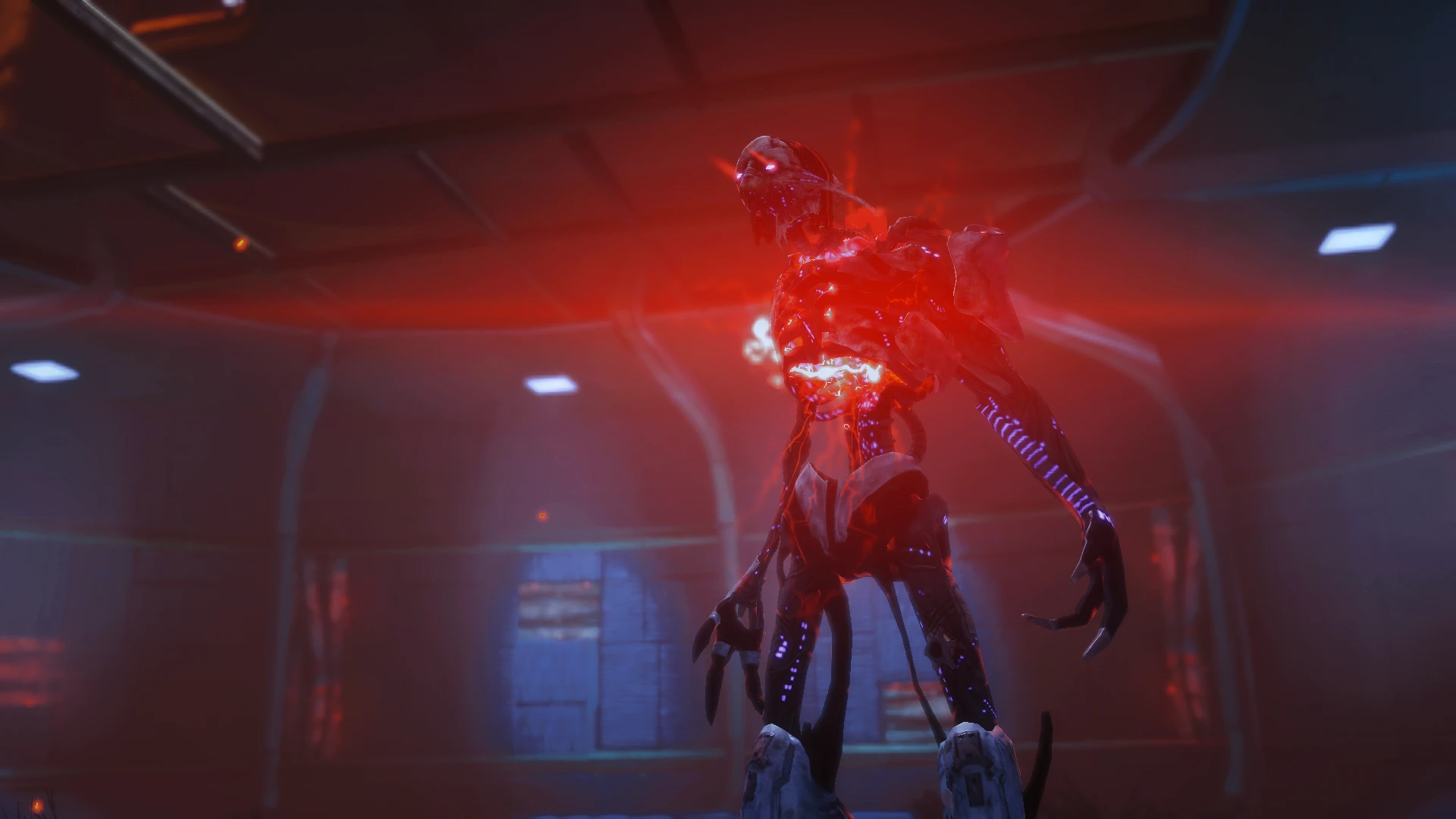
🔍 Analysis
- 👍 7.7% endorsement rate — high engagement, a strong quality signal
- 🏆 #111 of 173 Visuals mods in this game by downloads
📋 About This Mod
Installation:
-
[]Get Reshade if you don't already have it.
[
]Copy your vanilla bin folder and set it aside just in case. That way if something goes wrong or you don't like it, you can simply put it back.[]Launch Reshade, and go to Click Here to Select a Game and Manage its Reshade Installation.
[]Go to the game folder and select the .exe file for the game
[]When it asks you which API, choose Directx 9/10/11
[]Install each shader that you want to use.
[]When it's done, launch your game and you should notice immediately that
there is a prompt on the top of the screen to teach you how to use reshade. I recommend going through it but you don't have to. But check that it runs correctly on startup. Close the game.[]Unzip my file and drop it in the folder the .exe is located in.
[]Start up the game again. Click your keyboard Home key, and under the Home tab that comes up, go to the dropdown menu at the top. Select Neptune.ini. Press the Home key again to close the menu.
[]Enjoy the game! Let me know if it looks good with LE.
- If you don't like it, uninstall it. You can politely let me know if something is wrong, but don't leave me rude messages.
My Other Mods:
DAO:
Arcane Eyes
Subtle Makeup
Fade Touched Eyes
Mulderitsme's Advisor Complexions
Flemeth Armor Retextures
Thea Lavellan Sliders
Thea Lavellan Save Game
MELE:
Wraith Eyes
Miranda Complexion for Femshep LE1
Miranda Complexion for Femshep LE2
Neptune Reshade
Jupiter Reshade
Lunar Reshade
Neptune Reshade
Jupiter Reshade
Lunar Reshade
Mulderitsme's Custom Sara Ryder
Mulderitsme's Custom Sara Complexion
Cora's Closet
Fade Touched Eyes for MEA
Tempest Overhaul
Better Hair
Natural Lashes
Project Pretty
Vanilla Complexions Enhanced
Aya Retexture for Cora Armor
Cora Armor Retextures
Tempest Recolors
Sara Ryder Sliders
Scoundrel Armor Replace Retexture
Baldur's Gate 3:
Lotus Reshade (Baldur's Gate 3)
A ReShade preset for Mass Effect Legendary Edition that emphasizes reds and blues, adds vibrance, depth, and soft light, and smooths graininess. Ported from ME1 by request. With 55 endorsements and 716 downloads, it's a niche visual upgrade for players wanting a more colorful, softer look.
✨ Key Features
📊 Pros & Cons
✅ Pros
- Gives the game a punchy, cinematic look with boosted reds and blues
- Softens grain, which can make cutscenes and environments look cleaner
- Lightweight preset—just drop it in and tweak to taste
⚠️ Cons
- Only 55 endorsements—small user base, so you're on your own for troubleshooting
- No screenshots or install instructions in the description, so you'll have to figure out the setup
- Last updated in 2021—might not play nice with newer ReShade versions or game patches
For Mass Effect fans who want a more vibrant, cinematic look without heavy modding. If you're into color grading and don't mind tweaking ReShade settings, this is a quick win. Skip if you prefer a vanilla or more realistic aesthetic.
💡 Beginner Tips
- Make sure you have ReShade installed and set up for Mass Effect Legendary Edition before adding this preset.
- After applying, use the ReShade in-game overlay (Home key) to adjust intensity if the effect feels too strong.
- If the preset doesn't show up, check that the .ini file is in the same folder as the game executable.
📊 Mod Details
- Game
- Mass Effect Mods
- Author
- mulderitsme
- Version
- V1
- Downloads
- 716
- Endorsements
- 55
- Category
- Visuals
- Created
- 6/15/2021
- Updated
- 6/15/2021
🔧 How to Install Mass Effect Mods
Download from Nexus.
📖 Full step-by-step install guide for Mass Effect →
Visit the official mod page for specific installation instructions for this mod.
🎮 Need cheat codes or console commands? Check ur gaming wiki for Mass Effect commands, item IDs, and more.
Keep browsing — more Mass Effect mods await