Volumetric Fog Shadows
🟠 Updated over a year agoPreview
🔍 Analysis
- 👍 1.7% endorsement rate — high engagement, a strong quality signal
- 🏆 #13 of 72 Visuals and Graphics mods in this game by downloads
📋 About This Mod
-
[]Installation: Put the contents of the ZIP file into your Kingdom Come folder (e.g. YourSteamInstalationFolder\steamapps\common\KingdomComeDeliverance), so that the cfg file is in the root of the game as well as the "Mods" folder with the mod files in it
- [
-
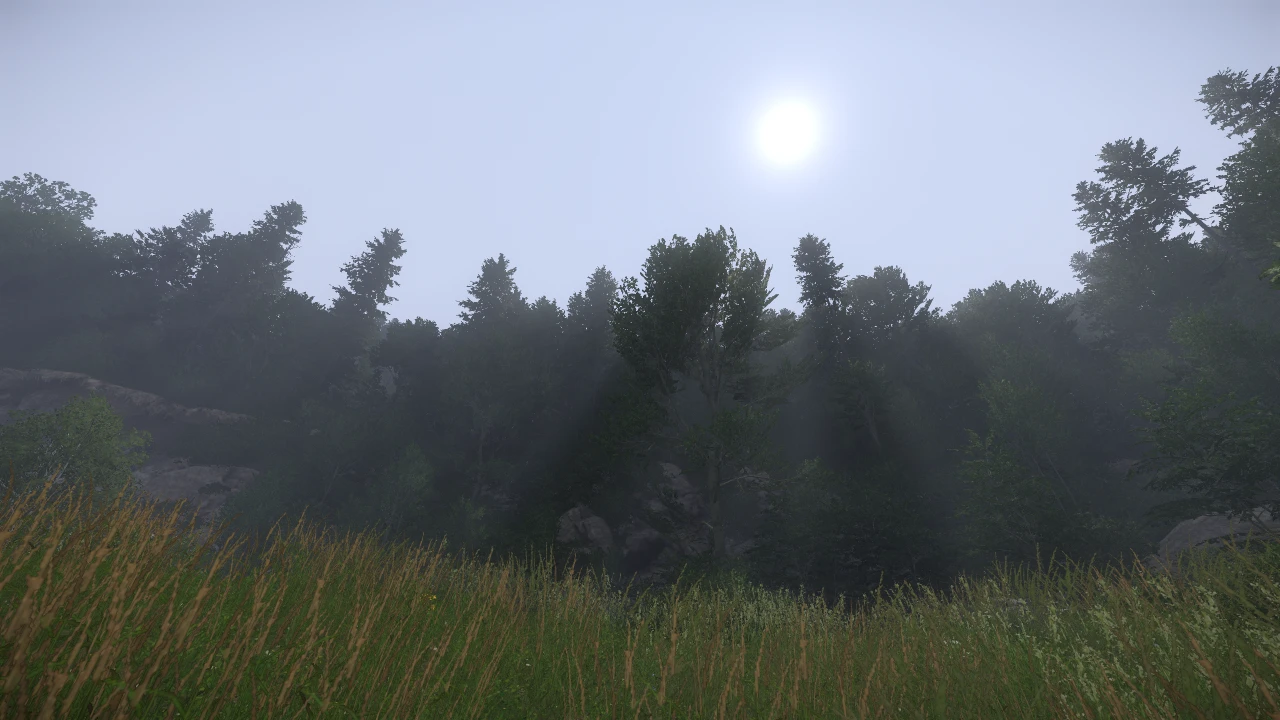
[]This mod doesn't use volumetric fog (e_VolumetricFog), which looks nice, but is unfortunately homogeneously spread over the whole map (in buildings as well) and is present in any weather and time of day, always in the same amount and colour. Instead, this mod works with the regular fog that the game normally uses and just turns on its "volumetric" (deferred) shadows. The effect is therefore only visible when it makes sense, that is, when it's foggy weather and sun casts shadows through the fog
- [
- The mod is compatible with KCD versions 1. 9. X
Volumetric Fog Shadows enhances Kingdom Come: Deliverance's fog by enabling deferred shadows on the game's regular fog, creating realistic shadow effects only during foggy weather with sunlight. It avoids the homogeneous volumetric fog, requires manual installation, and is compatible with KCD 1.9.X. With 1,050 endorsements and 61,111 downloads, it's a popular visual improvement for immersion seekers.
✨ Key Features
📊 Pros & Cons
✅ Pros
- Community-approved with 1,050 endorsements and 61k downloads
- Smart approach: only shows shadows when fog and sun align, not everywhere all the time
- Simple tweak that adds realism without overhauling the whole graphics system
⚠️ Cons
- Fog shadows reset to default when changing graphics presets in-game, requiring console command or restart
- Manual install might confuse mod manager users, but it's straightforward for manual folks
- Only works with KCD 1.9.X, so if you're on a different version, you're out of luck
For Kingdom Come: Deliverance players who want more atmospheric fog without the performance hit of full volumetric fog. If you're a graphics enthusiast who tweaks settings and loves realistic weather effects, this is for you. Skip if you never change graphics presets or prefer gameplay mods.
💡 Beginner Tips
- After installing, test by setting foggy weather and looking at sun through trees or buildings to see the shadow effect
- If you change graphics presets, remember to re-enable fog shadows via console command 'r_FogShadows 1' or restart the game
- To reduce performance impact, edit autoexec.cfg and set r_FogShadows to 2 for lower resolution shadows
📊 Mod Details
- Game
- Kingdom Come Mods
- Author
- Jindra1403
- Version
- 1.1
- Downloads
- 61,111
- Endorsements
- 1,050
- Category
- Visuals and Graphics
- Created
- 7/18/2019
- Updated
- 7/12/2025
🧩 Commonly Used Together
Users add these mods to the same collections — a real compatibility signal, not an AI guess.
🔧 How to Install Kingdom Come Mods
Create /Mods/ folder in Data directory. Use Vortex for complex mods.
📖 Full step-by-step install guide for Kingdom Come →
Visit the official mod page for specific installation instructions for this mod.
🎮 Need cheat codes or console commands? Check ur gaming wiki for Kingdom Come commands, item IDs, and more.
Keep browsing — more Kingdom Come mods await