Speed Radar
⚪ Last updated 2015⚠️ Install Order · 3 steps
Install in this order, then this mod last — most mods fail to load without their framework and dependencies in place.
🖼️ Gallery (6 images)


🔍 Analysis
- 👍 0.3% endorsement rate
- 🏆 #111 of 196 scripts mods in this game by downloads
📋 About This Mod
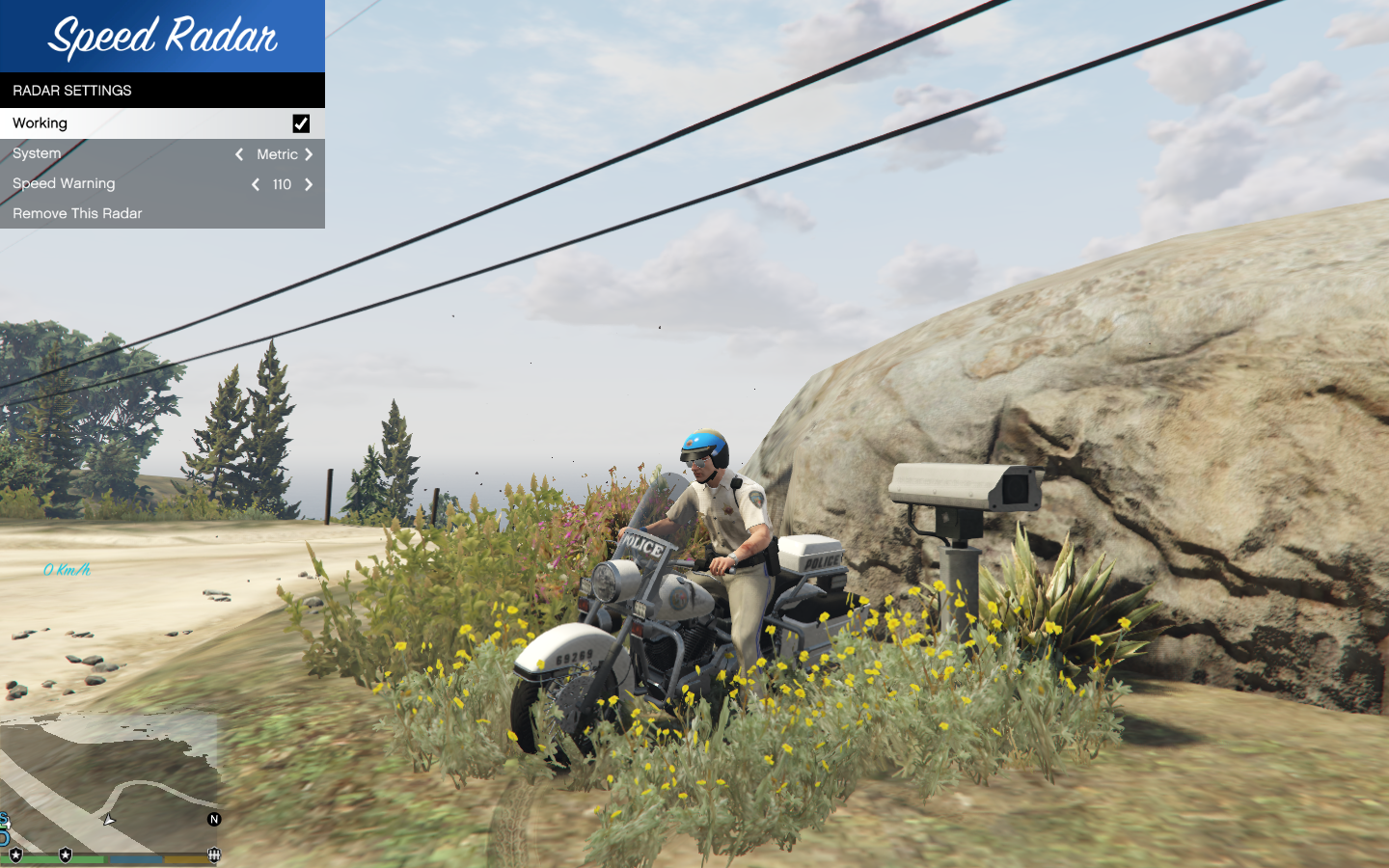
Description With this mod you can place Speed Radars. They will show you any passing vehicle's current speed, and if their speed is too high, it will warn you. To open/close the main menu press Numpad Dot (or decimal). Navigate the menu with Numpad 2-6-8-4 and select with Numpad 5. When approaching a radar you placed a menu will pop up automatically. Perfect for LSPDFR! Installation Make sure you have both the Microsoft . NET Framework 4. 5 and the Microsoft Visual C++ Redistributable Package (x64) installed. Download and install Script Hook V (including the ASI loader). You may download it from Download the latest Script Hook V . NET from GitHub and copy the ASI into your game folder. Extract the provided SpeedRadar.dll to /Grand Theft Auto V/scripts/ If that folder does not exists, make one. Known Issues Please let me know of any errors/bugs. Changelog -1. 1: --Camera flashes only when it detects a speeding vehicle. -1. 0: --Initial Release.
Speed Radar lets you place speed radars in-game that display passing vehicles' speeds and warn you when they exceed the limit. It's a simple utility mod for GTA V with a Numpad-based menu, last updated in 2015.
✨ Key Features
📊 Pros & Cons
✅ Pros
- Easy to use once you learn the Numpad controls.
- Adds a fun, functional traffic enforcement tool to your game.
- Over 157k downloads and 534 endorsements show it's popular and trusted.
⚠️ Cons
- Last updated in 2015, so it may not work with newer game versions.
- Controls are Numpad-only, which can be awkward if you don't have a full keyboard.
- No mention of customization options, so you're stuck with default behavior.
This is for GTA V players who enjoy roleplaying as law enforcement or want to add a bit of traffic realism. It's also great for modders who like simple, functional tools that don't overhaul the game.
💡 Beginner Tips
- Make sure your Numpad is enabled (NumLock on) or the controls won't work.
- Place radars on busy roads to get the most use out of them.
- If the mod doesn't work, check if you have Script Hook V installed, as most script mods require it.
📊 Mod Details
- Game
- GTA V Mods
- Author
- Guadmaz
- Version
- .
- Downloads
- 157,397
- Endorsements
- 534
- Category
- scripts
- Created
- 6/26/2015
- Updated
- 6/28/2015
🔧 How to Install GTA V Mods
Script Hook V + OpenIV. Never mod GTA Online.
📖 Full step-by-step install guide for GTA V →
Visit the official mod page for specific installation instructions for this mod.
🎮 Need cheat codes or console commands? Check ur gaming wiki for GTA V commands, item IDs, and more.
Keep browsing — more GTA V mods await