Remote Vehicle Control
⚪ Last updated 2019⚠️ Install Order · 4 steps
Install in this order, then this mod last — most mods fail to load without their framework and dependencies in place.
🖼️ Gallery (6 images)


🔍 Analysis
- 👍 0.6% endorsement rate
- 🏆 #86 of 196 scripts mods in this game by downloads
📋 About This Mod
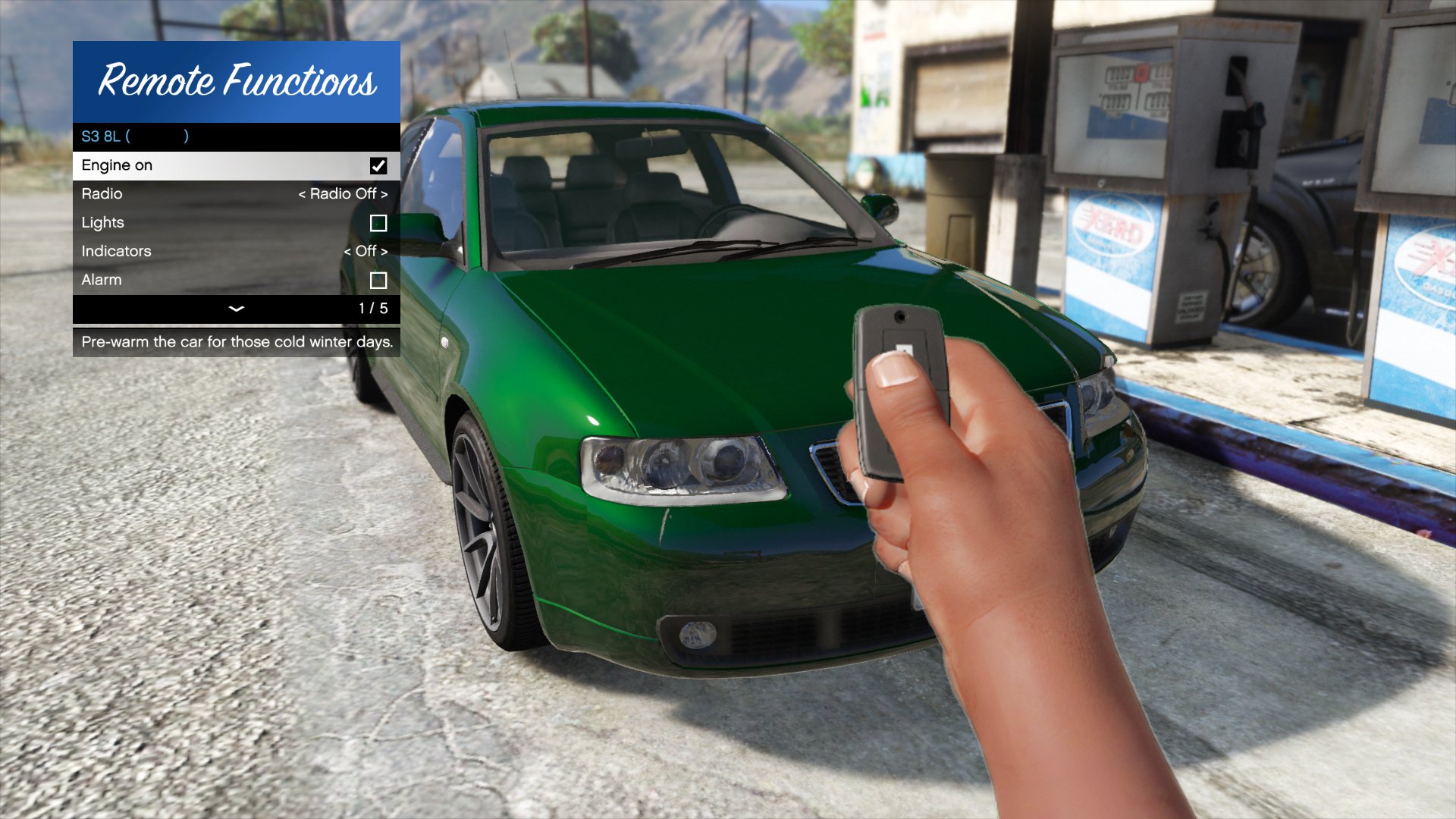
Remote Vehicle Control A small script imitating the GTA:O remote vehicle control interaction menu. Features Multiple vehicles Remote management GTA:O-like keyfobbing Requirements Grand Theft Auto V ScriptHookV Installation Put VehicleControl.asi and the VehicleControl folder in the main GTA V folder. Usage Press F6 to show the menu, or Enter the "vehiclecontrol" cheat, or Press RB + RStick Source code On GitHub Changelog v1. 1. 2 Recompile, fixes menu locking out player selection Fix ambient music disappearing when opening the menu Add blip option for cars Detect current radio station Hide weapon instead of switching to unarmed v1. 1. 1 Fix a bug where a spawned fob would not be removed properly v1. 1. 0 Add siren Add neon toggle option Add windows Fix actions not being applied properly when inside a vehicle Fix missions being broken due to audio flag Move options to submenus v1. 0. 0 * Initial release
Remote Vehicle Control is a small script that mimics GTA Online's remote vehicle control interaction menu, allowing players to manage multiple vehicles with GTA:O-like keyfobbing. It requires ScriptHookV and is installed by placing files in the main GTA V folder. With over 1,000 endorsements, it's a popular utility for GTA V modders.
✨ Key Features
📊 Pros & Cons
✅ Pros
- 1,050 endorsements and 188k downloads show it's a proven, popular script.
- Brings a GTA Online feature to single-player, adding convenience for managing multiple vehicles.
- Lightweight script—no heavy resource drain, just drop-in and go.
⚠️ Cons
- Last updated in 2019, so it may not be compatible with the latest GTA V game patches.
- Requires ScriptHookV, which itself needs updates after game updates—potential compatibility headaches.
- Limited to keyfobbing and remote management; no extra features like vehicle tracking or customization.
This is for GTA V players who want the convenience of GTA Online's remote vehicle control in single-player. It's also great for modders who use multiple vehicles and want quick access without being near them.
💡 Beginner Tips
- Make sure ScriptHookV is installed and up-to-date before adding this mod, as it won't work without it.
- Place the VehicleControl.asi and the VehicleControl folder directly into your main GTA V directory, not in a subfolder.
- If the mod doesn't work after a game update, check for ScriptHookV updates first, as that's usually the culprit.
📊 Mod Details
- Game
- GTA V Mods
- Author
- ikt
- Version
- 1.1.2
- Downloads
- 188,025
- Endorsements
- 1,050
- Category
- scripts
- Created
- 4/15/2018
- Updated
- 5/9/2019
🔧 How to Install GTA V Mods
Script Hook V + OpenIV. Never mod GTA Online.
📖 Full step-by-step install guide for GTA V →
Visit the official mod page for specific installation instructions for this mod.
🎮 Need cheat codes or console commands? Check ur gaming wiki for GTA V commands, item IDs, and more.
Keep browsing — more GTA V mods await