NFS gauge - RPM Gear Speedometer & Timer
🟡 Updated this year⚠️ Install Order · 4 steps
Install in this order, then this mod last — most mods fail to load without their framework and dependencies in place.
🖼️ Gallery (6 images)


🔍 Analysis
- 👍 0.2% endorsement rate
- 🏆 #15 of 196 scripts mods in this game by downloads
📋 About This Mod
XMOD PRESENTS: ---NFSgauge---
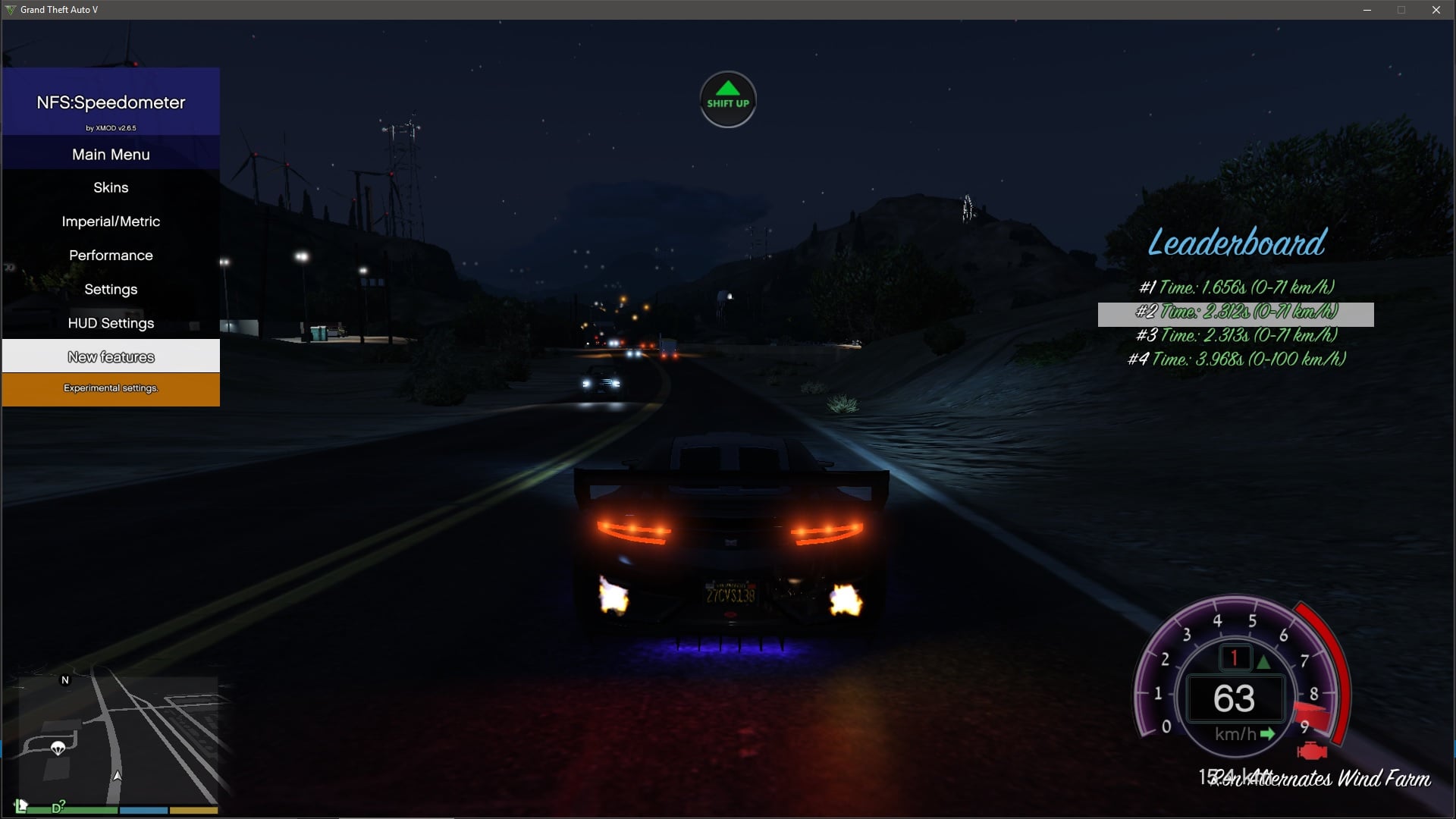
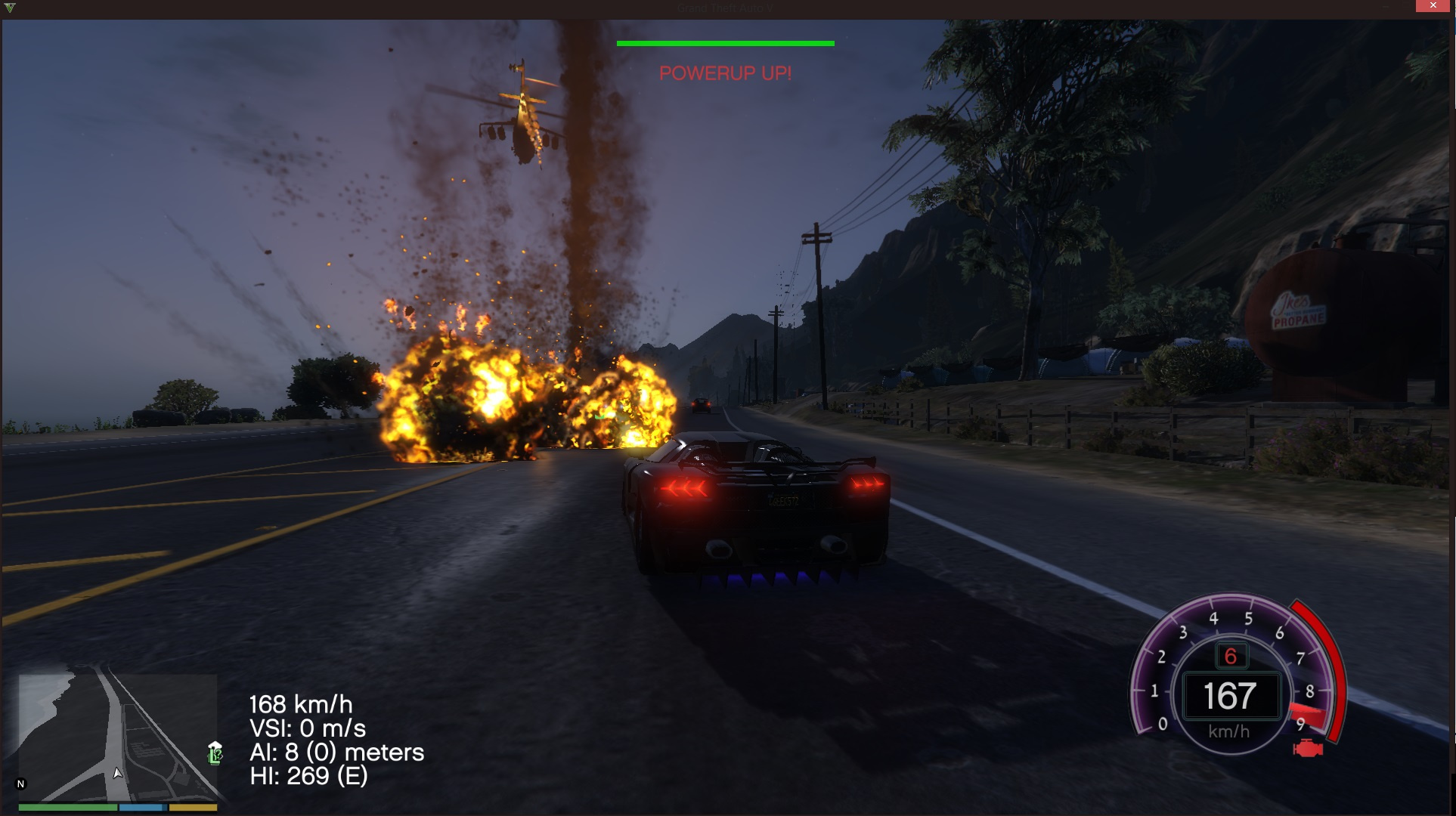
Description: This mod adds NFS speedometers; Available skins: 1. NFS:Hot Pursuit 2 2. NFS: 2015 3. Modern skin 4. Custom skin (example by "yahiba")
Supports: 1. Speed (mph/kmph/ms). 2. Engine Rev. (0 - 9 RPM) 3. Current gear. (P / 1 - 8 )
GTA V online is not supported. ---------------------------------------------------------------- Installation instructions:
- Find your GTA V installation folder (e.g. C:\Program Files (x86)\Steam\SteamApps\common\Grand Theft Auto V). It should have files like GTAV.exe and x64
- Requires Alexander Blade Script hook v (http://www.dev-c.com/gtav/scripthookv/)
- Extract "NFSgauge.asi" & NFSgauge.ini into the game main directory
- Extract "custom_NFSgauge" folder to use custom skin
- Launch the game and enter a vehicle.
- --------------------------------------------
- Controls:
Press '' to open menu. (above the numpad)
Press Left / Right arrows for turn signals.
can be changed in the ini file. ----------------------
FAQ:
Q: how do I uninstall this? A: Delete both of those files from your GTA V installation folder; Delete all temp files named "NFSgauge_rcX.temp".
Q: Where do I get the latest version? A: Visit https://www.gta5-mods.com/scripts/
Credits: - Alexander Blade for script hook v and SDK. - GTA forums. - Johnny Manson for providing script hook v template. (And a YouTube video)
- Huge thanks for Alexander Blade for making the texture SDK.
- And also NFS:HP 2010, 2015 team.
- IKT and Lefix, reliable gear reading and misc programming snippets.
- CaliNative23, donation and feedback.
PLEASE DO NOT UPLOAD THIS FILE TO ANY OTHER WEBSITE WITHOUT MY SPECIFIC CONSENT. ------------------------------------------------
Patchnotes & logs:
V2. 63. 2 (December 30,2017) HOTFIX PATCH -Resolved issues arising from rock new update. Thanks IKT for the new method! -Hopefully Resolved theissue that made the skin disappear after loading a saved game.
V2. 63. 1 (September 14,2017) HOTFIX PATCH -Resolved issues arising from rock new update.
V2. 63 (July 18,2017) - Resolved issues arising from rock new update. - Resolved an issue that made the skin disappear after loading a saved game. - Updated to the lastest scripthookv. - Disabled blinkers as default settings.
V2. 62 (December 17,2016) HOTFIX PATCH - Resolved issues arising from rock new update. (By @ikt) - For custom skins: Added an option in the ini to add black rectangle background. (enable_custom_bg)
V2. 6. 6. 1100 (October 10,2016) HOTFIX PATCH - Gear indicator is now working again.
V2. 6. 6 (October 7,2016) - Resolved issues arising from rock new update. (By @ikt) - ADVANCED USERS: You can now disable .temp files overwrite through the ini file ONLY (extract_imgs set to 0). Which means you can now recolor or replace elements of the speedometers by modifying the .temp images.
V2. 6. 5. 1200 (September 25,2016) HOTFIX PATCH - Fixed airplane FPS drop. - Fixed menu missing "Set to Default" option.
V2. 6. 5. 1100 (September 25,2016) HOTFIX PATCH - Elements will no longer "scatter" when rescaling the speedometer. - A bug affecting posx and posy has been resolved. - You can now disable shift indicators in the speedometer. - Wait for car name can now be changed in the menu. - Settings will be reloaded every time opening the menu.
V2. 6. 5 (September 24,2016) - ALL NEW - Shift assist mode. can be enabled in the menu under "New features". This mode helps you shift gears in time. - New shift indicators for all speedometers. - Added Blinkers, turn signals, to NFSHP speedometer. (activated only by left and right arrows). - Slight modern speedometer change. - Minor code optimizations.
V2. 6 (September 14,2016) - Modern skin has been redesigned. - Added indicators to help shift gears. - Fixed minor incompatibility with manual transmission. - Added menu descriptions. - Improved menu aesthetics. - Air speedometer has been retired and the modern one will take its place.
V2. 5. 5 (April 17,2016) - . Temp files have been moved to a contained folder and the old ones can be safely deleted. - Displaying gear in NFS 2015 skin. - Improved menu items options and cosmetics. - Switching between different speedo design is now immediate. - While switching between characters the speedometer will be hidden. - code improvement.
V2. 5. 3 (February 09,2016) - ALL NEW PERFORMANCE TIMER! It is possible to test accerlation times and brake times. - Scale and position are easier to adjust.
V2. 5. 1 (February 06,2016) - Menu improvement patch. The following are options that had been added to the menu: - Better Scrolling and menu clarity, - Hide speedo in Vehicle type HUD. - Option to change scale and position of the speedometer.
V2. 5. 1 (February 05,2016) - HOTFIX: RPM / Gear reading issues. V2. 5 (February 05,2016) - NEW MENU! new design and animated menu. - NEW AIRSPEEDOMETER! (Note: still under development. Available in KMPH only) - Gear indicator is now ACCURATE ( Thanks to IKT findings) - Shift is no longer necessary to open the menu. - New performance timer 0-200 kmph has been added. - New Graphic setting, You can now choose between (high accuracy - most demanding / medium accuracy / low accuracy - least demanding).
V2. 4. 3 (November 19, 2015) - You can now add your custom skin! (example in the archive) current example designed by "yahiba". - Supports latest SCRIPTHOOKV version. - You can now change the font of the text that shows speed / gear / units in the ini file. - Calibrating game version is now automatic again. - Code optimization.
V2. 4. 2 (August 30, 2015) - Automatically detects game version. (auto-calibrate can still be enabled if any problems arise) - Added performance timer (0-100 / 0-60). Can be accessed via the menu. - Added Mileage counter. Can be accessed via the menu. - Now you can improve your FPS by changing "update_hertz" in the ini file. The higher the better FPS. (0 < value < 28)
V2. 4. 1 (July 28, 2015) - Modern skin background and gear color readjusted. - Added shadows to text components. - Fixed again the error that caused the texture to disappear when loading a saved game.
V2. 4 (July 27, 2015) - Added menu to directly change skin and speed units. (open with SHIFT + ' ') - RPM needle will never behave erratically again and will point at 0 more accurately. - RPM needle will correctly indicate 0-1 (x1000 rpm) when starting the engine. - Hiding the speedo when phone is visible was later added to 2. 3. 1, update to this version if it doesn't work for you in the last verison. - "Calibrating..please idle engine" has been adjusted according to the user custom cosmetic settings and is now in bold. - Various code optimizations. - Fixed "mph" position in modern skin.
Please download the new version of FSpeedometer to avoid key clash.
V2. 3. 1 (July 23, 2015) - HOTFIX: Calibrating should now work correctly, it is recommended that you try it first. - HOTFIX: Gear should now work correctly for gamepad users. - Added an option to stop auto calibration in the ini file (set auto_calibrate = 0) but make sure you choose your right game version --- game_version = 1 (-350) game_version = 2 (+350) - When phone is visible, the speedometer will be hidden. (Thanks for Lefix)
V2. 3 (July 23, 2015) - New skin available! (design concept by Kizacudo; preview in archive ; load_skin_id = 3 - in ini file) - One version for everyone! - Gear should now work correctly on most machines. - Fixed an error that caused the texture to disappear when loading a saved game. - Added m/s units. - Added skins image to the archive.
V2. 2. 1 (July 22, 2015) - When the vehicle passes its top speed limit the speed v
...
NFS gauge is a scripts mod for Grand Theft Auto V that adds a Need for Speed-style RPM, gear, and speedometer display with a timer. With nearly 2,000 endorsements and over 1.1 million downloads, it's a popular choice for players who want a more arcade-like HUD. The mod was last updated in April 2026.
✨ Key Features
📊 Pros & Cons
✅ Pros
- Over 1.1 million downloads and nearly 2,000 endorsements show it's a proven, widely-used mod.
- The NFS-style gauge gives your GTA V a fresh arcade racing vibe, perfect for street racing.
- The built-in timer is a nice touch for timing your runs or races without extra tools.
⚠️ Cons
- As a scripts mod, it requires Script Hook V and likely a compatible game version, so updates to GTA V could break it.
- The description is thin, so you won't know exactly how customizable the gauge is until you try it.
- Potential conflicts with other HUD or script mods that alter the same UI elements.
This is for GTA V players who love arcade racing games like Need for Speed and want that style of HUD in their game. It's also great for content creators or racers who want a clear speed and gear display with a timer for their custom races.
💡 Beginner Tips
- Make sure you have the latest Script Hook V installed and that it matches your GTA V game version, or the mod won't load.
- If the gauge doesn't appear, check if you have other script mods that might conflict, and try running it alone first.
- Use the timer feature to practice your lap times on the highway or in races—it's a great way to improve your driving.
📊 Mod Details
- Game
- GTA V Mods
- Author
- XMOD
- Version
- 1.0.1
- Downloads
- 1,069,899
- Endorsements
- 1,980
- Category
- scripts
- Created
- 7/15/2015
- Updated
- 4/25/2026
🔧 How to Install GTA V Mods
Script Hook V + OpenIV. Never mod GTA Online.
📖 Full step-by-step install guide for GTA V →
Visit the official mod page for specific installation instructions for this mod.
🎮 Need cheat codes or console commands? Check ur gaming wiki for GTA V commands, item IDs, and more.
Keep browsing — more GTA V mods await