Weapon Accessory Emporium v2.2
⚪ Last updated 2024Preview
🔍 Analysis
- 👍 0.8% endorsement rate
- 🏆 #11 of 1426 Miscellaneous mods in this game by downloads
📋 About This Mod
Acknowledgement:
Big thank you to Spncryn for helping me figure out these buildtable edits and for contributing to almost all of the stock swaps
Installation Instructions:
It was recommended to me to move the Installation Instructions to the top so y'all don't have to scroll around looking for it
Each individual section is divided into what files go where. The name on the folder tells you where the modded folder needs to go
File Swap Tutorial - DataPC_Resources_patch_01
Installation:
-
[]Download and install AnvilToolkit.
[
]Set up Anvil Toolkit, disable the use of compression in Settings->Filesand
set compression ratio to 0.[]Unpack DataPC_Resources_patch_01.forge
[]Open Extracted folder in your GRB directory and open the DataPC_Resources_patch_01.forge folder.
[]Copy the .data folders into the DataPC_Resources_patch_01.forge/Extracted subfolder. If the Extracted subfolder doesn’t exist, create it. Your file path should look like Extracted/DataPC_Resources_patch_01.forge/Extracted/(your mod folders here)
[]Select the added folders in AnvilToolkit, right-click, and select "Repack" - you should see the message
Finished repacking data files | Successful: NN | Failed: 0
[]Head back up to the top-level Extracted folder in AnvilToolkit and click on DataPC_Resources_patch_01.forge
[]Right-click the folder, and select "Repack" - you should see the message
Successfully written forge file![]After it's done repacking, you can delete the Extracted folder if you so desire. I don't recommend it, though, since there'll be more mods like this to come, and you'll probably want to install them!
File Swap Tutorial - DataPC_patch_01
Installation:
[]Download and install AnvilToolkit.
[]Set up Anvil Toolkit, disable the use of compression in Settings->Files
and
set compression ratio to 0.[]Unpack DataPC_Resources_patch_01.forge
[]Open Extracted folder in your GRB directory and open the DataPC_patch_01.forge folder.
[]Copy the .data folders into the DataPC_patch_01.forge/Extracted subfolder. If the Extracted subfolder doesn’t exist, create it. Your file path should look like Extracted/DataPC_patch_01.forge/Extracted/(your mod folders here)
[]Select the added folders in AnvilToolkit, right-click, and select "Repack" - you should see the message
Finished repacking data files | Successful: NN | Failed: 0
[]Head back up to the top-level Extracted folder in AnvilToo
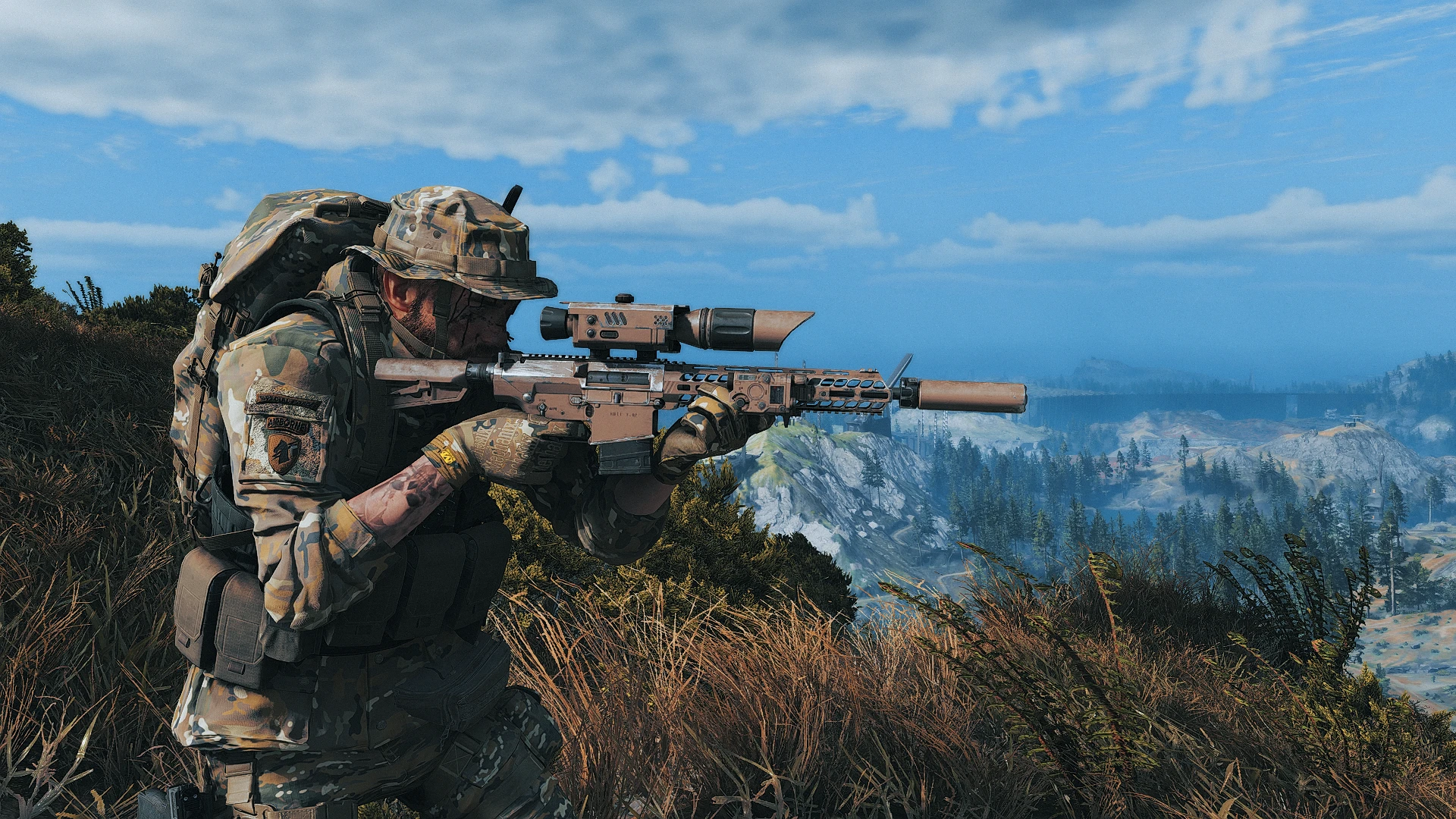
Weapon Accessory Emporium v2.2 is a cosmetic mod for Fallout 4 that unlocks weapon wraps, stock wraps, stock swaps, laser beam swaps, and weapon modifications, letting players customize their gear for a tactical look. With 575 endorsements and 73,038 downloads, it's a popular choice for players seeking visual variety.
✨ Key Features
📊 Pros & Cons
✅ Pros
- Solid community backing with 575 endorsements and over 73k downloads—clearly a mod people trust.
- Gives you a ton of cosmetic options for your weapons without messing with gameplay balance.
- Frequent updates (last one January 2024) show the author is still active and fixing things.
⚠️ Cons
- Purely cosmetic—if you're after stat changes or new mechanics, this won't scratch that itch.
- Might conflict with other weapon mods that alter the same meshes or materials, so check your load order.
- No compatibility patches listed, so you'll need to test with your current mod setup.
For Fallout 4 players who want to make their arsenal look more tactical and personalized without changing gameplay. If you're into role-playing a special forces soldier or just want your guns to stand out, this is for you. Skip if you're looking for gameplay overhauls or new weapon stats.
💡 Beginner Tips
- Use a mod manager like Vortex or Mod Organizer 2 to install and manage this mod easily.
- Check your load order to ensure this mod loads after other weapon mods to avoid conflicts.
- Preview the wraps and swaps in the workbench before applying to see how they look on your weapons.
📊 Mod Details
- Game
- Ghostreconbreakpoint Mods
- Author
- Tenabrea - spncryn
- Version
- V2.2
- Downloads
- 73,038
- Endorsements
- 575
- Category
- Miscellaneous
- Created
- 6/14/2023
- Updated
- 1/9/2024
🔧 How to Install Ghost Recon Breakpoint Mods
Download from Nexus Mods.
📖 Full step-by-step install guide for Ghost Recon Breakpoint →
Visit the official mod page for specific installation instructions for this mod.
🎮 Need cheat codes or console commands? Check ur gaming wiki for Ghost Recon Breakpoint commands, item IDs, and more.
Keep browsing — more Ghost Recon Breakpoint mods await