US classic camo collection
⚪ Last updated 2024Preview
🔍 Analysis
- 👍 1.5% endorsement rate — high engagement, a strong quality signal
- 🏆 #193 of 1426 Miscellaneous mods in this game by downloads
📋 About This Mod
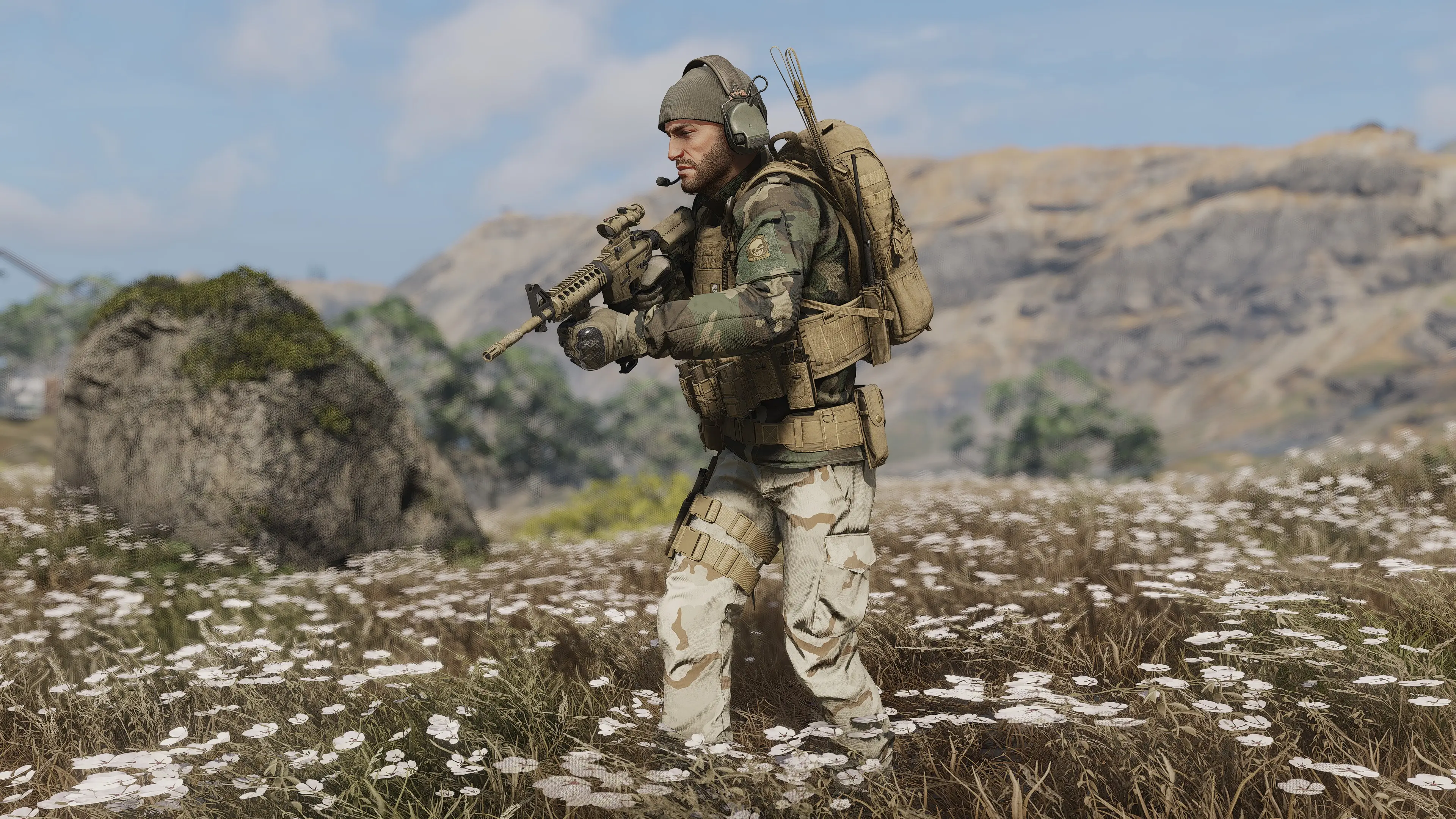
classic US camo replacing several camos in GRB
OBSOLETE. Check out my newest version:
https://www.nexusmods.com/ghostreconbreakpoint/mods/1034
I replaced UCP-D camo with AOR1 because I don't have the paid AOR2 myself.
So I thought it would make sense to replaced a more unused camo
now that M81 is in the game I replace the ugly looking woodland camo with the DCU camo because the second color matches much better.
For those who don't have the sentinel camo I replaced M05 woodland with the M81 woodland.
UCP-D - replaced by new UCP-D
UCP - replaced by new UCP
M05 Woodland - replaced by M81 woodland
Woodland - replaced by DCU
Sentinel urban - replaced by M81 woodland
Sentinel forest - replaced by M81 jungle
Sentinel arid - replaced by M81 Arid
Sentinel Mountain - replaced by M81 Mountain
If you like it, please leave a comment.
check out my other mods:
weapon camouflage pack
MultiCam camo collection
various camo replacer
classic US camo collection
digital camo collection
Flecktarn camo collection
airborne ghost special forces patch
ghost marine raider patch
US and UK MultiCam flag patches
Special forces patches collection
faded woodland
tigerstripe camo pack
AOR camo pack
DECEPTEX camo pack
Installation:
-
[]Download and install AnvilToolkit.[/]
[]Set up Anvil Toolkit, disable the use of compression in Settings->Files and set compression ratio to 0.[/]
[]Unpack DataPC_Resources_patch_01.forge[/]
[]Open Extracted folder in your GRB directory and open the DataPC_Resources_patch_01.forge folder.[/]
[]Paste the downloaded folders into
the DataPC_Resources_patch_01.forge/Extracted subfolder. If the
Extracted subfolder doesn’t exist, create it. Your file path should look
like Extracted/DataPC_Resources_patch_01.forge/Extracted/(your mod
folders here)[/]
[]Select the added folders in AnvilToolkit, right-click, and select "Repack" - you should see the message
Finished repacking data files | Successful: xx | Failed: 0[/]
[]Head back up to the top-level Extracted folder in AnvilToolkit and click on DataPC_Resources_patch_01.forge[/]
[]Right-click the folder, and select "Repack" - you should see the message
Successfully written forge file![/]
[]After it's done repacking, you can delete the Extracted folder if you so desire[/]
📊 Mod Details
- Game
- Ghostreconbreakpoint Mods
- Author
- CommanderVeers7789
- Version
- 1.1
- Downloads
- 4,543
- Endorsements
- 67
- Category
- Miscellaneous
- Created
- 10/22/2023
- Updated
- 6/17/2024
🔧 How to Install Ghost Recon Breakpoint Mods
Download from Nexus Mods.
📖 Full step-by-step install guide for Ghost Recon Breakpoint →
Visit the official mod page for specific installation instructions for this mod.
🎮 Need cheat codes or console commands? Check ur gaming wiki for Ghost Recon Breakpoint commands, item IDs, and more.
Keep browsing — more Ghost Recon Breakpoint mods await