M4A1 SOPMOD Block II and Mk18
⚪ Last updated 2023Preview
🔍 Analysis
- 👍 3.4% endorsement rate — high engagement, a strong quality signal
- 🏆 #223 of 1426 Miscellaneous mods in this game by downloads
📋 About This Mod
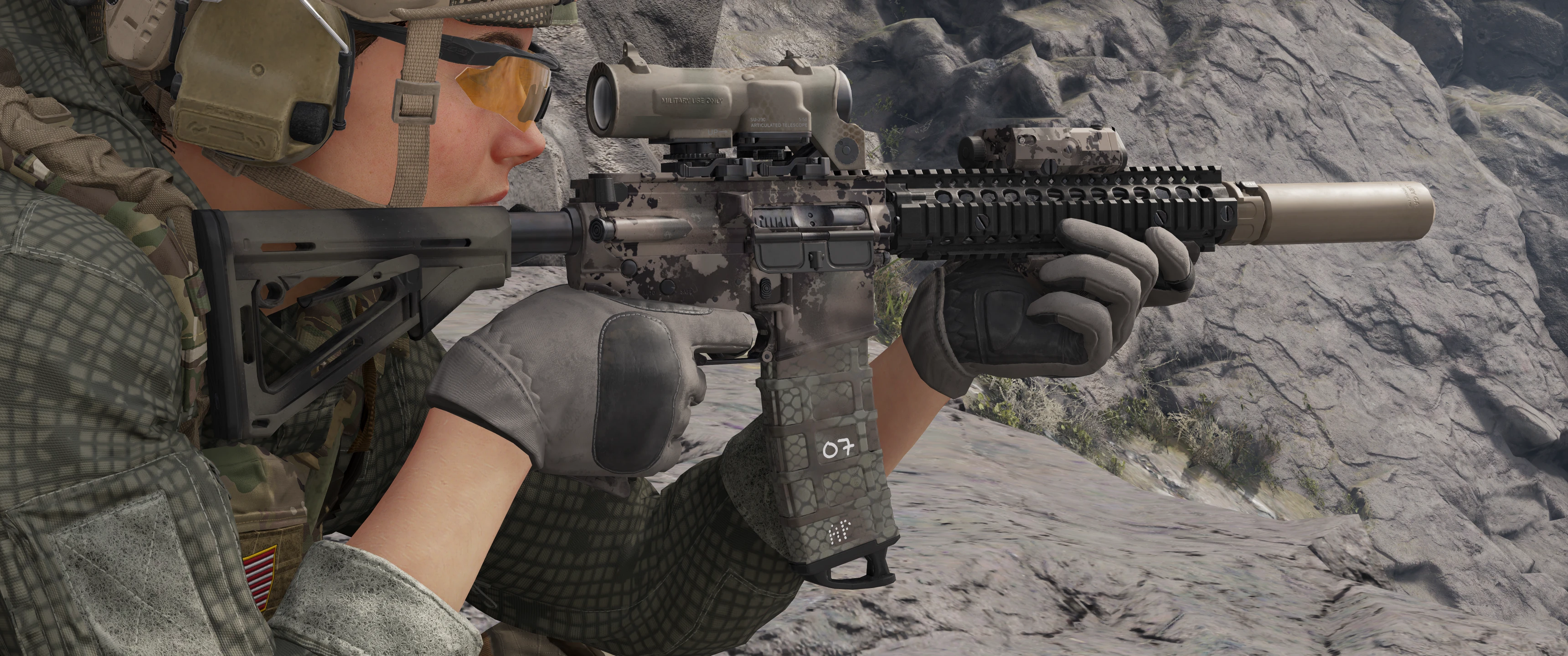
Replaces the base M4A1, and changes handguards based on the selected barrel length.
The short barrel will show the Mk18 DD RIS II handguard and 10. 3" barrel, and a long barrel will show the M4A1 DD RIS II handguard and 14. 5" barrel.
You now have the option of configuring your M4A1 into either gun, without requiring the Mk18 (which uses the wrong receiver, does less damage, and sounds bad).
Additionally, now your barrel color will affect your handguard color, so you can now separately recolor your handguards from the rest of the receiver.
To remove the PMAGs, delete the M4A1_DMR_Custom folder before repacking.
If you want some of the camos in the mod images, I dropped a Dropbox link into the Anvil Toolkit discord since I don't want to bother releasing all of them. Go nuts!
Installation instructions
Disable BattleEye:
-
[]Go to your GRB directory and open the BattlEye folder.
[
]Open BELauncher.ini and set SilentInstall to 0.[]Save the file and run the Uninstall_BattlEye.bat.
[]Add the command line argument "/belaunch -be" in your launcher.
[]At next Startup click Cancel on the BattleEye PopUp (you may check "Do not ask me again.").
Installation:
-
[]Download and install AnvilToolkit.
[]Set up Anvil Toolkit, disable the use of compression in Settings->Files and set compression ratio to 0.
[]Unpack DataPC_Resources_patch_01.forge
[]Open Extracted folder in your GRB directory and open the DataPC_Resources_patch_01.forge folder.
[]Paste the downloaded folders into the DataPC_Resources_patch_01.forge/Extracted subfolder. If the Extracted subfolder doesn’t exist, create it. Your file path should look like Extracted/DataPC_Resources_patch_01.forge/Extracted/(your mod folders here)
[]Select the added folders in AnvilToolkit, right-click, and select "Repack" - you should see the message
Finished repacking data files | Successful: 2 | Failed: 0
[]Head back up to the top-level Extracted folder in AnvilToolkit and click on DataPC_Resources_patch_01.forge
[]Right-click the folder, and select "Repack" - you should see the message
Successfully written forge file![]After it's done repacking, you can delete the Extracted folder if you so desire.
-
[]Download and install AnvilToolkit.
📊 Mod Details
- Game
- Ghostreconbreakpoint Mods
- Author
- planeguy121
- Version
- 1.1
- Downloads
- 4,071
- Endorsements
- 139
- Category
- Miscellaneous
- Created
- 5/21/2023
- Updated
- 5/21/2023
🔧 How to Install Ghost Recon Breakpoint Mods
Download from Nexus Mods.
📖 Full step-by-step install guide for Ghost Recon Breakpoint →
Visit the official mod page for specific installation instructions for this mod.
🎮 Need cheat codes or console commands? Check ur gaming wiki for Ghost Recon Breakpoint commands, item IDs, and more.
Keep browsing — more Ghost Recon Breakpoint mods await