FFXIV Steam Launcher
⚪ Last updated 2024Preview
🔍 Analysis
- 🏆 #3 of 9 Utilities mods in this game by downloads
📋 About This Mod
Launch and use the steam version of FFXIV without converting your existing mogstation account to steam. Also works with the trial version.
What is this?
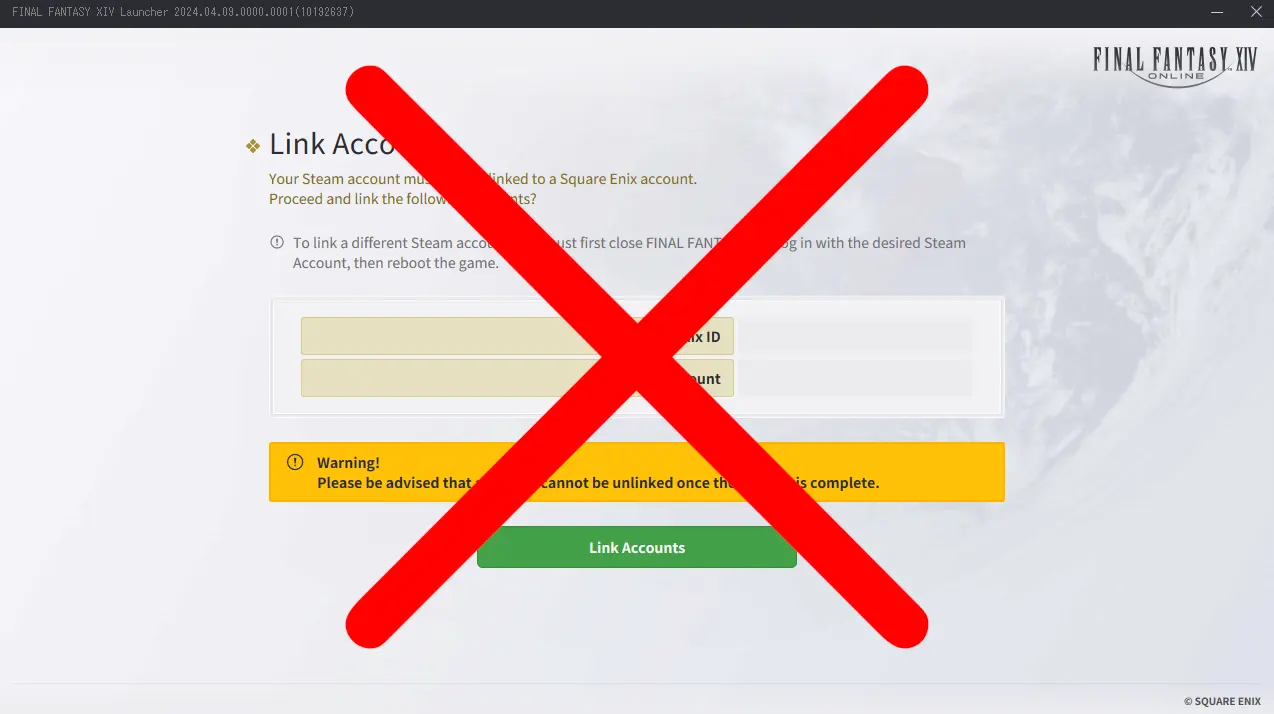
By default the steam version of FFXIV requires you to convert your exisiting account to steam, which is a permanent thing and forces you to buy everything through steam now. My launcher is a workaround that allows you the use the steam version without converting your account. I'm personally using it with the free trial version of steam because it's a lot easier to install compared the standalone FFXIV version. My launcher just initializes the steam api and forwards it to the default FFXIV launcher, skipping the forced account conversion. You can use the free trial version of steam even if your mogstation account owns the full game and expansions. This also works on linux/steamdeck, just make sure to edit the steam properties and force proton after adding it as non steam game.
Installation:
1. Dowload and install Final Fantasy XIV in steam, either the full game or free trial.
2. Launch it once, login and close it when it wants you to convert your account.
3. Go to your "FINAL FANTASY XIV - A Realm Reborn" folder in \Documents\My Games.
example: C:\Users\%username%\Documents\My Games\FINAL FANTASY XIV - A Realm Reborn
4. Edit FFXIV_Boot.cfg with any text editor and set StartupCompleted from 0 to 1, then save and close the file.
5. Download my launcher and move both files in to your \steamapps\common\FINAL FANTASY XIV Online\boot folder next to the default FFXIV launcher files.
6. Open steam and in the bottom left click on "add game" -> "add a non-steam game", browse and select my launcher to add it to steam.
7. In steam right click "FFXIV-Steam-Launcher" go to properties and put ffxivboot64.exe in the launch options command line.
8. Aaand that's it, run the game by using "FFXIV-Steam-Launcher" in steam and it should say you are now playing Final Fantasy XIV Online.
- Note: If you don't want to add it as a non steam game you can also create a shortcut of my launcher, go to properties and add ffxivboot64.exe at the end of the target line. Also if you are on linux and want to use custom commands add them to the ffxiv steam launcher like: gamemoderun %command% ffxivboot64.exe
XivLauncher Support:
1. Follow the initial installation first.
2. In steam change the command line from ffxivboot64.exe to your xivlauncher path, for example:
"C:\Users\Sildur\AppData\Local\XIVLauncher\XIVLauncher.exe"
3. And that's it, now steam will be hooked with the xivlauncher instead of the default FFXIV launcher.
Delete FFXIV-Steam-Launcher.exe and steam_appid.txt in your \steamapps\common\FINAL FANTASY XIV Online\boot folder.
📊 Mod Details
- Game
- Finalfantasy14 Mods
- Author
- Sildur
- Version
- 1.0
- Downloads
- 68
- Endorsements
- 0
- Category
- Utilities
- Created
- 5/13/2024
- Updated
- 5/13/2024
🔧 How to Install Final Fantasy XIV Mods
Download from Nexus Mods.
📖 Full step-by-step install guide for Final Fantasy XIV →
Visit the official mod page for specific installation instructions for this mod.
🎮 Need cheat codes or console commands? Check ur gaming wiki for Final Fantasy XIV commands, item IDs, and more.
Keep browsing — more Final Fantasy XIV mods await