Chromaticity ReShade
⚪ Last updated 2018⚠️ Install Order · 1 step
Install in this order, then this mod last — most mods fail to load without their framework and dependencies in place.
Preview
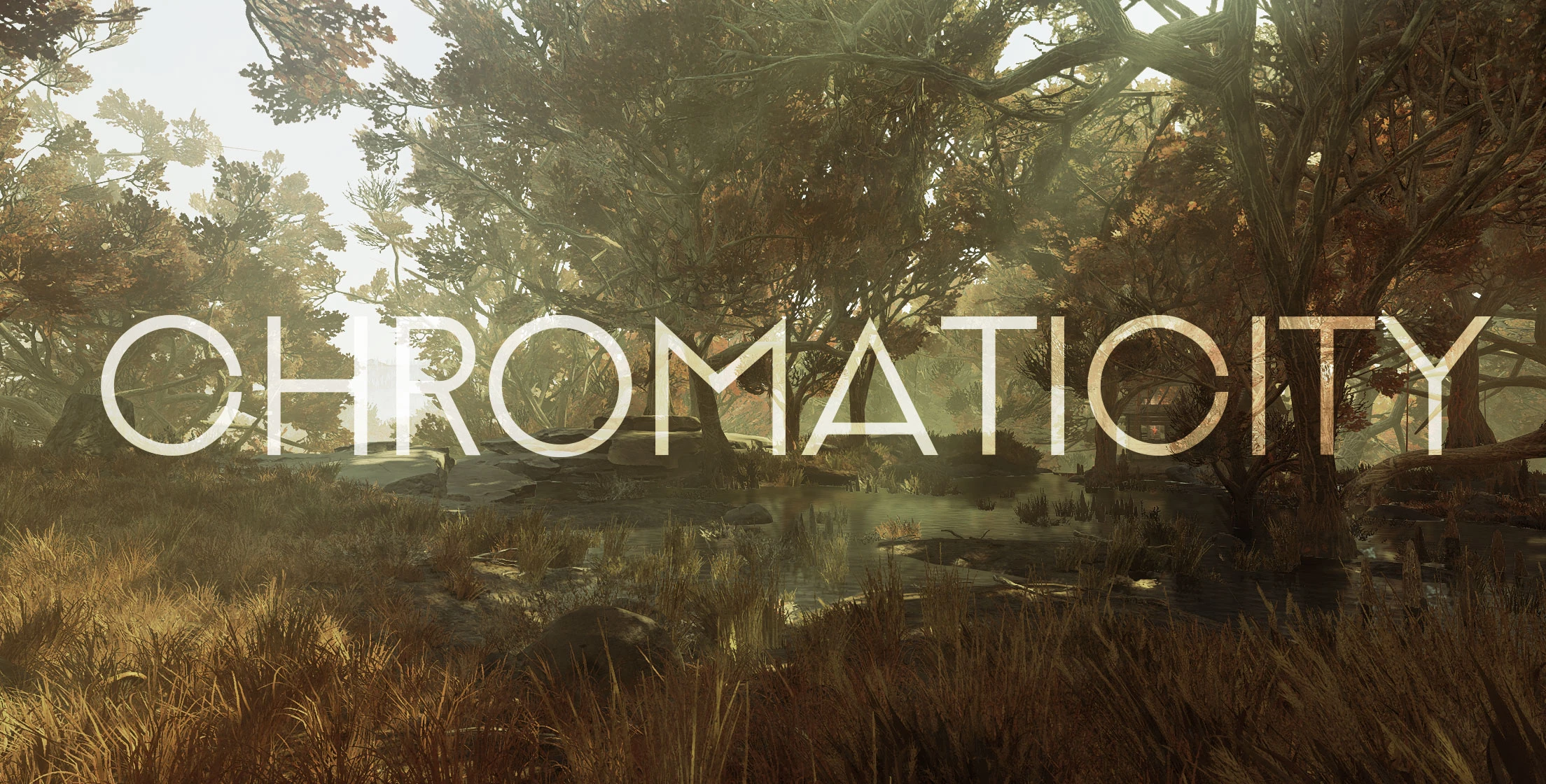
🔍 Analysis
- 👍 3.6% endorsement rate — high engagement, a strong quality signal
- 🏆 #8 of 10 ENB and ReShade mods in this game by downloads
📋 About This Mod
A Performance Friendly Custom LUT & Reshade Preset for Fallout 76
Description
Chromaticity is a personal ReShade preset that I created in order to adjust the overly saturated tones of the Vanilla game. Mainly, the preset utilizes a custom look up table via color curves to counter the bright colors and to add a more natural/warm feeling to our West Virginia landscape. The preset also features subtle clarity as well as sharpening to increase detail while maintaining high framerates.
Techniques Used
Custom Lookup Table (LUT)
Vibrance, AmbientLight, LUT, Filmic Sharpen
Installation
1.) Download Reshade (v4. 0. 2) from their official site at https://reshade.me/
2.) Run Reshade, browse to '\Games\Fallout76' , Select Fallout76.exe & choose Direct3d 10+
3.) When asked to download a collection of standard effects, choose no (I packaged required shaders)
4.) Download and Extract the .rar file to 'Games\Fallout76'
5.) Launch the Game
Press 'Insert' to Toggle ReShade on/off
Press 'Home" to configure or change any toggles,etc
Press 'prt scr' to take screenshots that will save in (Games\Fallout76\screenshots)
Want more updates?
Chromaticity ReShade is a performance-friendly ReShade preset for Fallout 76 that uses a custom LUT to reduce the game's oversaturated colors, adding a natural, warm tone. It includes subtle clarity and sharpening to enhance detail while maintaining high framerates. With 141 endorsements and 3,883 downloads, it's a niche but appreciated visual tweak.
✨ Key Features
📊 Pros & Cons
✅ Pros
- Performance-friendly preset that won't tank your framerate (141 endorsements show it's appreciated)
- Custom LUT gives a unique warm, natural look that fixes the vanilla oversaturation
- Includes sharpening and clarity to boost detail without heavy performance cost
⚠️ Cons
- Last updated in 2018 — may not work with current Fallout 76 versions or ReShade updates
- Requires manual installation of ReShade and the preset, which might confuse newcomers
- No screenshots or video in the description to preview the effect before installing
For Fallout 76 players who find the vanilla colors too bright and want a more natural, warm look without sacrificing performance. If you're into photorealistic overhauls or heavy ENBs, this might be too subtle — but it's perfect for a quick, lightweight visual upgrade.
💡 Beginner Tips
- Make sure to download ReShade v4.0.2 specifically, as newer versions may not be compatible with this preset.
- When ReShade asks to download standard effects, choose 'No' — the preset includes its own shaders.
- Extract the .rar file directly into your Fallout 76 game folder, not a subfolder, to ensure the preset loads correctly.
📊 Mod Details
- Game
- Fallout 76 Mods
- Author
- Kabby
- Version
- 1.0
- Downloads
- 3,883
- Endorsements
- 141
- Category
- ENB and ReShade
- Created
- 11/26/2018
- Updated
- 11/27/2018
🔧 How to Install Fallout 76 Mods
Use Vortex. Place .ba2 files in Data folder. Use cautiously online.
📖 Full step-by-step install guide for Fallout 76 →
Visit the official mod page for specific installation instructions for this mod.
🎮 Need cheat codes or console commands? Check ur gaming wiki for Fallout 76 commands, item IDs, and more.
Keep browsing — more Fallout 76 mods await