Optimum Reshade - Fallout 76
⚪ Last updated 2023This mod may not work until the author updates it. Check for an update, or see the rollback guide.
Preview
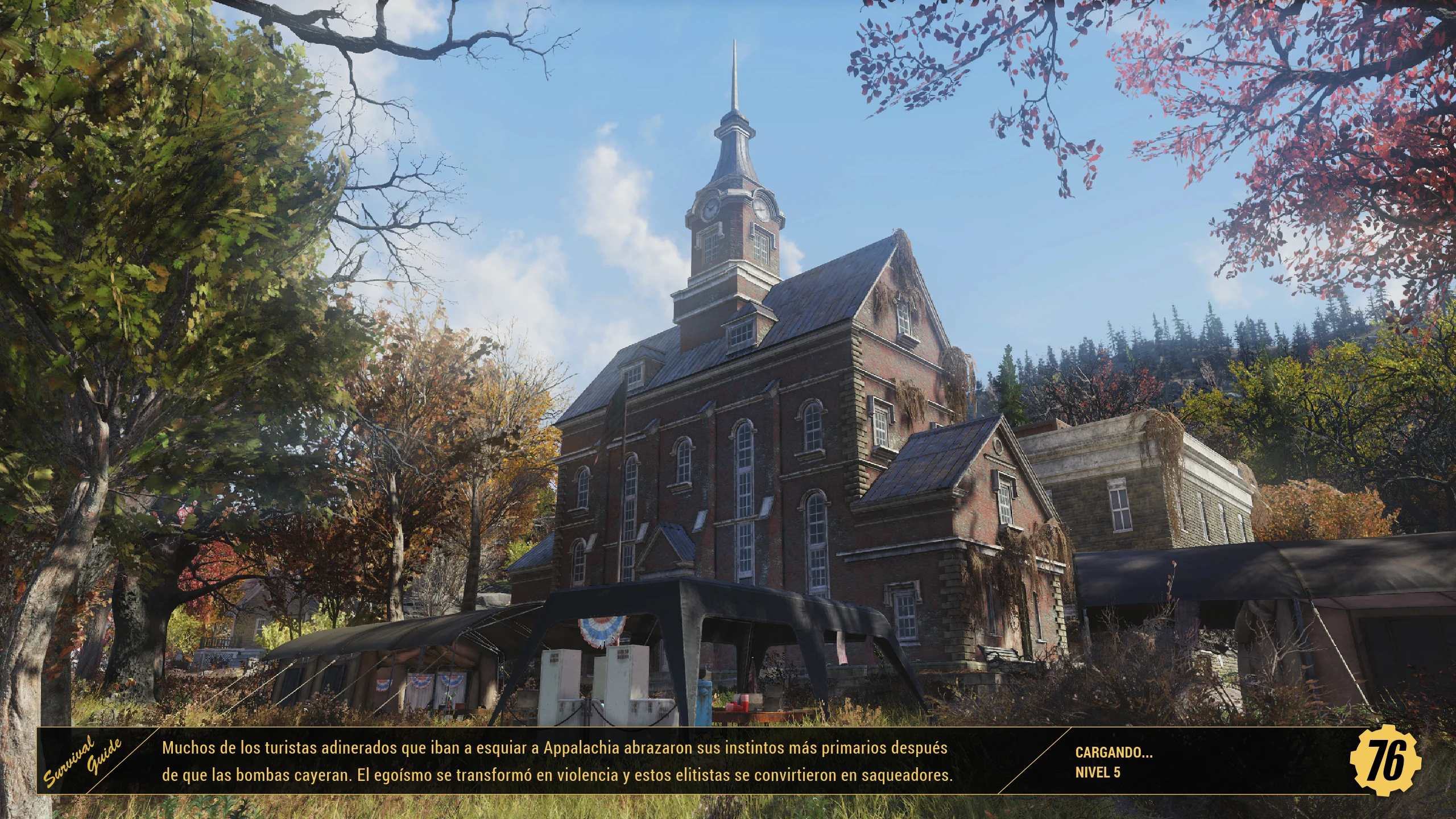
🔍 Analysis
- 👍 2.2% endorsement rate — high engagement, a strong quality signal
- 🏆 #2 of 10 ENB and ReShade mods in this game by downloads
📋 About This Mod
It is a personal preset, modified to my liking
I just installed Fallout 76 in 2023 and Optimum Reshade is still working fine for me. NOTE: If you have problems, just uninstall Reshade if you have it up to date and use my files because you don't need to install Reshade, just copy and paste my files.
You'll notice the game fade a bit, but that's in line with the game's apocalyptic plot.
Also available for --->Fallout4 https://www.nexusmods.com/fallout4/mods/70709
INSTALL:
1. Unzip the files.
2. Save the 3 files in the main Fallout 76 folder: in my case it is E:\Program Files\Steam\steamapps\common\Fallout76.
3. To activate or deactivate the preset in the game, use the key if you don't know the location, see the attached images.
4. Enjoy.
You don't need to install Reshade, just copy and paste my files.
* Version without black borders on the screen included.
OPTIONAL:
1. There is also another version ''Optimum SWEET Reshade - Fallout 76'', it is much more colorful and vibrant, it removes the washed out effect of the game, improving the appearance and definition. See the latest images
2. And another more natural version, "Optimum NATURAL Reshade - Fallout 76", recommended if you only want to use the original colors of the game, it eliminates the faded effect of the game, improving the appearance and definition.
3. Version without black borders on the screen included.
UNINSTALL:
1. Delete the same 3 files from the main Fallout 76 folder.
PERFORMANCE:
1 or 2 FPS on my PC Resolution of my screen '' 2560 x 1440 ''
COMPATIBILITY:
For those looking to use this in conjunction with other mods that use or modify the dxgi.dll file like:
SFE https://www.nexusmods.com/fallout76/mods/287
1. First download and install SFE.
2. Download and unzip Optimum ReShade, but before copying my files, rename my reshade dxgi.dll to d3d11.dll and save all 3 files to the main Fallout 76 folder.
It is the most effective and it works.
NOTE:
Use OPTIMUM RESHADE, which is the original preset and was created for that purpose. Optional files are just secondary for different tastes. I recommend you try the original and if you don't like the look try the secondary files... Enjoy
cf14DF-7JWs
NFUpJgCz2yE
A personal ReShade preset for Fallout 76, modified by the author to their liking. It requires no separate ReShade installation—just copy three files into the game folder. Includes a version without black borders, and the author notes it still works as of 2023. With 2,288 endorsements and 104,396 downloads, it's a popular choice for enhancing the game's visuals.
✨ Key Features
📊 Pros & Cons
✅ Pros
- Huge community trust with 2,288 endorsements and over 104k downloads
- Simple install—just drop 3 files into the main folder, no extra tools needed
- Author confirms it still works in 2023, so it's likely compatible with recent updates
⚠️ Cons
- Performance impact is only vaguely mentioned as '1 or 2 FPS' but no specifics on hardware or resolution
- No screenshots in the description (only links), so you can't preview the effect before installing
For Fallout 76 players who want a quick visual overhaul without fiddling with ReShade installation. If you're after a more vibrant or natural look, the optional versions give you choices. Skip if you prefer vanilla visuals or need detailed customization options.
💡 Beginner Tips
- Make sure to place the files in your Fallout 76 root folder (e.g., Steam\steamapps\common\Fallout76), not the Data folder.
- Use the in-game key to toggle the preset on/off—check the attached images to find the default key.
- If you already have ReShade installed, uninstall it first to avoid conflicts, as the mod includes its own files.
📊 Mod Details
- Game
- Fallout 76 Mods
- Author
- Yaddok
- Version
- 1.1
- Downloads
- 104,396
- Endorsements
- 2,288
- Category
- ENB and ReShade
- Created
- 11/15/2018
- Updated
- 5/11/2023
🔧 How to Install Fallout 76 Mods
Use Vortex. Place .ba2 files in Data folder. Use cautiously online.
📖 Full step-by-step install guide for Fallout 76 →
Visit the official mod page for specific installation instructions for this mod.
🎮 Need cheat codes or console commands? Check ur gaming wiki for Fallout 76 commands, item IDs, and more.
Keep browsing — more Fallout 76 mods await