Alex's Fallout 76 Reshade Preset
⚪ Last updated 2019⚠️ Install Order · 1 step
Install in this order, then this mod last — most mods fail to load without their framework and dependencies in place.
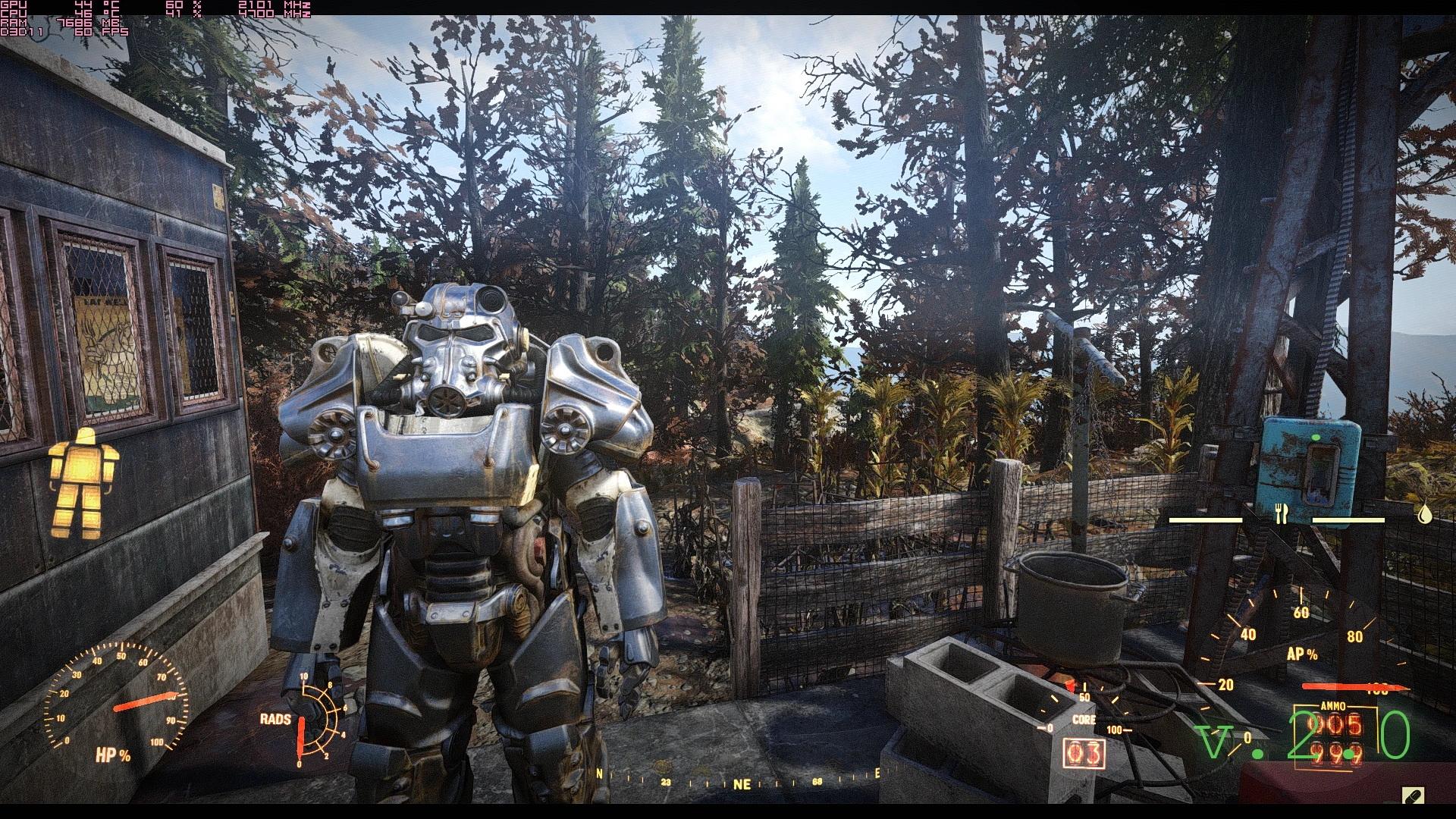
Preview
🔍 Analysis
- 👍 4.3% endorsement rate — high engagement, a strong quality signal
- 🏆 #6 of 10 ENB and ReShade mods in this game by downloads
📋 About This Mod
This got an update. 2. 0 is out and it's a version with more detail and better lighting.
Filmgrain has also been added.
This is a Preset with HDR and EyeAdaptation which won't blind you as much anymore.
Also, another thing is LumaSharpen. It makes things way less blurry.
There are quite a few things going on here, other than just color correction however.
You have Motion Blur and Border as well which can be turned off easily though if you don't like them.
Performance
On a GTX1080, you will get 10-12% more GPU usage. I have had no framerate loss at all but if you don't have much headroom, expect a 1-3 FPS loss.
Installation
Get Reshade from here: https://reshade.me/
Installation Guide
I've made a step-by-step guide for Nier:Automata which you can find here: https://www.nexusmods.com/nierautomata/mods/14 in case you need help installing.
Alex's Fallout 76 ReShade Preset is a visual enhancement mod that adds HDR, EyeAdaptation, LumaSharpen, Motion Blur, and Border effects to improve lighting and reduce blur. Version 2.0 includes filmgrain and better detail. It has 184 endorsements and 4,244 downloads, last updated in February 2019.
✨ Key Features
📊 Pros & Cons
✅ Pros
- Community-approved with 184 endorsements and over 4,200 downloads
- Performance-friendly: no framerate loss on a GTX1080, only 1-3 FPS drop if you're tight on headroom
- Customizable: Motion Blur and Border can be disabled easily
⚠️ Cons
- Last updated in 2019 — may not be compatible with current Fallout 76 patches
- Requires manual installation of ReShade, which can be tricky for beginners
- No in-game screenshots provided in the description, so you can't preview the effect before installing
For Fallout 76 players who want a subtle visual upgrade without heavy performance hits, especially those with mid-to-high-end GPUs. If you're into tweaking presets and don't mind a bit of setup, this is a solid choice. Skip if you prefer vanilla graphics or want a full ENB overhaul.
💡 Beginner Tips
- Download ReShade from reshade.me and run the installer, selecting Fallout 76 as the target game.
- After installing the preset, launch the game and press Shift+F2 to open the ReShade menu, where you can toggle effects like Motion Blur and Border.
- If you experience FPS drops, disable the filmgrain effect in the ReShade settings to gain back performance.
📊 Mod Details
- Game
- Fallout 76 Mods
- Author
- Alex
- Version
- 2.0
- Downloads
- 4,244
- Endorsements
- 184
- Category
- ENB and ReShade
- Created
- 2/5/2019
- Updated
- 2/22/2019
🔧 How to Install Fallout 76 Mods
Use Vortex. Place .ba2 files in Data folder. Use cautiously online.
📖 Full step-by-step install guide for Fallout 76 →
Visit the official mod page for specific installation instructions for this mod.
🎮 Need cheat codes or console commands? Check ur gaming wiki for Fallout 76 commands, item IDs, and more.
Keep browsing — more Fallout 76 mods await