Precision Placement - HotKeys for item moving
⚪ Last updated 2016⚠️ Install Order · 3 steps
Install in this order, then this mod last — most mods fail to load without their framework and dependencies in place.
Preview
🔍 Analysis
- 👍 6.3% endorsement rate — high engagement, a strong quality signal
- 🏆 #100 of 153 Gameplay mods in this game by downloads
📋 About This Mod
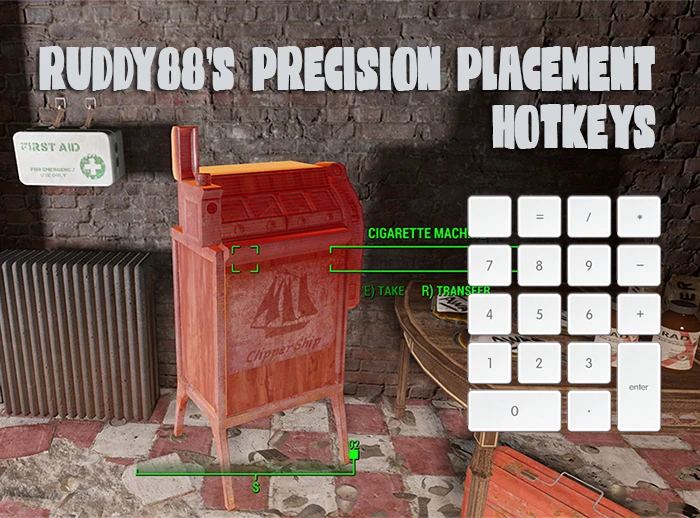
Precision Placement This mod requires FO4 Hotkeys to work. Endorse it while you're there! WHAT IS IT: Essentially this is like Jaxon's Positioner for Skyrim. It uses Registrator2000's FO4 Hotkeys mod and allows you to re-position objects using your NUMPAD keys while in-game. It also allows you to move settlement objects in to the "red". Unlike other placement mods, this mod does not need any script extenders or cheat engines to work. It can be used to fine tune your settlement objects, "unstick" NPCs, and can even be used to re-position objects outside of your settlements (though this is not advised). It's extremely lightweight, very compatible since there is no plugins required, and even comes with reset options if you ever need to move something back.
UPDATE: 30/12/2016 - Changed main file to utilise Registrator2000's merge utility rather than manually patching. Updated installation instructions on page.
INSTALLATION: AUTO: THIS MOD IS NOT INSTALLED THROUGH MOD MANAGER! FO4 Hotkeys mod will need to be installed first! Just download my mod, extract it wherever you want, and run the file "update_hotkeys.cmd". This is just a small utility that will automatically update your hotkeys.ini to include my changes.
MANUAL: Download my mod and extract wherever you'd like. Open the "Hotkeys.ini" included in the mod archive with a text editor of any sort. Naviagte to your games data folder and find the existing Hotkeys.ini, and simply copy and paste the text from my mods ini to your games ini underneath .
KEY MAPPING AND INSTRUCTIONS: Moving objects is easy. While in-game, simply look at an object (so your crosshairs are over it) and press 5 (on the numpad) to select it. The object
Precision Placement - HotKeys for item moving is a Fallout 4 gameplay mod that enhances the FO4 Hotkeys mod, allowing incremental object adjustment and placement in 'red' zones. It does not require F4SE, making it accessible for players who prefer non-script-extender mods. With 644 endorsements and over 10k downloads, it's a community-tested utility for settlement building.
✨ Key Features
📊 Pros & Cons
✅ Pros
- No F4SE requirement means it's compatible with a wider range of setups.
- 644 endorsements and 10k+ downloads show it's proven in the community.
- Incremental adjustment is a game-changer for fine-tuning settlement builds.
⚠️ Cons
- Requires the FO4 Hotkeys mod as a base, so you need to install that first.
- Last updated in 2016, so it may have compatibility issues with newer game patches.
- Potential conflicts with other settlement placement mods that alter the same hotkeys.
For Fallout 4 settlement builders who want finer control over object placement without relying on F4SE. If you're tired of wrestling with finicky placement and want to force items into tight spots, this is for you. Skip if you don't use the FO4 Hotkeys mod or prefer all-in-one placement tools.
💡 Beginner Tips
- Make sure you have the FO4 Hotkeys mod installed and working before adding this tweak.
- Test the incremental adjustment keys in a settlement to get a feel for the step size.
- If you're using other settlement mods, check their hotkey assignments to avoid conflicts.
📊 Mod Details
- Game
- Fallout 4 Mods
- Author
- Ruddy88
- Version
- 1.0
- Downloads
- 10,223
- Endorsements
- 644
- Category
- Gameplay
- Created
- 12/29/2016
- Updated
- 12/30/2016
🔧 How to Install Fallout 4 Mods
Download from Nexus.
📖 Full step-by-step install guide for Fallout 4 →
Visit the official mod page for specific installation instructions for this mod.
🎮 Need cheat codes or console commands? Check ur gaming wiki for Fallout 4 commands, item IDs, and more.
Keep browsing — more Fallout 4 mods await