Journal of the Sole Survivor - Personal Journal
⚪ Last updated 2016⚠️ Install Order · 2 steps
Install in this order, then this mod last — most mods fail to load without their framework and dependencies in place.
Preview
🔍 Analysis
- 👍 3.0% endorsement rate — high engagement, a strong quality signal
- 🏆 #39 of 64 Immersion mods in this game by downloads
📋 About This Mod
Your world, your story.
Your Personal Journal
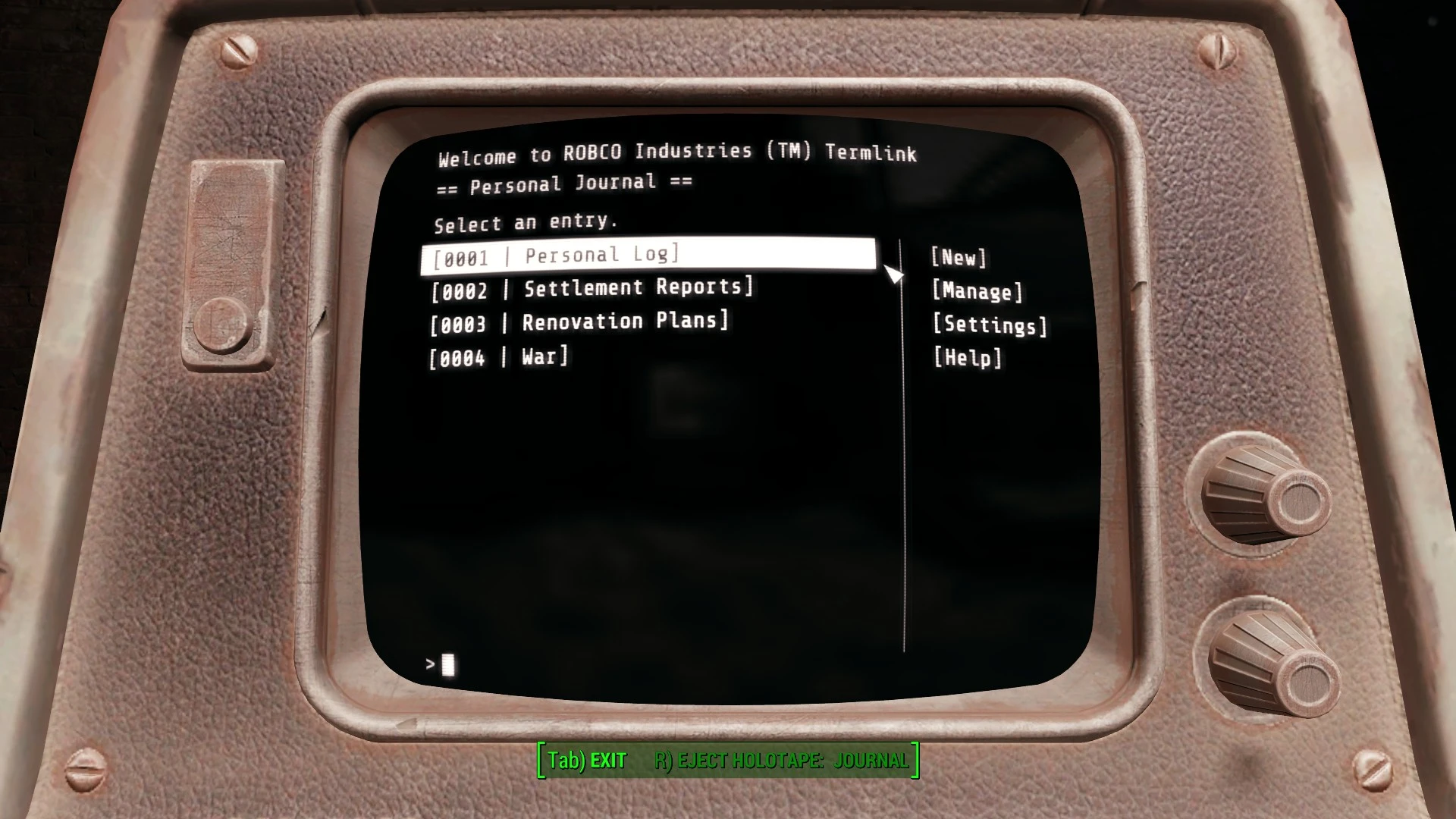
This mod gives you a player journal that you can type in!
You will find your personal holodisk in the living room of your old home at Sanctuary Hills.
A little dusty from two hundred years of sitting on the shelf, but hey - RobCo technology is built to last.
Your personal journal can be inserted into any terminal, or your Pip-Boy, where you will be able to create and title your own journal entries.
It seems like everybody has a journal of some sort - Piper has her terminal, Father has a mini-log, and even raiders are keeping journals.
Now you can, too.
Things you can do
- Take notes
- Make to-do lists
- Remind yourself of which settlements to help (fictional)
- Chart your journey across the Commonwealth
- Write about the backstories of each of your characters so that when you load them up a month down the road, you know exactly where you left off.
- Go on new adventures.
- Ultimately, whatever you want to write. It's your journal.
About
Your journal entries are stored in your save - if you have multiple characters each of them will be able to have their own journal.
Your journal entries are important. Please - back up your saves. I have run dozens of tests, programmatically creating tens of thousands of pages across hundreds of journal entries. I have made every effort to ensure that your entries are safe. But it is in your best interests to safekeep your precious entries.
I've been working on this for a while now and I'm happy to finally be able to make it available for everyone. Because Fallout 4 has no native text input support for holotapes and indeed, terminals in general, I had to write an input and focus manager from the ground up. In fact, the entire vanilla terminal interface was sorely lacking, so I've added a command-bar to make journal management that much easier. I hope you like what you see.
Notes
Your journal is a unique holotape. Do not use the console to spawn another! If you've lost the holotape somewhere, enter the console command
cqf journal giveitems to have your journal moved into your inventory from wherever it is in the world.
Using a gamepad? You need to unplug your gamepad before typing. While a gamepad is connected, Fallout 4 stops delivering keystrokes, so temporarily unplugging your gamepad is unfortunately necessary.
This is release 1. 0! I want to let you know that your journal saves whenever you leave a page a
Journal of the Sole Survivor adds a personal journal to Fallout 4, allowing you to type and keep track of discoveries, journeys, and daily adventures. With over 6,700 endorsements and 227,000 downloads, it's a popular immersion tool for role-players. Last updated in 2016, it remains a stable choice for journaling enthusiasts.
✨ Key Features
📊 Pros & Cons
✅ Pros
- Huge community trust with 6,792 endorsements and 227,164 downloads.
- Perfect for role-players who want to log their wasteland adventures.
- Lightweight and simple—no complex systems to learn.
⚠️ Cons
- Last updated in 2016—might have compatibility issues with newer DLC or mods.
- No screenshots or detailed feature list in the description, so you're flying blind.
- Typing in-game can be clunky on consoles or with controllers.
For Fallout 4 role-players who want to immerse themselves by writing in-character journal entries. Also great for completionists who like to track their exploration. Skip if you're looking for gameplay changes—this is purely a writing tool.
💡 Beginner Tips
- If you're on PC, use the mod manager of your choice (like Vortex) to install and manage this mod easily.
- Consider using a keyboard for typing—it's much faster than the in-game console.
- Make sure to save your journal entries regularly, as the mod doesn't auto-save your text.
📊 Mod Details
- Game
- Fallout 4 Mods
- Author
- registrator2000
- Version
- 1.1
- Downloads
- 227,164
- Endorsements
- 6,792
- Category
- Immersion
- Created
- 5/14/2016
- Updated
- 6/13/2016
🔧 How to Install Fallout 4 Mods
Download from Nexus.
📖 Full step-by-step install guide for Fallout 4 →
Visit the official mod page for specific installation instructions for this mod.
🎮 Need cheat codes or console commands? Check ur gaming wiki for Fallout 4 commands, item IDs, and more.
Keep browsing — more Fallout 4 mods await