Automatically Lowered Weapons
⚪ Last updated 2017⚠️ Install Order · 2 steps
Install in this order, then this mod last — most mods fail to load without their framework and dependencies in place.
Preview
🔍 Analysis
- 👍 1.2% endorsement rate — high engagement, a strong quality signal
- 🏆 #3 of 64 Immersion mods in this game by downloads
📋 About This Mod
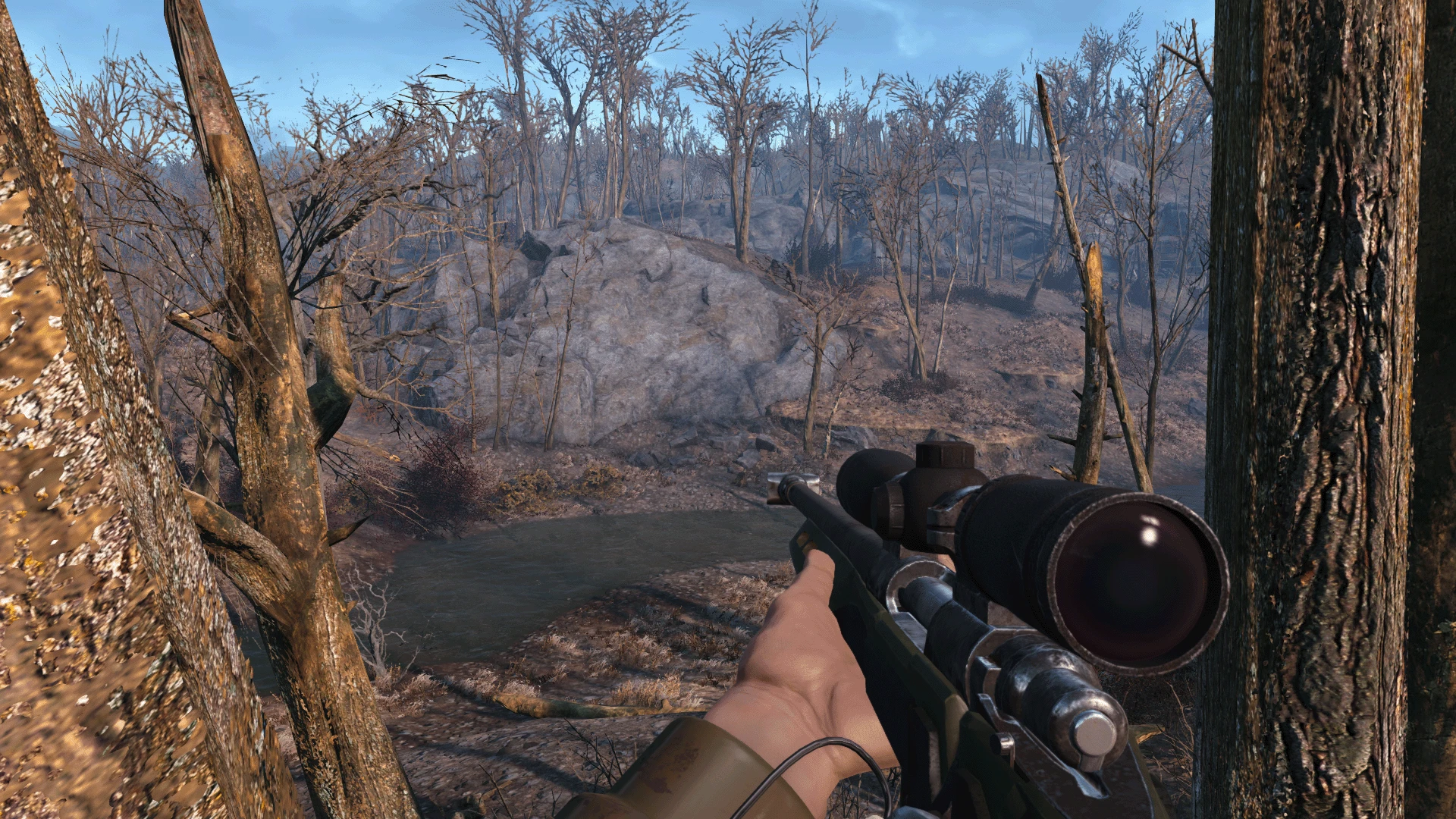
This mod was inspired by Button Lowered Weapons and Lowered Weapons. I like the concept of lowering your weapon and I decided to do my own take on it.
This mod uses a script to automatically lower your weapon when you are not in combat. By default it's configured to have a delay of 3 seconds before lowering your gun, you can change this by editing the mod in the CK.
FUNCTIONALITY
The mod will lower your weapon after 3 seconds in this situations: - After shooting/bashing with your gun. - After aiming with your gun. - After equipping your gun. - After reloading your gun. - After sprinting. - After exiting cover. (This one doesn't have a delay, it will lower it instantly) *Basically after anything that I could find that will raise your weapon.
While you are in combat the mod will pause and your weapon will stay raised like vanilla, once you exit combat it will resume it's functionality.
The mod only works in 1st person, if you are in 3rd person it will not do anything. Why? Because vanilla Fallout 4 already lowers your weapon in 3rd person after some seconds using the GameSetting fGunPlayerRelaxedWaitTime. This mod does not touch that setting, but you can edit it using the CK to change the delay before lowering your gun on 3rd person. I've personally changed it to 0. 5 in my game.
Automatically Lowers Weapons is a simple immersion mod for Skyrim that makes your character lower their weapon when not in combat. With over 20,000 endorsements and 1.7 million downloads, it's a highly popular quality-of-life improvement. Last updated in 2017, it remains a staple for many players.
✨ Key Features
📊 Pros & Cons
✅ Pros
- Huge community trust: 20,500 endorsements and 1.7M downloads show it's a must-have for many
- Simple, effective immersion boost—no more awkwardly holding a sword while talking to a shopkeeper
- Works without extra configuration; install and forget
⚠️ Cons
- Last updated in 2017—may have compatibility issues with newer Skyrim versions or mods that alter combat behavior
- Some players might find the auto-lowering too aggressive if they prefer to keep weapons ready in certain situations
For Skyrim players who value immersion and want a more natural feel when exploring towns or talking to NPCs. If you're tired of your character running around with a drawn sword, this mod is for you. Skip if you want more complex combat overhauls—this is purely a cosmetic/immersion tweak.
💡 Beginner Tips
- If you're using a mod manager like Vortex or Mod Organizer 2, just download and install—no load order tweaks needed for this simple mod.
- Test in a city like Whiterun to see the effect immediately; your weapon should lower when you sheathe it or enter combat-free zones.
- If you experience issues, check that no other mods are overriding weapon animations—this mod is lightweight but conflicts can occur.
📊 Mod Details
- Game
- Fallout 4 Mods
- Author
- pauderek
- Version
- 1.4
- Downloads
- 1,703,504
- Endorsements
- 20,500
- Category
- Immersion
- Created
- 11/20/2016
- Updated
- 8/3/2017
🔗 Required By 1 Mod
These mods list this mod as a dependency.
🧩 Commonly Used Together
Users add these mods to the same collections — a real compatibility signal, not an AI guess.
🔧 How to Install Fallout 4 Mods
Download from Nexus.
📖 Full step-by-step install guide for Fallout 4 →
Visit the official mod page for specific installation instructions for this mod.
🎮 Need cheat codes or console commands? Check ur gaming wiki for Fallout 4 commands, item IDs, and more.
Keep browsing — more Fallout 4 mods await