FO4 Hotkeys
⚪ Last updated 2016⚠️ Install Order · 2 steps
Install in this order, then this mod last — most mods fail to load without their framework and dependencies in place.
Preview
🔍 Analysis
- 👍 3.6% endorsement rate — high engagement, a strong quality signal
- 🏆 #57 of 187 Gameplay mods in this game by downloads
📋 About This Mod
HOTKEYS HOTKEYS HOTKEYS
When your boss says you have an attitude problem.
(Hotkey "special" actions and activate them anytime.)
★ Features ★
☢ Hotkey any piece of equipment / consumable to any key! E.g. F1, F2, Shift-1, Ctrl-Shift 1, Z, B, etc.
☢ Hotkey any console command!
☢ Hotkey any in-game Papyrus function!
This is an extremely powerful framework and it means that you can have a one-button press to:
☢ Lower your weapon on demand
☢ Command your companion
☢ Split the grenade and melee keys
☢ Hide/show HUD, toggle flycam, freeze time, play animations
☢ Add a fifth dialogue reply option
☢ Activate other mods like Bullet Time or HideUI.
...and much more!
★ About ★
I can hardly contain my excitement - sorry!
For the longest time I've dreamt for a way to have a one-button push to toggle menus and the flycam to get nice screenshots. Since Fallout 3, since Fallout: New Vegas, and since Skyrim I have wished it was possible to hotkey console commands. And though the script extenders for those games allowed for hotkeys, it was never possible to hotkey console commands. Now, with Fallout 4, it is.
And it's thanks to... drumroll... Bethesda! Upon poking around in the exe I found that Fallout 4 actually supports hotkeys, but it was disabled in traditional Bethesda style.
I'm super-excited to share this with you.
★ Installation ★
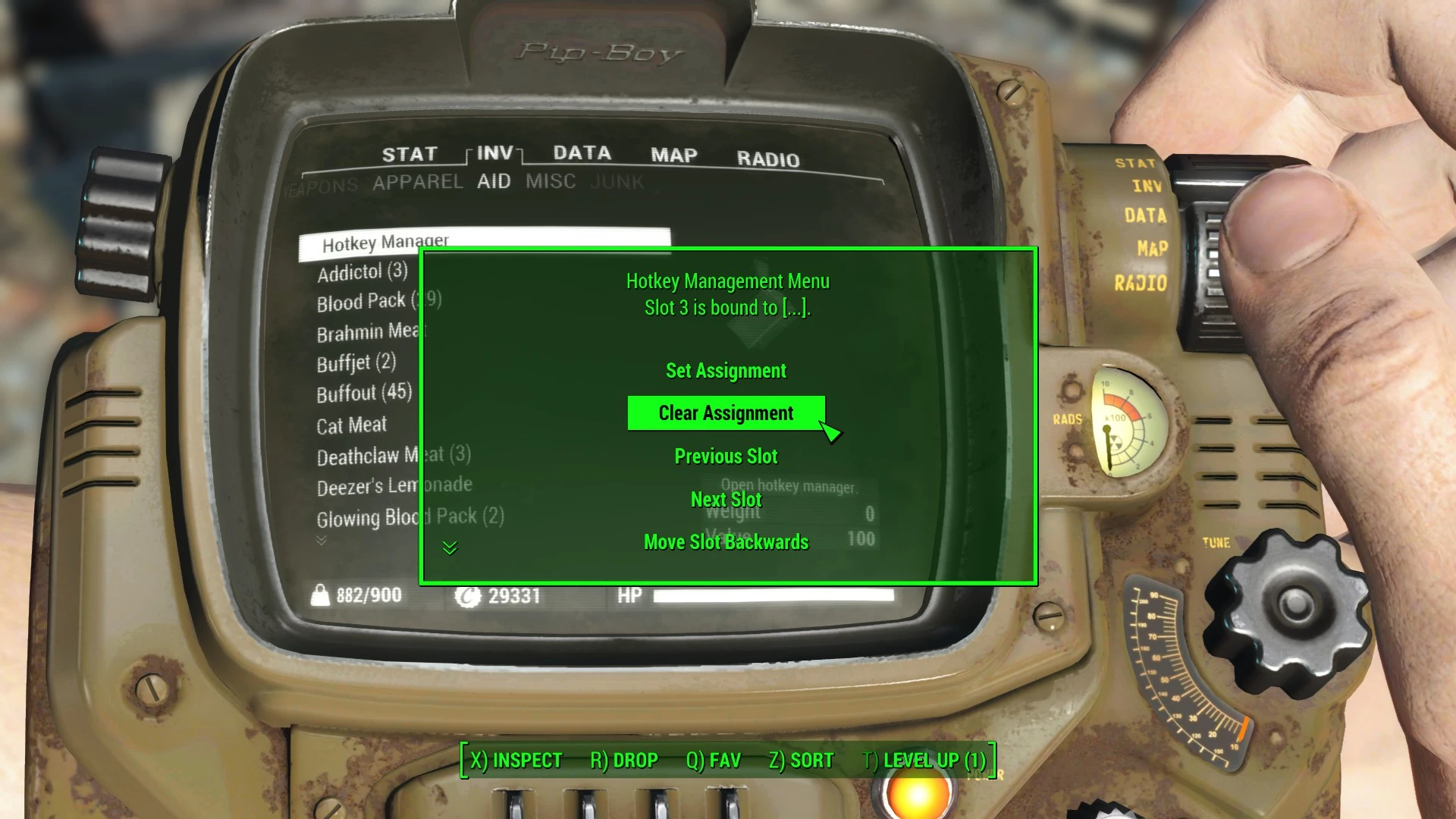
You have a choice between two versions - full and lite. The full version includes a simple in-game hotkey manager for you to assign and change assignments for equipment pieces to hotkey slots. It handles the equipping of bound items for you and also checks to make sure you have the item in your inventory before equipping it. When you start the game, Hotkey Manager will be added to the AID section of your inventory.
The lite version doesn't add anything to the game other than enable hotkey support. You can then configure your hotkeys manually by editing Hotkeys.ini.
Use your mod manager, or download and unzip the mod to your Data directory.
FO4 Hotkeys lets you bind any item, equipment, or console command to any key, solving the limited Favorites slots problem. It also adds features like lowering weapons on demand, splitting grenade and melee keys, and toggling the HUD. A highly endorsed gameplay utility for Fallout 4.
✨ Key Features
📊 Pros & Cons
✅ Pros
- Massive community trust with 17,140 endorsements and nearly half a million downloads.
- Solves a real pain point—Favorites slots are too few for serious hoarders.
- Adds practical QoL features like weapon lowering and HUD toggle that Bethesda left out.
⚠️ Cons
- Last updated in 2016—likely outdated for current Fallout 4 patches and DLC.
- May conflict with other UI or hotkey mods; you'll need to test load order yourself.
For Fallout 4 players who juggle tons of gear and want quick access without pausing. Also great for roleplayers who want to lower weapons or toggle the HUD for screenshots. Skip if you're fine with the vanilla Favorites menu and don't need extra keybindings.
💡 Beginner Tips
- Use a mod manager like Vortex or NMM to install and manage FO4 Hotkeys, especially if you have other mods.
- After installing, check the in-game MCM (Mod Configuration Menu) if available to set your custom hotkeys.
- If you use F4SE, make sure you have the latest version compatible with your game patch, as this mod may rely on it.
📊 Mod Details
- Game
- Fallout 4 Mods
- Author
- registrator2000
- Version
- 1.2
- Downloads
- 478,217
- Endorsements
- 17,140
- Category
- Gameplay
- Created
- 4/6/2016
- Updated
- 7/4/2016
🧩 Commonly Used Together
Users add these mods to the same collections — a real compatibility signal, not an AI guess.
🔧 How to Install Fallout 4 Mods
Download from Nexus.
📖 Full step-by-step install guide for Fallout 4 →
Visit the official mod page for specific installation instructions for this mod.
🎮 Need cheat codes or console commands? Check ur gaming wiki for Fallout 4 commands, item IDs, and more.
Keep browsing — more Fallout 4 mods await