FallUI - Workbench
⚪ Last updated 2022⚠️ Install Order · 2 steps
Install in this order, then this mod last — most mods fail to load without their framework and dependencies in place.
Preview
🔍 Analysis
- 👍 0.9% endorsement rate
- 🏆 #12 of 110 User Interface mods in this game by downloads
📋 About This Mod
FallUI - Workbench
A optimized Fallout 4 workbench interface for PC.
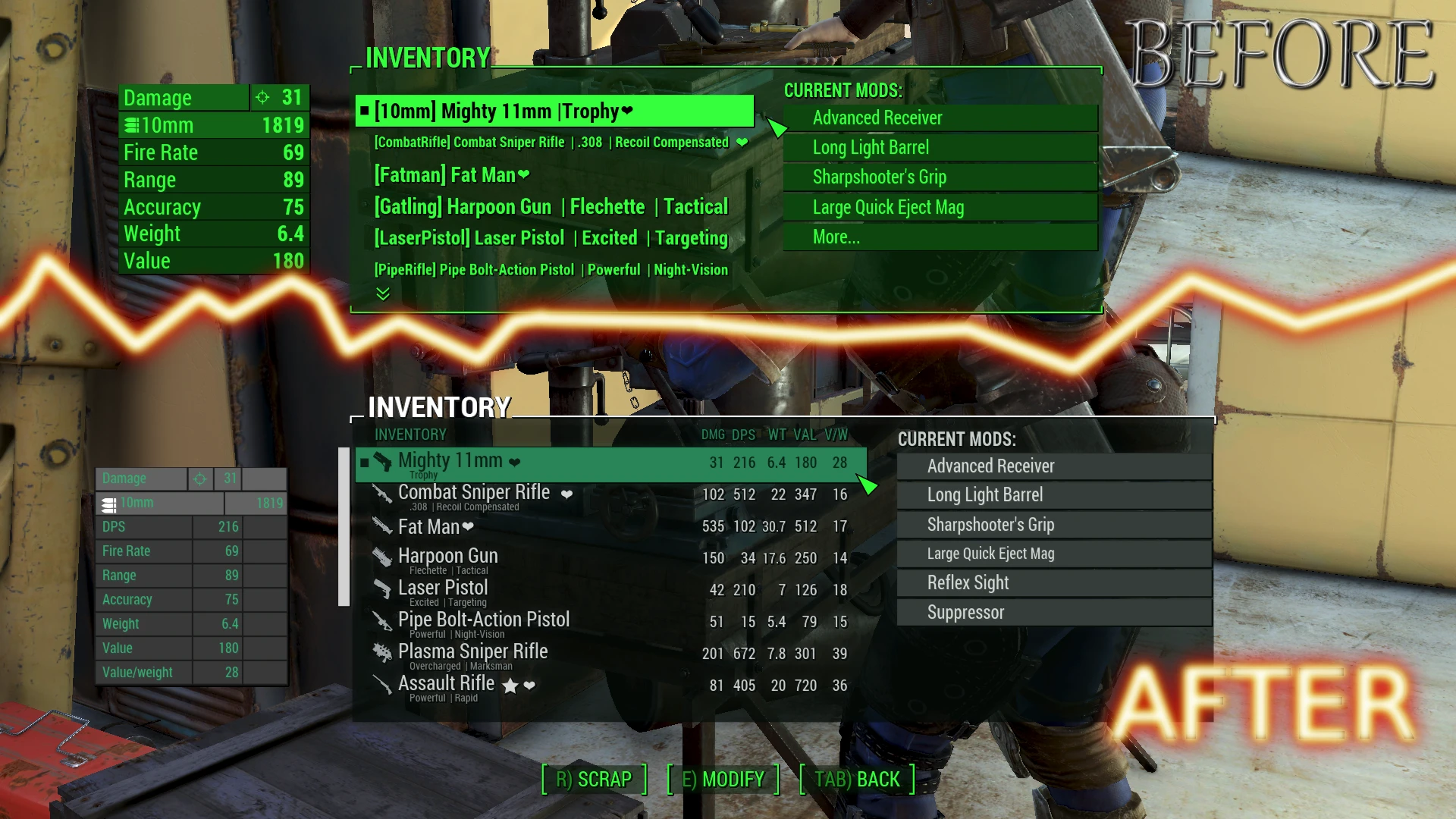
Overhaul of the workbench for PC. Contains visual updates, functional updates as well as more data displayed. Full support for FallUI inclusive.
-
[]Full support for FallUI and compatible with any other def_inv/dev_hud compatible Item Sorter
[
]Multi-language[]Covers the weapon and armor workbench as well as cooking and chemistry station.
[]Greater display size for inventory list, mod list and other displayed panels.
[]Added data columns to the inventory list, slot list and mod list.
[]See comparison of all modules compared to your current installed mods in a well-arranged table sight
[]Fancy item tag icon menu, which allows you to directly click on the icon you want to have for your weapon/armor! (Renaming function)
[]Multi-craft button: Craft a item up to 10 times with a single button without confirmation (Key: M)
[]Filter-mode: Only show craft-able recipes (Key: Q)
[]Text search in recipe and mod lists (Requires F4SE. Key: F)
[]Widescreen support (Universal aspect ratio correction available via MCM - support all resolutions)
[]Customizable interface coloration
[]Can show up to 8 requirement perks (Some mods use more than 2 requirements)
[]Optimized the workbench script for a much better performance
[]Auto-building of zero-cost modules (like standard modules) is automatic now! (Skipping the senseless confirm box)
[]Nicer graphical look of whole workbench interface.
[]Drastically increased max. allowed characters for item names.
[]Works smoothly together with Rename Anything, allowing you to rename any item with item icon tag picker. (Install before FallUI Workbench)
[]Mid-game install: Can be installed/removed without any problems at any time. Nothing is changed in your savegame.
[]If you have FallUI installed, it will automatically use FallUI style configuration where applicable
[]Includes MCM configuration menu for more individual settings (English version included, use a translation mod for a translated configuration)
Installation
-
[]Use a Mod Manager to install.
[]Optional but recommended: Install FallUI - Inventory.
[]Optional but recommended: Install FallUI - Confirm Boxes to get icons in the "Make" and "Scrap" boxes (or to just skip them)!
Load order
-
[]
[
](Optional) FallUI - FallUI Workbench
The
FallUI
series
-
[]
-
[]Use a Mod Manager to install.
FallUI - Workbench overhauls the Fallout 4 workbench interface for PC, offering a larger display, data and comparison columns for mods, item icon tags, an icon menu, item subtitles, and zero-cost autobuilding modules. It supports all languages and has a strong community following with over 20,000 endorsements.
✨ Key Features
📊 Pros & Cons
✅ Pros
- Huge community trust with 20,276 endorsements and 2.2M downloads
- Packed with features: comparison columns, icon tags, and zero-cost autobuilding
- Multilingual support means it works for everyone
⚠️ Cons
- Last updated in 2022, so it might not be fully compatible with the latest game patches
- UI overhauls can be a matter of taste—some might find the new layout cluttered
- No explicit mention of compatibility with other UI mods, so conflicts could arise
For Fallout 4 players who spend a lot of time at workbenches and want a more efficient, information-rich interface. Perfect for modders who need to compare mods at a glance and craft without resource costs. Skip if you prefer the vanilla look or play on console.
💡 Beginner Tips
- Since it's a UI mod, install it with a mod manager like Vortex or Mod Organizer 2 to keep your load order clean.
- If you use other UI mods, place FallUI - Workbench after them in your load order to ensure its features take priority.
- The zero-cost autobuilding is a great way to test out modded weapons and armor without burning resources—use it to experiment.
📊 Mod Details
- Game
- Fallout 4 Mods
- Author
- m8r98a4f2
- Version
- 1.4.1-r2
- Downloads
- 2,164,797
- Endorsements
- 20,276
- Category
- User Interface
- Created
- 1/7/2021
- Updated
- 11/2/2022
🔧 How to Install Fallout 4 Mods
Download from Nexus.
📖 Full step-by-step install guide for Fallout 4 →
Visit the official mod page for specific installation instructions for this mod.
🎮 Need cheat codes or console commands? Check ur gaming wiki for Fallout 4 commands, item IDs, and more.
Keep browsing — more Fallout 4 mods await