Deeper Voice For Super Mutants
⚪ Last updated 2015⚠️ Install Order · 2 steps
Install in this order, then this mod last — most mods fail to load without their framework and dependencies in place.
Preview
🔍 Analysis
- 👍 3.3% endorsement rate — high engagement, a strong quality signal
- 🏆 #7 of 17 Audio - Voice mods in this game by downloads
📋 About This Mod
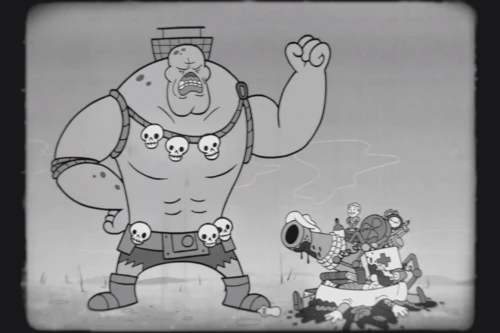
Deeper Voice For Super Mutants
Female protagonist voice mods: Higher, deeper. Male protagonist voice mods: Deeper, higher. Other companion voice mods: Curie, Piper, Cait (higher), Cait (deeper), Strong, Preston, X6-88. Other voice mods: Female children. Other audio mods: IMPACTFUL NUKES.
(Skip to 1:07, since imbedded Youtube links cannot contain timecode here.) q47KTD82XXs
Voice Types:
Voice Type A1: 5. 6% lower.
Voice Type A2: 10. 9% lower.
Voice Type A3: 15. 9% lower.
Voice Type A4: 20. 6% lower.
Voice Type A5: 25. 1% lower. Entering into unintelligible territory.
Installation (as of 2016-3-21):
1. Follow the Fallout 4 Mod Installation guide to learn the latest method for setting up custom mods.
2. Patch 1. 3 eliminated transparent support for .bsa archives, and there still is no way of creating .ba2 archives, so here are the options for installing as I understand them (copied from the mod thread). I have not found the time to test them.
(The following examples assume you want to install "Higher Female Protagonist Voice - Type D1.bsa". Replace this text with the .bsa filename of your intended mod.)
Option 1:
Go to your Fallout4.ini under My Documents/My Games/Fallout4 Under Archive section, find 'sResourceArchiveList=' without the quotes. Copy and paste this line and replace the existing line after 'sResourceArchiveList=':
sResourceArchiveList=Fallout4 - Voices.ba2, Fallout4 - Meshes.ba2, Fallout4 - MeshesExtra.ba2, Fallout4 - Misc.ba2, Fallout4 - Sounds.ba2, Fallout4 - Materials.ba2, Higher Female Protagonist Voice - Type D1.bsa
Start your game and the voice should have change to your desired voice type.
Option 2:
If you're afraid of messing up the Fallout4.ini file, you can just place the commands below into Fallout4Custom.ini. It will leave the original one intact and use the one in Fallout4Custom.ini while avoiding faulty ini file.
sResourceArchiveList=Fallout4 - Voices.ba2, Fallout4 - Meshes.ba2, Fallout4 - MeshesExtra.ba2, Fallout4 - Misc.ba2, Fallout4 - Sounds.ba2, Fallout4 - Materials.ba2, Higher Female Protagonist Voice - Type D1.bsa
Deeper Voice For Super Mutants is a compact audio mod by Asterra that offers several deeper-sounding tweaks to the super mutants' voices. With over 1,000 endorsements and 31,000 downloads, it's a popular choice for Fallout 4 players seeking a more menacing tone for these enemies.
✨ Key Features
📊 Pros & Cons
✅ Pros
- Community-approved with 1,011 endorsements and 31,075 downloads.
- Gives super mutants a more intimidating presence with deeper voices.
- Lightweight audio mod that won't impact performance.
⚠️ Cons
- Last updated in 2015 — may not be compatible with the latest Fallout 4 patches.
- Only affects super mutant voices — if you want broader audio changes, this won't cover it.
For Fallout 4 players who want super mutants to sound more menacing and less goofy. If you're doing a serious playthrough or want to enhance the wasteland's atmosphere, this is a quick add. Skip if you're looking for comprehensive audio overhauls — this is purely for super mutants.
💡 Beginner Tips
- Since it's a simple audio mod, just drop the files into your Data folder or use a mod manager like Nexus Mod Manager.
- Make sure to load this mod after any other mods that might alter super mutant voices to ensure it takes effect.
- If you're using the game's built-in mod manager, enable it in the load order to avoid conflicts.
📊 Mod Details
- Game
- Fallout 4 Mods
- Author
- Asterra
- Version
- 1.0
- Downloads
- 31,075
- Endorsements
- 1,011
- Category
- Audio - Voice
- Created
- 12/1/2015
- Updated
- 12/1/2015
🔧 How to Install Fallout 4 Mods
Download from Nexus.
📖 Full step-by-step install guide for Fallout 4 →
Visit the official mod page for specific installation instructions for this mod.
🎮 Need cheat codes or console commands? Check ur gaming wiki for Fallout 4 commands, item IDs, and more.
Keep browsing — more Fallout 4 mods await