Consume Without Pickup
⚪ Last updated 2021⚠️ Install Order · 2 steps
Install in this order, then this mod last — most mods fail to load without their framework and dependencies in place.
Preview
🔍 Analysis
- 👍 0.6% endorsement rate
- 🏆 #113 of 187 Gameplay mods in this game by downloads
📋 About This Mod
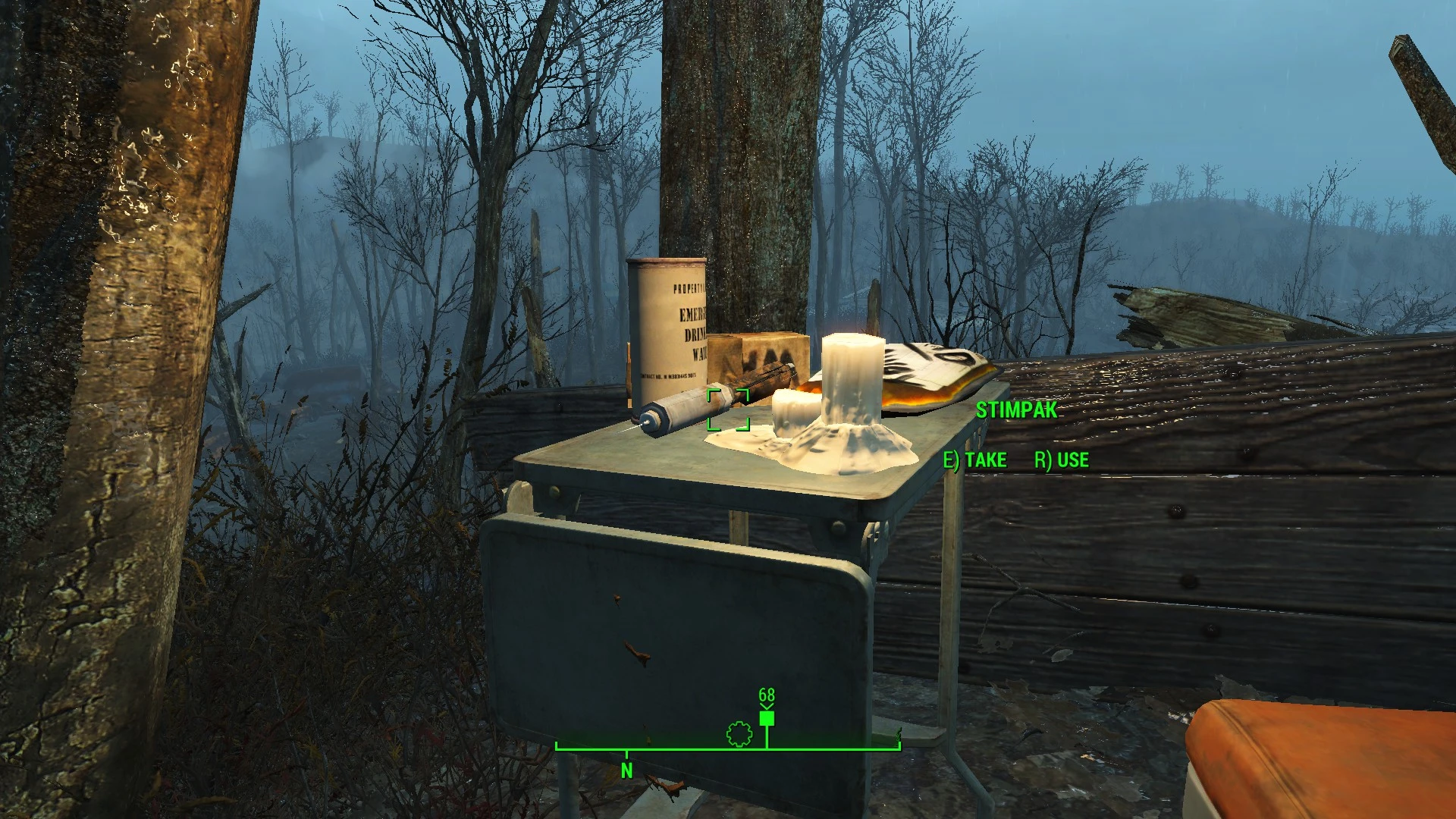
This simple mod allows you to use any consumable item in the game without picking it up, just mouse over it and press R. The mod utilizes vanilla keywords, wich allows it to work with all DLCs and all other mods, if they are using correct keywords.
I have made this mod as a way to learn and test how entry points in perks work, but i do think it is a nice little quality of life improvement, so it's worth sharing.
Please contact me if you find any bugs.
Updating from 1. 0 or 1. 1 to 1. 2, make sure to make a clean save!
To do that, uninstall whatever version of this mod you have, load your save, make a new save without mod being active, then save again. After that, you can install 1. 2 version.
If you fail to do that, it's not a big deal, you will just miss new prompts for drinking and eating.
This simple mod lets you use consumable items without picking them up—just mouse over and press R. Works with all DLCs and any mods without patches. Popular with 1,535 endorsements and 254,231 downloads, last updated June 2021.
✨ Key Features
📊 Pros & Cons
✅ Pros
- Huge community trust: 1,535 endorsements and a quarter-million downloads.
- Zero hassle compatibility—works with all DLCs and mods out of the box.
- Saves time and inventory clutter, especially for hoarders.
⚠️ Cons
- Last updated in 2021—might break with newer game patches.
- No detailed instructions or troubleshooting in the description.
- Only works with consumables—doesn't affect other item interactions.
For players who hate stopping to pick up every potion or food item—this streamlines looting. Also great for those who use many mods and want a utility that won't conflict. Skip if you prefer vanilla mechanics or want more complex inventory overhauls.
💡 Beginner Tips
- Just drop the file into your Data folder and enable it in the launcher.
- Test with a common consumable like a potion to get the hang of the R key prompt.
- If you're using a mod manager, install it like any other mod—no special load order needed.
📊 Mod Details
- Game
- Fallout 4 Mods
- Author
- MadRabbitX
- Version
- 1.1
- Downloads
- 254,231
- Endorsements
- 1,535
- Category
- Gameplay
- Created
- 5/15/2020
- Updated
- 6/30/2021
🧩 Commonly Used Together
Users add these mods to the same collections — a real compatibility signal, not an AI guess.
🔧 How to Install Fallout 4 Mods
Download from Nexus.
📖 Full step-by-step install guide for Fallout 4 →
Visit the official mod page for specific installation instructions for this mod.
🎮 Need cheat codes or console commands? Check ur gaming wiki for Fallout 4 commands, item IDs, and more.
Keep browsing — more Fallout 4 mods await