Colored Extra Icons for FIS
🟠 Updated over a year ago⚠️ Install Order · 3 steps
Install in this order, then this mod last — most mods fail to load without their framework and dependencies in place.
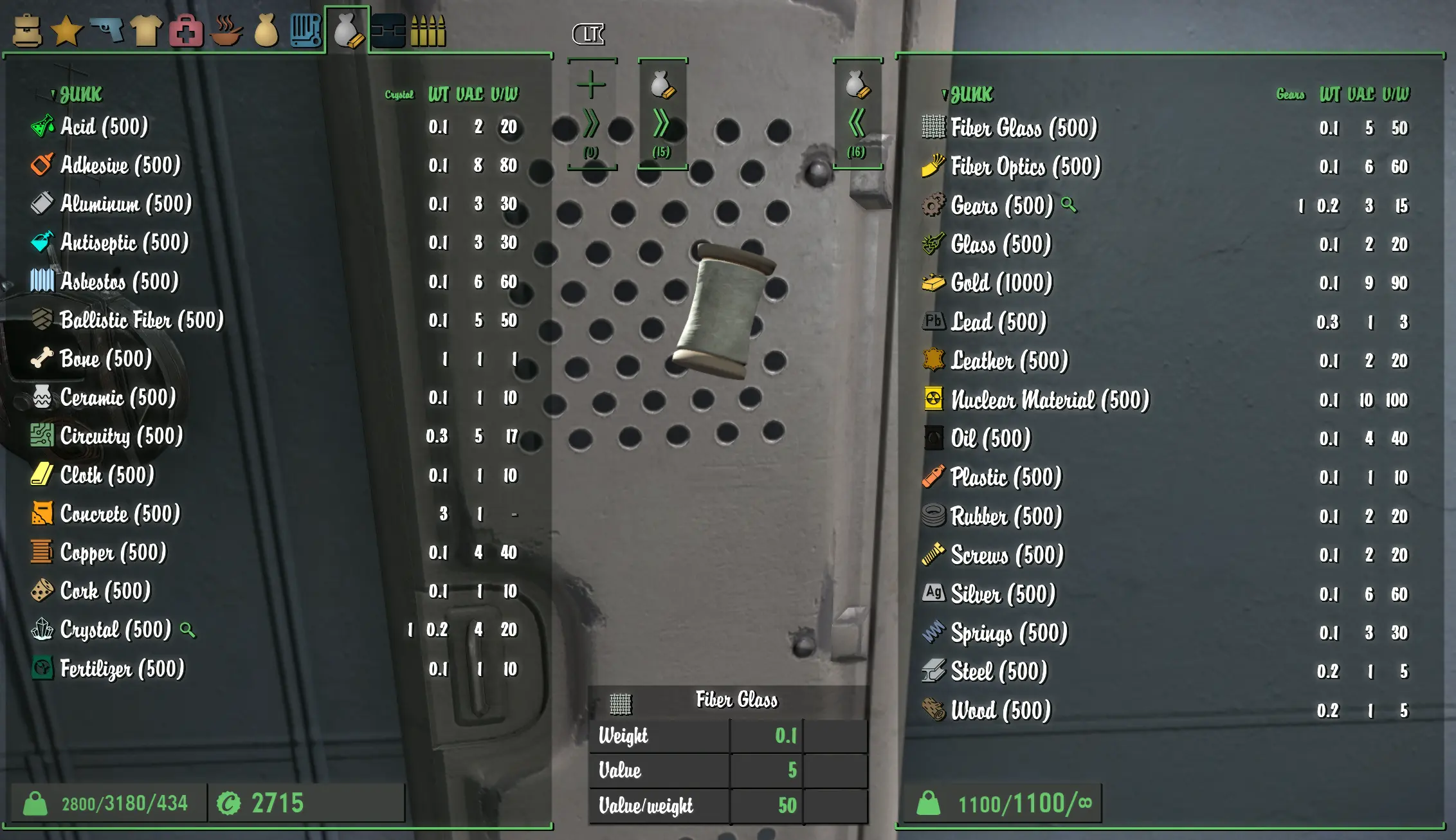
Preview
🔍 Analysis
- 👍 0.6% endorsement rate
- 🏆 #3 of 82 User Interface mods in this game by downloads
📋 About This Mod
This is simply an edit to the XML file from Extra Icons for FIS to add a variety of color to the icons.
You must first install Extra Icons for FIS
Make sure it's installed properly and working before you install my mod.
My mod uses no plugins or ba2 files. It will only overwrite the XML file from the original mod.
Color Customization
To change any color, open the XML file from my mod and change the hex color codes to anything you want for each component, then save it. It's pretty straight forward. (See 2nd image on my page) Also make sure when copying hex codes, do NOT include the "#" that is sometimes included with it. The icon will be white if you do that by mistake.
(XML file location: Data/Interface/ItemSorter/FIS/TagConfiguration. Addons/DielloIconLib.xml)
Weapon Icon Customization
You should be able to create your own weapon icon colors by making these simple edits in the xml script
Example; to set a color for AsBlade you would first make an edit to the line that looks like this:
<tag keyword="AsBlade" icon="Diello. WpnMelee. AsBlade" colorname="AsBladeColor" />
(you will see the line for this and the other new weapons at the bottom of the XML file)
Now that you have set a color name for the AsBlade, you will now add a color to the list at the top that will look like this:
<color name='AsBladeColor' hex='xxxxxx' />
(look at the 2nd image on my page to see where this line should go)
I have not tested this out myself. (I don't have any of the weapons added) I would suggest creating a backup of the xml file the first time doing it just in case.
Recommended sites for finding colors/hex codes
Encycolorpedia
Image Color Picker
MY OTHER MODS
Lustful Lore Friendly Posters
Ka-Ching - EXP Sound
Corporate Wasteland - Realistic Lore Overhaul
Corporate Wasteland - Posters and Billboards Only
Synth Dystopia - Ambient Exploration Music
Wood Bobbleheads
B. O. O. B. A. - CBBE Preset
Jazzcup - Coffee Mug Texture
Ultrawide ALR Loading Screens 21x9 (3440x1440)
[url=https://www
This is a customizable colored version of the Extra Icons mod for FIS, a UI overhaul for Fallout 4. It requires the original Extra Icons mod and adds color to the icons, making them easier to distinguish. With 835 endorsements and over 135k downloads, it's a popular enhancement for players who want a more vibrant interface.
✨ Key Features
📊 Pros & Cons
✅ Pros
- Community favorite with 835 endorsements and 135k downloads
- Adds color to icons, making them pop and easier to identify at a glance
- Customizable to fit your personal UI style
⚠️ Cons
- Requires the original Extra Icons mod, so you need to install two mods
- Last updated in February 2025, so it may not be compatible with future game updates
For Fallout 4 players who use FIS and want a more colorful, visually distinct icon set. If you're tired of the default monochrome icons, this is a must-have. Skip if you don't use FIS or prefer the original look.
💡 Beginner Tips
- Make sure you have the original Extra Icons mod installed first, as this mod won't work without it.
- Use a mod manager like Vortex or MO2 to install both mods and manage load order.
- Check the in-game settings or config files to customize the colors to your liking.
📊 Mod Details
- Game
- Fallout 4 Mods
- Author
- JS303
- Version
- 1.75a
- Downloads
- 135,115
- Endorsements
- 835
- Category
- User Interface
- Created
- 2/21/2023
- Updated
- 2/10/2025
🧩 Commonly Used Together
Users add these mods to the same collections — a real compatibility signal, not an AI guess.
🔧 How to Install Fallout 4 Mods
Download from Nexus.
📖 Full step-by-step install guide for Fallout 4 →
Visit the official mod page for specific installation instructions for this mod.
🎮 Need cheat codes or console commands? Check ur gaming wiki for Fallout 4 commands, item IDs, and more.
Keep browsing — more Fallout 4 mods await