Classically Fallout Main Menu
⚪ Last updated 2019⚠️ Install Order · 2 steps
Install in this order, then this mod last — most mods fail to load without their framework and dependencies in place.
Preview
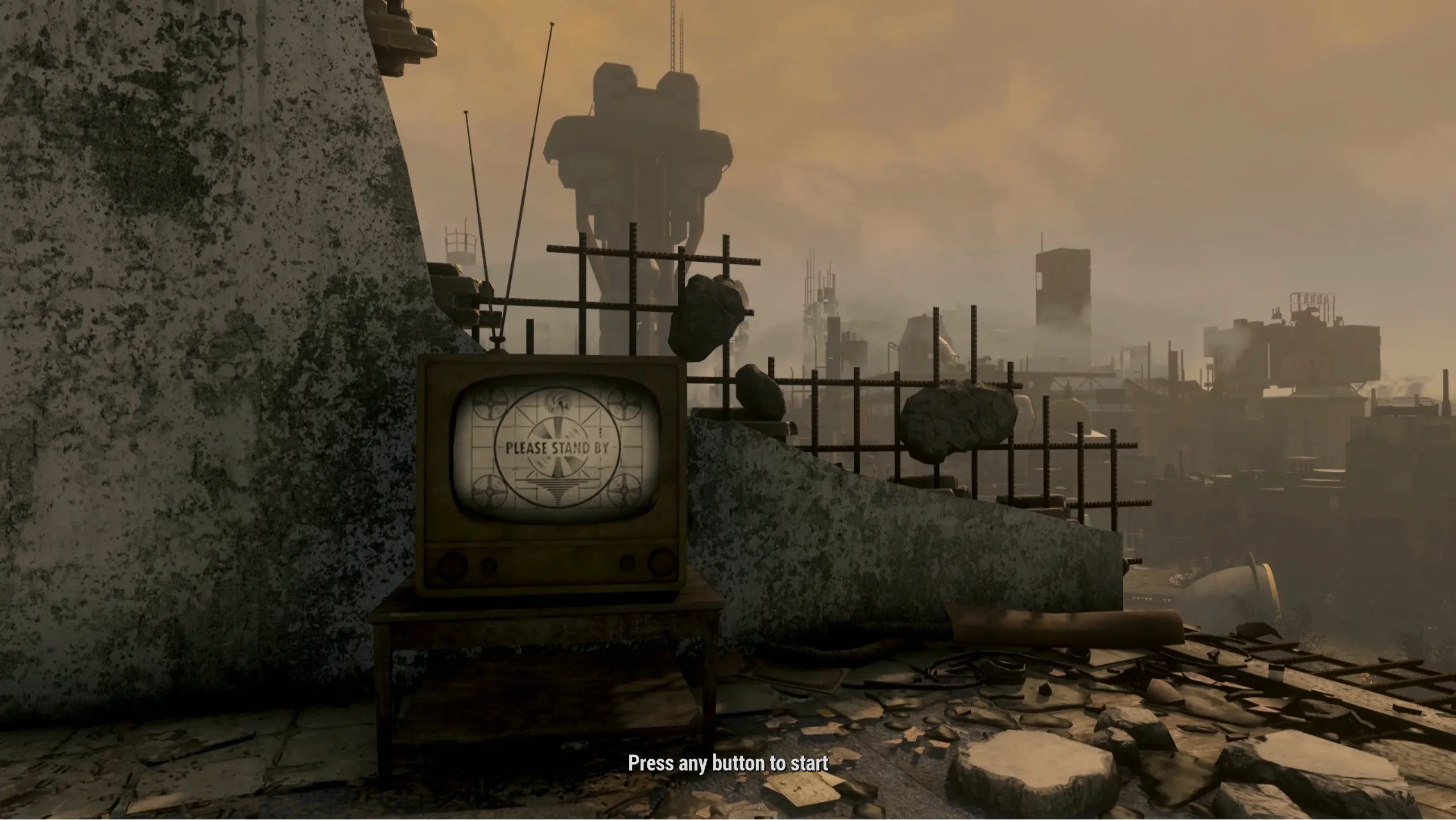
🔍 Analysis
- 👍 2.6% endorsement rate — high engagement, a strong quality signal
- 🏆 #42 of 86 User Interface mods in this game by downloads
📋 About This Mod
A simple main menu replacer in the style of the classic intro cinematic of Fallout 1.
Polluted Climate (https://www.nexusmods.com/fallout4/mods/33774)
Videos of the Wasteland (https://www.nexusmods.com/fallout4/mods/24435)
Prepare for the Future Holotapes (https://www.nexusmods.com/fallout4/mods/27944)
Fallout 1 Trailer Penthouse Settlement (https://bethesda.net/en/mods/fallout4/mod-detail/4051206)
A main menu replacer for Fallout 4 that swaps the default menu with a recreation of Fallout 1's intro cinematic. For players seeking a classic Fallout aesthetic, this simple UI mod has earned 911 endorsements and over 35,000 downloads since its 2019 update.
✨ Key Features
📊 Pros & Cons
✅ Pros
- Community favorite with 911 endorsements and 35k downloads — clearly a hit
- Gives you that classic Fallout vibe every time you boot the game
- Lightweight UI mod — no gameplay changes, just pure nostalgia
⚠️ Cons
- Last updated in 2019 — may not be compatible with the latest Fallout 4 patches or next-gen update
- Only changes the main menu — if you want more UI overhauls, this won't cover them
For Fallout 4 players who grew up with the original Fallout and want that retro intro every time they launch the game. Also great for mod collectors who appreciate simple, well-loved UI tweaks. Skip if you're looking for gameplay changes or a full UI overhaul — this is purely cosmetic.
💡 Beginner Tips
- Use a mod manager like Vortex or Mod Organizer 2 to install — it's a simple drag-and-drop and avoids manual file placement errors.
- If you're on the next-gen update (2024), check if the mod has a compatibility patch or consider using the 'Fallout 4 Script Extender' (F4SE) to ensure it works.
- Since it's a UI replacer, it won't affect your save files — safe to install or remove anytime.
📊 Mod Details
- Game
- Fallout 4 Mods
- Author
- ParkingLotPete
- Version
- 1.0
- Downloads
- 35,351
- Endorsements
- 911
- Category
- User Interface
- Created
- 10/26/2019
- Updated
- 10/26/2019
🧩 Commonly Used Together
Users add these mods to the same collections — a real compatibility signal, not an AI guess.
🔧 How to Install Fallout 4 Mods
Download from Nexus.
📖 Full step-by-step install guide for Fallout 4 →
Visit the official mod page for specific installation instructions for this mod.
🎮 Need cheat codes or console commands? Check ur gaming wiki for Fallout 4 commands, item IDs, and more.
Keep browsing — more Fallout 4 mods await