Automatron DLC VR FIX
⚪ Last updated 2018⚠️ Install Order · 2 steps
Install in this order, then this mod last — most mods fail to load without their framework and dependencies in place.
Preview
🔍 Analysis
- 👍 2.0% endorsement rate — high engagement, a strong quality signal
- 🏆 #42 of 59 Bug Fixes mods in this game by downloads
📋 About This Mod
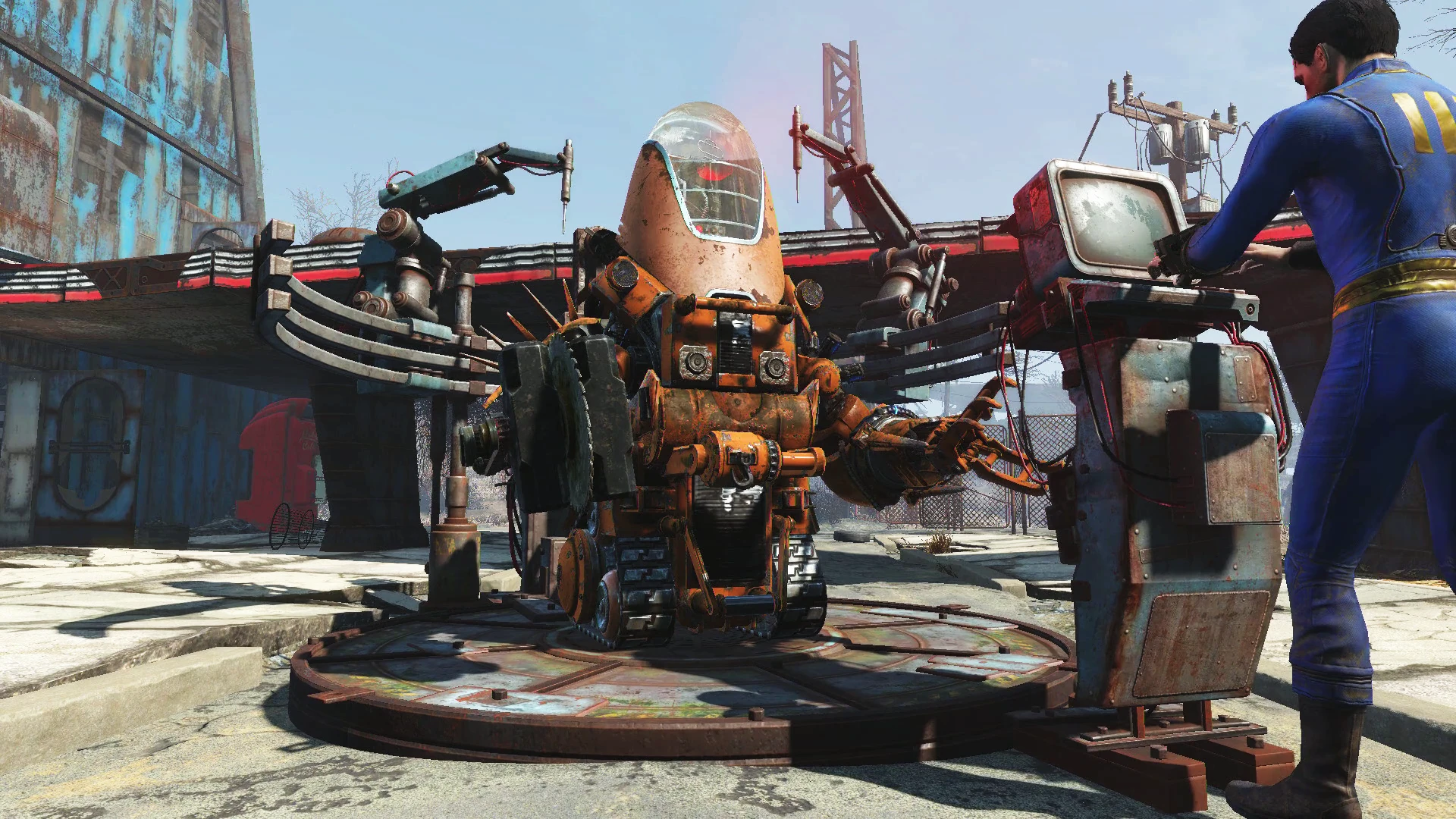
update log. v0. 89 9/20/18 Fixed Protectron and Sentry weapons. all working and tested. Fixed AUTOMATRON NOT ATTACKING!!!!!!!!!!! Major good news. Removed needless notificationsmade it impossible to get stuck in a loop. Just general fine tuning cleaning up. update log. v0. 86 9/19/18 Fixed the gamma gun, it was way harder than anticipated hence why so long. Fixed some of the race specific weapons. Working on the rest. Not many actually work.. Honestly its dual gamma gatlings now which is crazy cool.update log. v0. 85 9/16/18 fixed most of the vanilla weapons for whatever reason gamma gun on the bots still broken. Added paint. Added misc robot skill (still untested)Hi, thankyou for downloading robot workbench mod. This mod is designed strictly for Fallout 4 VR. The purpose is to completely fix the Automatron DLC. As well as fixing the Robot workbench. As I'm sure you know is completely broken in the Fallout 4 VR. To install just move the robot workbench.esp and robot workbench-Main.ba2 to the fallout 4 Vr/Data folder. Add robot workbench.esp to the plugins file inthe system drive/users/your user name*/app data/local/fallout 4 vr folder. If app data is not visible you need to change the settings of windows folders to show hidden folders. (i haven't tried using nmm to install but more than likely it would do all this for you, Im just describing the manual way to install mods). Also all the prerequisites to run mods need to be done like some basic editing of ini files ect. Heres some important notes on how the new Robot workbench actually works. 1. It will NOT automatically appear in the workshop when this mod is installed. You will still have to complete the required quest objectives for it to show up. 2. The robot workbench will not be available until after you go through the general atomics factory. You will get the blue prints for it b4 that but for technical reasons its not possible (at least for the moment)3. !!!!!!!!!!!!!!############!!!!!!!!&&&&&& This version of the robot workbench REQUIRES POWER. So you have to build a generator and hook up a line to it. this was another issueThat i fully intend to change at some point but im only one man with so much free time to play with this mod. 4. In order to modify a robot the robot ABSOLUTELY HAS TO HAVE AN EMPTY WHISKEY BOTTLE IN THEIR INVENTORY. That is the whole reason there is a button to dispense empty whiskey bottles in the workbench. When a new robot is spawned it is automatically spawned with a empty whiskey bottle in the inventory. You spawn a new automatronby pressing the first button labeled something like "must press this button to initiate build process". This button will disappear until you hit the reset button at the bottom of the menu. The reset button will not appear until you build a new automatron and press at least one other mod button!!!! The reset button will remove the whiskey bottle from the last robot that was being m
This bug fix mod addresses issues with the Automatron DLC and Robot Workbench in Fallout 4 VR, making the content usable in virtual reality. It's a targeted fix for VR players who want to build and customize robots without glitches. With 634 endorsements and over 31,000 downloads, it's a well-received solution for a specific problem.
✨ Key Features
📊 Pros & Cons
✅ Pros
- Community-approved with 634 endorsements and over 31k downloads
- Targeted fix for a specific VR issue—no bloat
- Essential for VR players who want to use Automatron content
⚠️ Cons
- Last updated in 2018—may not be compatible with the latest Fallout 4 VR updates
- Only fixes Automatron—other DLCs may still have VR issues
For Fallout 4 VR players who own the Automatron DLC and want to build robots without glitches. Skip if you don't play VR or don't use Automatron content.
💡 Beginner Tips
- Place the mod files directly into your Fallout 4 VR Data folder, or use a mod manager like Vortex for easier management.
- Check the mod's comments section for any user-reported compatibility notes with other VR mods.
- If you're new to modding, make sure to enable mods in your Fallout 4 VR launcher settings.
📊 Mod Details
- Game
- Fallout 4 Mods
- Author
- Markyrocks
- Version
- V0.89
- Downloads
- 31,278
- Endorsements
- 634
- Category
- Bug Fixes
- Created
- 9/16/2018
- Updated
- 9/20/2018
🧩 Commonly Used Together
Users add these mods to the same collections — a real compatibility signal, not an AI guess.
🔧 How to Install Fallout 4 Mods
Download from Nexus.
📖 Full step-by-step install guide for Fallout 4 →
Visit the official mod page for specific installation instructions for this mod.
🎮 Need cheat codes or console commands? Check ur gaming wiki for Fallout 4 commands, item IDs, and more.
Keep browsing — more Fallout 4 mods await