LightingOverhual
⚪ Last updated 2009⚠️ Install Order · 2 steps
Install in this order, then this mod last — most mods fail to load without their framework and dependencies in place.
Preview
🔍 Analysis
- 👍 2.8% endorsement rate — high engagement, a strong quality signal
- 🏆 #353 of 420 Gameplay Effects and Changes mods in this game by downloads
📋 About This Mod
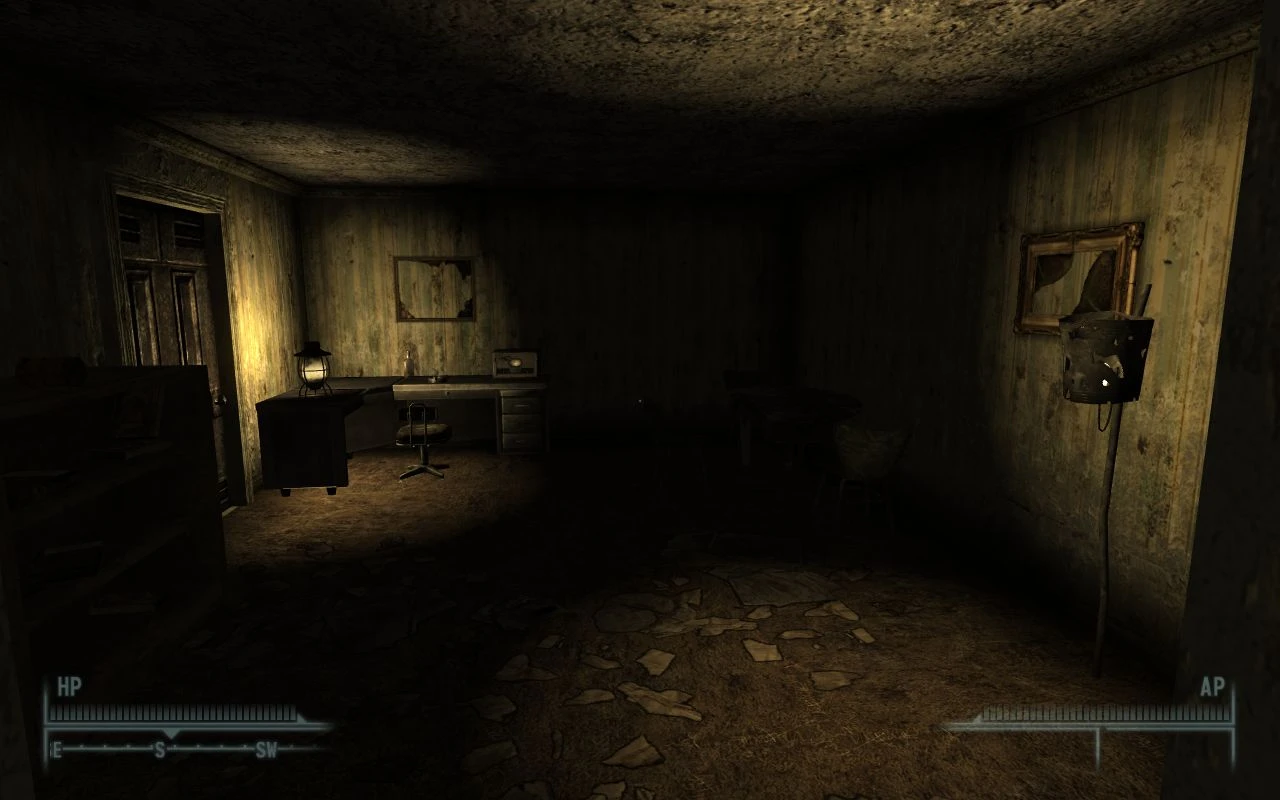
I have added two ADDONS, Intense version and Less Intense Version, this is for those that dont like the DOF in the original release. The less intense version is what you should have got in the first place, but some people may like it anyways. The more intese version is the one i use and recommend for those that like my DArker NIghts Beta mod, as it makes it daker, but you can actully see in front of you a distance !! Better Description: I squashed my Darker Nights project because none of the values i adjusted looked good, and was too dark and enemies could see you but you could not see them. THis is my fix for it by making nights darker but still keeping it clear so you can see enemies. This is done by adjustng the moon brightness and adding a Depth of Field to the distance. Night and Day depth of field have different effects. Daytime has a lesser strength giving a more realistic depth and nightime has a stronger effect to give a nightime depth effect. Interior lights were not changed, just the dark areas that the lights did not effect, like shadows and corners where you shouldnt see any light. Not everything will be effected by these changes, reason is due to some unique areas that need to be see without any modifications. Daytime fog has been reset to enhance realism and the DOF effect Fellout users that want these changes with Fellout use the FelloutWithLightingOverhual.esp Changelog 1. 0 ============================================== Version 1. 0 Original Version Installation ============================================== Open the zip file for this mod and extract the data folder into your your Fallout 3 folder (default C:\\Program Files \\Bethesda Softworks\\Fallout 3). check the plugin you want to use from Fallout 3 launcher or FOMM and play the game. Bugs and Compatability ============================================== Not compatable with any mod that alters the following: Use FOMM to alter the load order and load this plugin after any plugin that alters these; Weather Image spaces and Ligthing Templates If your not sure load this mod before a plugin so it doesnt override anything or load it after to see what it changes and if you like it Uninstallation ============================================== Uncheck the Plugin or plugins, i suggest saving in an interior, exiting, uncheckin the plugin, loading you savegame from interior and save it. Additional Notes and Credits ============================================== Nobody Disclaimer and Copyright Notice ============================================== I dont care who uses this its Bethesda\'s game, not mine
LightingOverhaul is a visual mod for Oblivion that replaces the author's DarkerNightsBeta mod. It makes daytime clearer with added depth of field and makes nighttime darker while maintaining visual clarity. Includes standalone versions for less intense and more intense nights. A classic mod from 2009 with 177 endorsements.
✨ Key Features
📊 Pros & Cons
✅ Pros
- Community-tested with 177 endorsements and over 6,300 downloads
- Offers flexibility with standalone versions for different night intensities
- Improves both day and night visuals without sacrificing clarity
⚠️ Cons
- Last updated in 2009, so it may not be compatible with newer mods or patches
- No detailed installation instructions or compatibility notes provided
- Potential conflicts with other lighting or weather mods due to its age
For Oblivion players who want a simple lighting overhaul that enhances daytime clarity and darkens nights without losing visibility. Ideal for those who prefer a more atmospheric but still playable night experience. Skip if you're using modern lighting mods or want extensive customization.
💡 Beginner Tips
- Since this mod is from 2009, consider using a mod manager like Oblivion Mod Manager to avoid overwriting issues.
- If you use other lighting mods, load this one after them to ensure its effects take precedence.
- Try the standalone versions to find the night darkness level that suits your playstyle.
📊 Mod Details
- Game
- Fallout 3 Mods
- Author
- taylorsd
- Version
- 1.0
- Downloads
- 6,306
- Endorsements
- 177
- Category
- Gameplay Effects and Changes
- Created
- 2/24/2009
- Updated
- 2/24/2009
🔧 How to Install Fallout 3 Mods
Download from Nexus.
📖 Full step-by-step install guide for Fallout 3 →
Visit the official mod page for specific installation instructions for this mod.
🎮 Need cheat codes or console commands? Check ur gaming wiki for Fallout 3 commands, item IDs, and more.
Keep browsing — more Fallout 3 mods await