HD TERMINALS
⚪ Last updated 2011⚠️ Install Order · 2 steps
Install in this order, then this mod last — most mods fail to load without their framework and dependencies in place.
Preview
🔍 Analysis
- 👍 1.4% endorsement rate — high engagement, a strong quality signal
- 🏆 #61 of 429 Models and Textures mods in this game by downloads
📋 About This Mod
See Images...
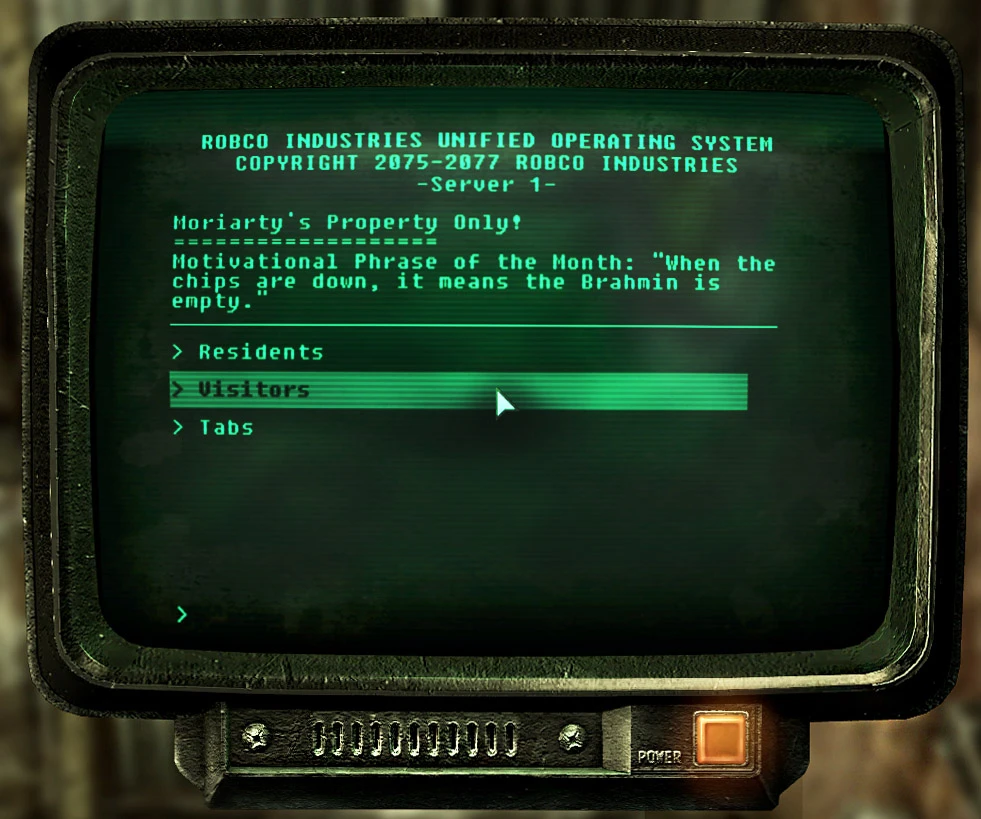
HD TERMINALS is a texture overhaul for Fallout: New Vegas that replaces the in-game terminal screens with high-definition versions. With 1,940 endorsements and over 134,000 downloads, it's a popular choice for players wanting sharper, more readable computer screens. Last updated in 2011, it remains a stable classic for the game's modding community.
✨ Key Features
📊 Pros & Cons
✅ Pros
- Community favorite with 1,940 endorsements and 134k downloads—clearly a go-to for texture upgrades.
- Boosts readability of terminal screens, making lore and data easier to read without straining your eyes.
- Lightweight and straightforward—just drop-in textures, no complex scripts or plugins to mess with.
⚠️ Cons
- Last updated in 2011—might not be optimized for the latest game patches or DLC, though it's likely still functional.
- Description is bare-bones ('See Images...'), so you're flying blind on exact changes until you test it in-game.
- Only affects terminal screens—if you're looking for a broader texture overhaul, this won't cover other UI elements.
For Fallout: New Vegas players who spend a lot of time reading terminals and want a crisper, more immersive experience. If you're a completionist who digs through every log, this is a must-have. Skip if you're after gameplay changes or a full UI overhaul—this is purely cosmetic.
💡 Beginner Tips
- Since it's a texture replacer, just drop the files into your Data folder and enable the mod in your launcher—no FOMOD installer needed.
- If you're using a mod manager like Nexus Mods' Vortex, you can install it with one click, but manual installation works just as well.
- Check the images on the mod page to see the before/after difference, so you know exactly what you're getting before you install.
📊 Mod Details
- Game
- Fallout 3 Mods
- Author
- TSD
- Version
- 1
- Downloads
- 134,851
- Endorsements
- 1,940
- Category
- Models and Textures
- Created
- 6/29/2011
- Updated
- 6/29/2011
🧩 Commonly Used Together
Users add these mods to the same collections — a real compatibility signal, not an AI guess.
🔧 How to Install Fallout 3 Mods
Download from Nexus.
📖 Full step-by-step install guide for Fallout 3 →
Visit the official mod page for specific installation instructions for this mod.
🎮 Need cheat codes or console commands? Check ur gaming wiki for Fallout 3 commands, item IDs, and more.
Keep browsing — more Fallout 3 mods await