Clipboards Retexture
⚪ Last updated 2019⚠️ Install Order · 2 steps
Install in this order, then this mod last — most mods fail to load without their framework and dependencies in place.
Preview
🔍 Analysis
- 👍 0.6% endorsement rate
- 🏆 #91 of 429 Models and Textures mods in this game by downloads
📋 About This Mod
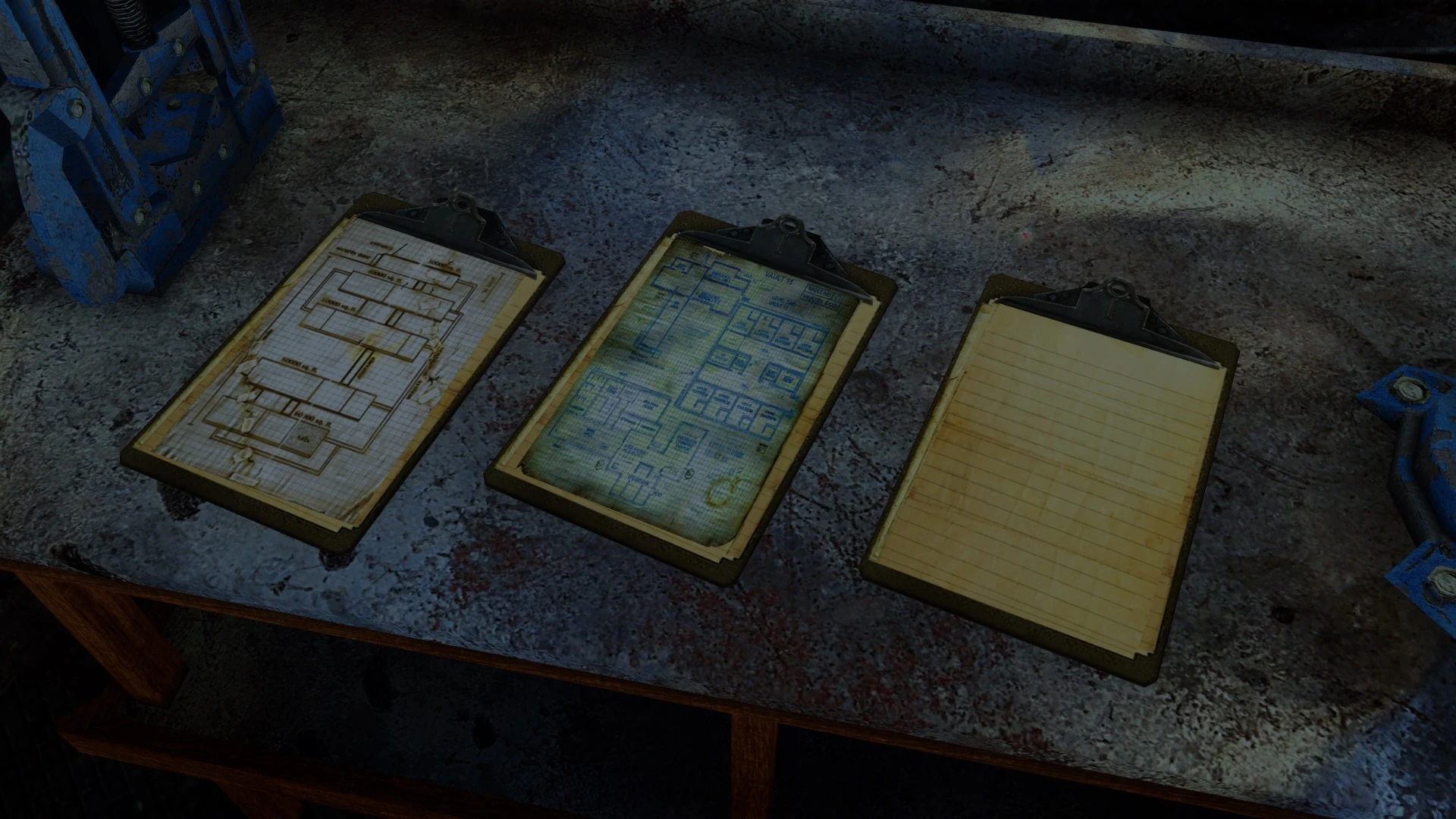
This mod retextures the Clipboards found throughout the Wastes.
This affects all instances of the item and can be seen in use by NPCs.
There are three variants.
Manually download the file and to install it, drop the contents into your Fallout 3 folder.
To uninstall the retexture just delete the clipboard01 file.
Notes -
-
[]This retexture should apply to any mods that make use of the Clipboards.
[
]Old Fallout fans may recognize the notes/scribbles. - I do not claim to own nor have created the original clipboard texture (Bethesda/Obsidian) or the images used to create the textures which were found freely available online.
Also available for Fallout New Vegas.
Thank you for downloading, I hope that my mod added to your Wasteland experience - even if only very slightly.Discover my other mods here on the Nexus!
Clipboards Retexture is a simple cosmetic mod that replaces the textures of clipboards found throughout the Fallout 4 wasteland. It has 613 endorsements and nearly 100k downloads, indicating popularity among players seeking visual variety. Last updated in 2019, it remains a lightweight addition for those who notice environmental details.
✨ Key Features
📊 Pros & Cons
✅ Pros
- Community-approved with 613 endorsements and nearly 100k downloads.
- Adds visual variety to a common environmental object without performance hit.
- Simple drop-in texture replacer—no complex setup.
⚠️ Cons
- Last updated in 2019—may not be compatible with the latest game patches or DLC.
- Only affects clipboards, so the visual change is subtle and easy to miss.
For Fallout 4 players who enjoy environmental texture overhauls and notice small details like clipboards. If you're a completionist who wants every object to look its best, this is a quick win. Skip if you want gameplay changes or major visual overhauls—this is purely cosmetic.
💡 Beginner Tips
- Since it's a texture replacer, you can install it manually by dropping the files into your Data folder, but using a mod manager like Vortex or Mod Organizer 2 makes uninstalling easier.
- If you use other texture mods that affect clipboards, load this one after them to ensure its textures take priority.
- Check the mod's file structure after download to confirm it matches your game version—if it's an older format, you may need to convert it with the CK or use a compatibility patch.
📊 Mod Details
- Game
- Fallout 3 Mods
- Author
- Sebastjin
- Version
- 1.0
- Downloads
- 97,741
- Endorsements
- 613
- Category
- Models and Textures
- Created
- 4/21/2019
- Updated
- 4/21/2019
🧩 Commonly Used Together
Users add these mods to the same collections — a real compatibility signal, not an AI guess.
🔧 How to Install Fallout 3 Mods
Download from Nexus.
📖 Full step-by-step install guide for Fallout 3 →
Visit the official mod page for specific installation instructions for this mod.
🎮 Need cheat codes or console commands? Check ur gaming wiki for Fallout 3 commands, item IDs, and more.
Keep browsing — more Fallout 3 mods await