Dynamic Crosshair
⚪ Last updated 2011⚠️ Install Order · 2 steps
Install in this order, then this mod last — most mods fail to load without their framework and dependencies in place.
Preview
🔍 Analysis
- 👍 3.9% endorsement rate — high engagement, a strong quality signal
- 🏆 #16 of 82 User Interface mods in this game by downloads
📋 About This Mod
FYI: I don't watch comments as much as I should, but it's not my intention to abandon my mods. I do, however, watch PMs. If you come across any issues and I don't respond to a comment on the comments page (which is actually pretty likely) PLEASE feel free to PM me! I don't bite and a PM sends me an email notification that a comment doesn't send.
Additionally, if you have any UI mod installed that affects the HUD - ESPECIALLY if that mod is something other than Darnified UI or MTUI - it's heavily recommended you read the information under "Installation/Uninstallation" and "Compatibility."
Finally, for the MTUI and Darnified UI versions, please make sure you have the latest versions of each - you can get the latest Darnified UI here and the latest MTUI here
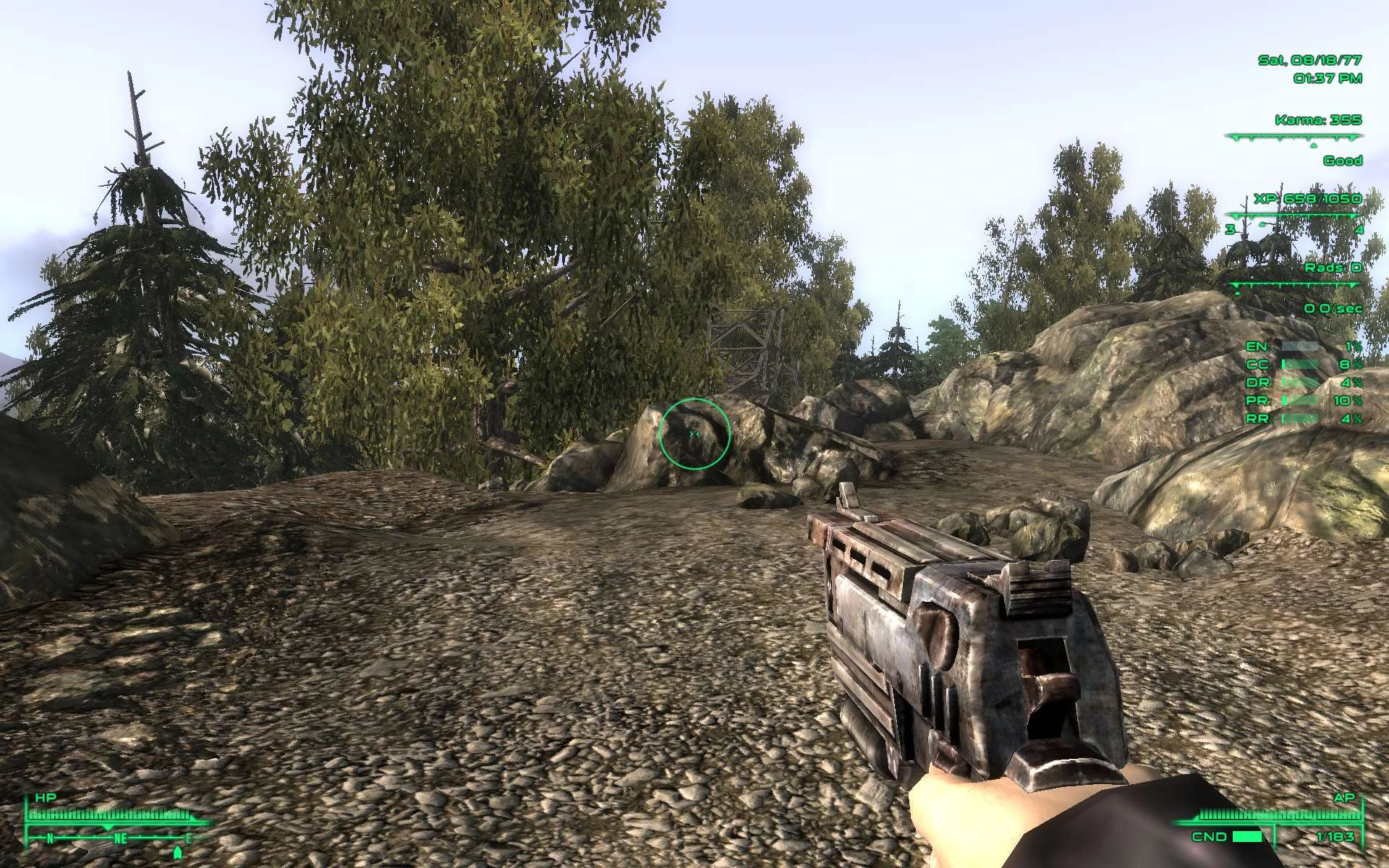
Dynamic Crosshair adds a dynamically resizing crosshair to Fallout 3, which grows and shrinks in real time to show your current weapon's accuracy.
As an aside, you may notice while looking at screenshots that there are no crouching or aiming shots at 100 big/small guns - that's because, at 100 big/small guns, crouching and aiming have no effect, so it seemed senseless to have four pictures of the same size crosshair.
All of the information below is available in the readme, which is bundled with the mod in .txt format, so you can read it at your leisure.
Please do NOT bundle this mod with yours. If you design a mod that works well with this, please link to it to ensure users always get the latest version. Additionally, if you wish to change this mod itself in any way, please read the information under "Credits and Permissions" in the box to the right.
Fallout 3
Dynamic Crosshair Mod
Version 1. 5. 0 by ShadauxCatPOWERED BY FOSE
by by Ian Patterson (ianpatt), Stephen Abel (behippo), and Paul Connelly (scruggsywuggsy the ferret) http://fose.silverlock.org/TABLE OF CONTENTS
1. Introduction 2. Description 3. Installation/Uninstallation 4. Compatibility 5. Contact
INTRODUCTION
Hey, look, I'm gonna do another lame introduction for absolutely no reason! Why do I do these? I don't know. I just told you there was no reason. So just get used to it already.
DESCRIPTION
The Dynamic Crosshair mod is simple: it adds a dyna
Dynamic Crosshair is a Fallout 3 UI mod that makes your crosshair dynamically resize in real time to reflect your weapon's current accuracy. It's a simple, lightweight enhancement for players who want better feedback on their shot spread. With 2,725 endorsements and 69,210 downloads, it's a well-received utility from 2011.
✨ Key Features
📊 Pros & Cons
✅ Pros
- Community favorite with 2,725 endorsements and 69k downloads
- Gives you real-time accuracy feedback without cluttering the screen
- Simple and effective—does exactly what it says
⚠️ Cons
- Last updated in 2011—may have compatibility issues with modern mod setups or DLC
- No detailed instructions or compatibility notes provided by the author
- Only affects the crosshair—no other UI improvements
For Fallout 3 players who want a more informative crosshair without overhauling the UI. Perfect for stealth or sniper builds where knowing your spread matters. Skip if you prefer a static crosshair or want a full UI overhaul.
💡 Beginner Tips
- Since it's a simple mod, just drop the files into your Data folder and enable it in the launcher.
- If you use a mod manager like FOMM, install it through that to keep your load order clean.
- Test with different weapons to see how the crosshair reacts—it's most noticeable with automatic weapons.
📊 Mod Details
- Game
- Fallout 3 Mods
- Author
- ShadauxCat
- Version
- 1.6.0
- Downloads
- 69,210
- Endorsements
- 2,725
- Category
- User Interface
- Created
- 2/8/2011
- Updated
- 2/11/2011
🔧 How to Install Fallout 3 Mods
Download from Nexus.
📖 Full step-by-step install guide for Fallout 3 →
Visit the official mod page for specific installation instructions for this mod.
🎮 Need cheat codes or console commands? Check ur gaming wiki for Fallout 3 commands, item IDs, and more.
Keep browsing — more Fallout 3 mods await