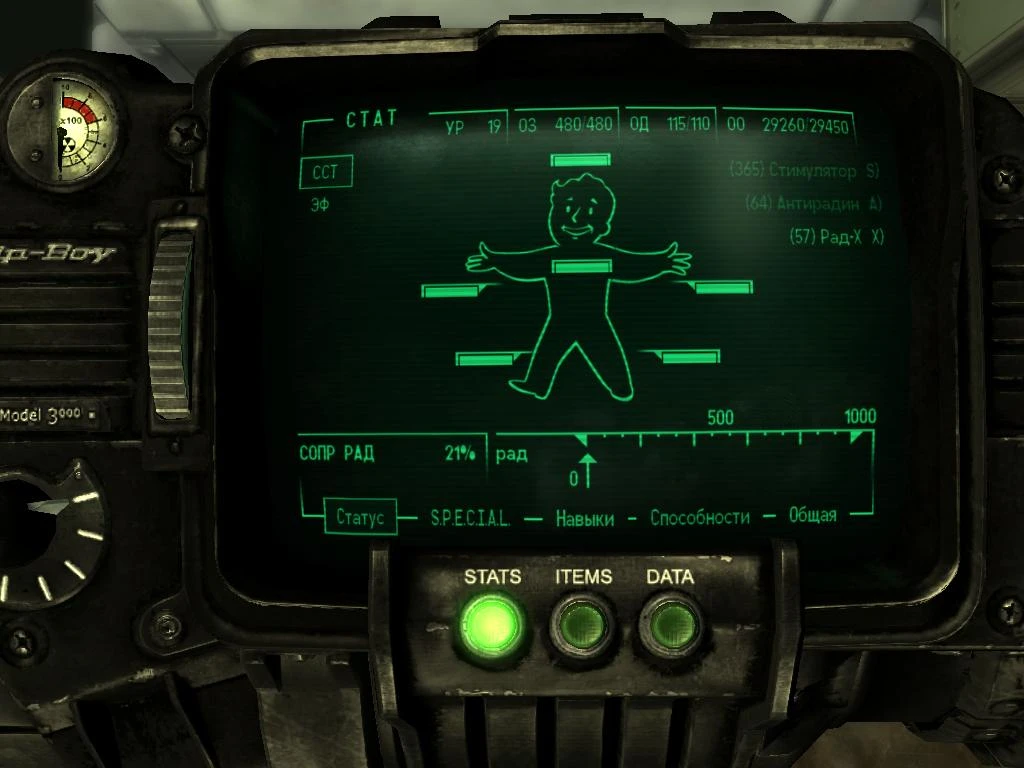
Black English PipBoy 1-0F
⚪ Last updated 2008⚠️ Install Order · 2 steps
Install in this order, then this mod last — most mods fail to load without their framework and dependencies in place.
Preview
🔍 Analysis
- 👍 3.1% endorsement rate — high engagement, a strong quality signal
- 🏆 #51 of 82 User Interface mods in this game by downloads
📋 About This Mod
Description: Retexture of PipBoy (Black and ENGLISH, Based on XAHTEP13 texture(Åñëè ÷òî - áåç îáèä =)), but with some changes for good using in DARK conditions) + PipWareUI by rebb and Map by Niteslash Install: 1)Unpack Archive into Fallout 3\\DATA 2)Change line in fallout.ini from \"set bInvalidateOlderFiles=0\" to \"set bInvalidateOlderFiles=1\" 3) If you already have Archiveinvalidation.txt: Add lines from Archiveinvalidation of my mod into yours Archiveinvalidation. Uninstall: Remove all copied files from data folder. P. S. Mod was tested on russian version about 30 times and here is a 100% guarantee that it will work propertly in English version, so do not mention that russian text on the Pip\'s screen =) If you have another UI mods there may be some conflicts after installation
A 2008 retexture mod for Fallout 3 that gives the Pip-Boy a black finish, along with UI and coordinate map changes. With 337 endorsements and over 10,000 downloads, it's a well-received cosmetic upgrade for players who want a darker Pip-Boy aesthetic.
✨ Key Features
📊 Pros & Cons
✅ Pros
- Community favorite with 337 endorsements and over 10k downloads
- Gives the Pip-Boy a sleek black look that stands out from the default green
- Includes UI and map tweaks, so you get more than just a color swap
⚠️ Cons
- Last updated in 2008 — likely outdated and may not work with modern Fallout 3 versions or mods
- Only affects the English version, so non-English players are out of luck
For Fallout 3 players who want a darker, more personalized Pip-Boy without overhauling the entire UI. If you're into retro-futuristic aesthetics and don't mind a mod from the game's early modding days, this is a quick cosmetic win. Skip if you're looking for functional UI improvements or play in another language.
💡 Beginner Tips
- Since the mod is from 2008, make sure your Fallout 3 is fully patched to the latest version to avoid conflicts.
- If you use a mod manager like FOMM, you can install this as a simple archive—just drop it in and activate.
- Check the file structure after download to see if you need to manually place files in your Data folder.
📊 Mod Details
- Game
- Fallout 3 Mods
- Author
- AHTuXPuCT
- Version
- 1.0F
- Downloads
- 10,861
- Endorsements
- 337
- Category
- User Interface
- Created
- 11/9/2008
- Updated
- 11/9/2008
🔧 How to Install Fallout 3 Mods
Download from Nexus.
📖 Full step-by-step install guide for Fallout 3 →
Visit the official mod page for specific installation instructions for this mod.
🎮 Need cheat codes or console commands? Check ur gaming wiki for Fallout 3 commands, item IDs, and more.
Keep browsing — more Fallout 3 mods await