Beauty Salon - Change Appearance
⚪ Last updated 2014⚠️ Install Order · 2 steps
Install in this order, then this mod last — most mods fail to load without their framework and dependencies in place.
Preview
🔍 Analysis
- 👍 6.4% endorsement rate — high engagement, a strong quality signal
- 🏆 #48 of 82 User Interface mods in this game by downloads
📋 About This Mod
Mod Title: Beauty Salon - Change Appearance ############################# Author: CelticGirl Contents: Beauty Salon.zip Version Info: 1. 5 #############################
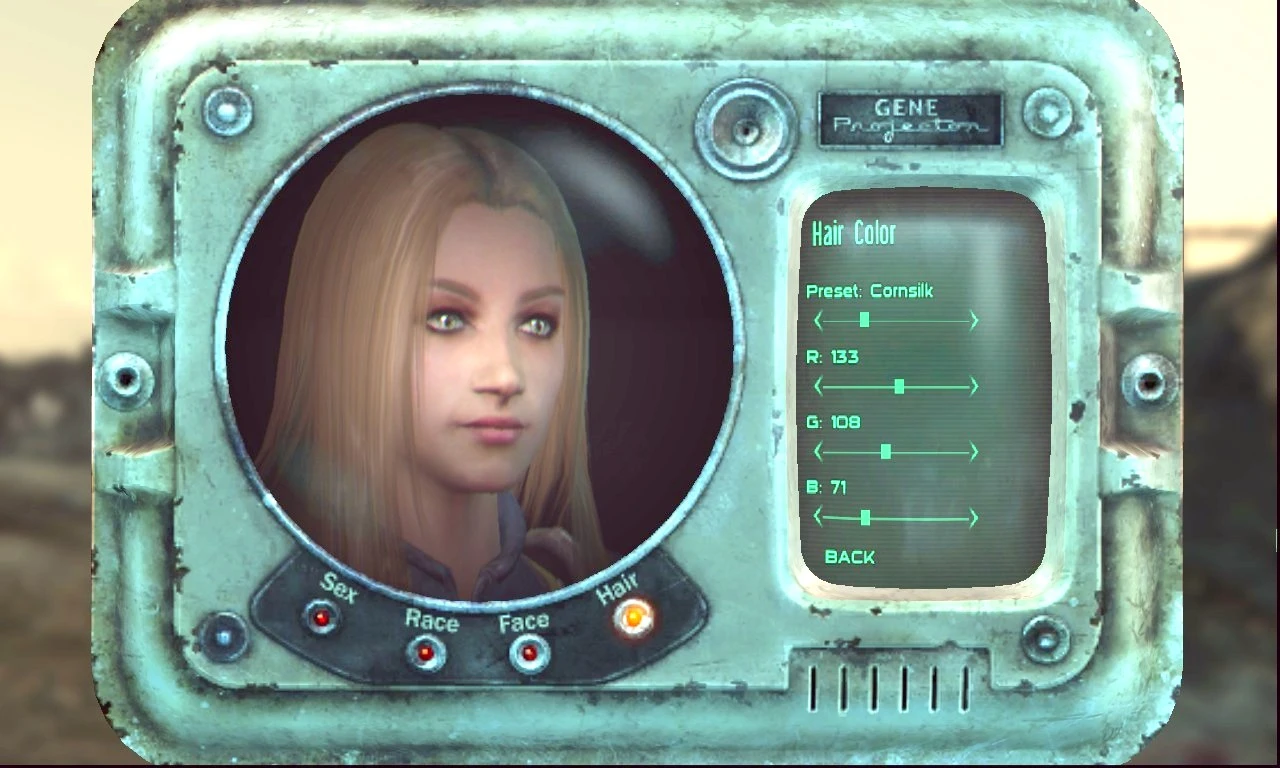
Introduction: A small mod to quickly bring up the Race/Hair screen from within your pipboy. Makes changing hair styles & appearance a breeze.
Version 1. 5 Changes: Fixed problem of loosing stats. Added a simple menu to choose either a Barber or Plastic surgeon.
Installation: Drop Beauty Salon.esp into your Fallout/Data folder.
Requirements/Compatibility: No Incompatibility
Uninstallation: Delete Beauty Salon.esp
Notes: On the not so beautiful side but lots of fun, check out my 'Playable Ghoul Race' after all "Ghouls are people too"
Playable Ghoul Race http://www.nexusmods.com/fallout3/mods/20804/?
Also Apocalypse Near Death http://www.nexusmods.com/fallout3/mods/20751/?
Credit: Bethesda Softworks The Nexus Sites
Tools Used:
Beauty Salon is a compact Fallout mod that adds a quick way to open the Race/Hair screen from your Pip-Boy, making appearance changes effortless. With 732 endorsements and over 11,000 downloads, it's a popular quality-of-life tool for players who want to tweak their character without hassle.
✨ Key Features
📊 Pros & Cons
✅ Pros
- Community-approved with 732 endorsements and over 11,000 downloads.
- Saves time by letting you change appearance on the fly without console commands.
- Lightweight and focused—does exactly what it says with no bloat.
⚠️ Cons
- Last updated in 2014—may be incompatible with newer game versions or DLC.
- Limited to opening the Race/Hair screen; no additional customization options.
For Fallout players who want a quick, convenient way to change their character's appearance mid-game without fiddling with console commands. Skip if you're looking for expanded customization features—this is purely a shortcut.
💡 Beginner Tips
- Make sure to place the mod files in your Data folder and enable the plugin in your mod manager or launcher.
- If you're using a mod manager like Nexus Mods, use the 'Mod Manager Download' button for automatic installation.
- Test the mod in a save before committing—open your Pip-Boy and look for the new option to ensure it works.
📊 Mod Details
- Game
- Fallout 3 Mods
- Author
- CelticGirl
- Version
- 1.5
- Downloads
- 11,418
- Endorsements
- 732
- Category
- User Interface
- Created
- 11/24/2014
- Updated
- 12/1/2014
🔧 How to Install Fallout 3 Mods
Download from Nexus.
📖 Full step-by-step install guide for Fallout 3 →
Visit the official mod page for specific installation instructions for this mod.
🎮 Need cheat codes or console commands? Check ur gaming wiki for Fallout 3 commands, item IDs, and more.
Keep browsing — more Fallout 3 mods await