Adjustable HUD - aHUD
⚪ Last updated 2014⚠️ Install Order · 2 steps
Install in this order, then this mod last — most mods fail to load without their framework and dependencies in place.
Preview
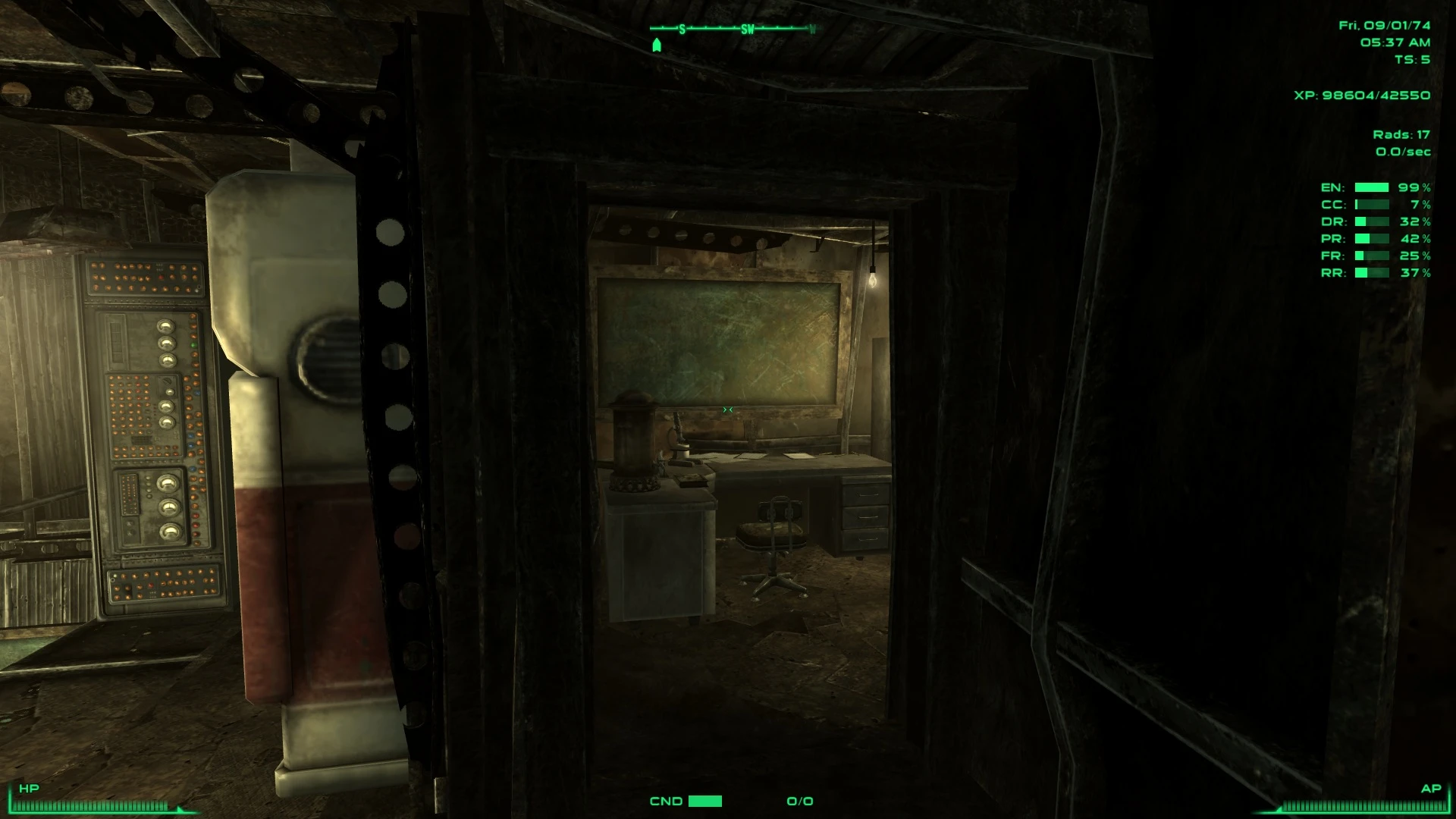
🔍 Analysis
- 👍 4.0% endorsement rate — high engagement, a strong quality signal
- 🏆 #5 of 82 User Interface mods in this game by downloads
📋 About This Mod
UPDATE Removed the scripted installer to make it more compatible with Mod Organizer (and also to help with people having issues with NMM). There are now two versions: One for the unmodded (Vanilla) interface and MTUI, and another for the Darnified UI. Recommended I recommend using iHUD with this mod to give even more control over your HUD.
Description The aim of this mod is to let you set up your HUD as you like it. Don't like the compass where it is? No problem. Just move it. Too many brackets? Get rid of some. And that is pretty much it.
Once the mod is installed you will initially notice no difference. To start adjusting the HUD press the F6 key until a menu appears. You can change this key if you wish.
Full instructions can be found in game but basically use the numpad arrow keys to move the item, numpad 5 to reset, and any other key to save. Laptop users can use normal arrows and 'r' key. Some elements can be shown/hidden by selecting the appropriate menu option.Installation Download the right file with a mod manager and activate. Click YES TO ALL when asked to over write.
For manual installation just download and copy the files into the data folder and again click YES TO ALL when asked to over write.
IMPORTANT PLEASE install this AFTER your UI mod. eg. after Darnfied UI. But install it BEFORE installing Immersive HUD (iHUD) or any other HUD altering mod!
Requirements This mod NEEDS FOSE!
Planned improvements If this mod proves to be popular I plan on adding to the list of elements that can be adjusted. Potential elements include: 1. Radiation Meter 2. Sneak Meter 3. Target info 4. Messages
Supported User Interfaces (UI) 1. Vanilla (The normal UI that comes with the game) 2. Darnified a11 + Hotfix 3. MTUI 3. Revelation
Compatible with iHUD (Version 2. 0 or later) - PLEASE INSTALL aHUD FIRST!
Adjustable HUD (aHUD) by Gopher lets you reposition and remove HUD elements like the compass and brackets to suit your preferences. With 8,612 endorsements and 218,023 downloads, it's a popular UI customization tool for Skyrim, last updated in 2014.
✨ Key Features
📊 Pros & Cons
✅ Pros
- Huge community trust with 8,612 endorsements and over 218k downloads.
- Simple concept: move or remove HUD elements exactly how you want.
- Author Gopher is a well-known modder, adding credibility.
⚠️ Cons
- Last updated in 2014, so may have compatibility issues with newer Skyrim versions or mods.
- No detailed instructions or feature list provided in the description.
For Skyrim players who want a cleaner or more personalized HUD without overhaul mods. If you're tired of the default compass placement or cluttered brackets, this gives you control. Skip if you're on the latest Skyrim version or prefer all-in-one UI overhauls.
💡 Beginner Tips
- Make sure you have SKSE and SkyUI installed, as aHUD typically requires them to function.
- Use a mod manager like Vortex or Mod Organizer 2 to install and manage the mod files.
- Test the HUD adjustments in a save before committing to a layout, as changes are applied in-game.
📊 Mod Details
- Game
- Fallout 3 Mods
- Author
- Gopher
- Version
- 1.2.1
- Downloads
- 218,023
- Endorsements
- 8,612
- Category
- User Interface
- Created
- 3/16/2011
- Updated
- 12/27/2014
🔧 How to Install Fallout 3 Mods
Download from Nexus.
📖 Full step-by-step install guide for Fallout 3 →
Visit the official mod page for specific installation instructions for this mod.
🎮 Need cheat codes or console commands? Check ur gaming wiki for Fallout 3 commands, item IDs, and more.
Keep browsing — more Fallout 3 mods await