Performance Boost For Potato PC. (Plus guides and more)
🟠 Updated over a year ago⚠️ Install Order · 1 step
Install in this order, then this mod last — most mods fail to load without their framework and dependencies in place.
Preview
🔍 Analysis
- 👍 1.9% endorsement rate — high engagement, a strong quality signal
- 🏆 #13 of 148 Visuals mods in this game by downloads
📋 About This Mod
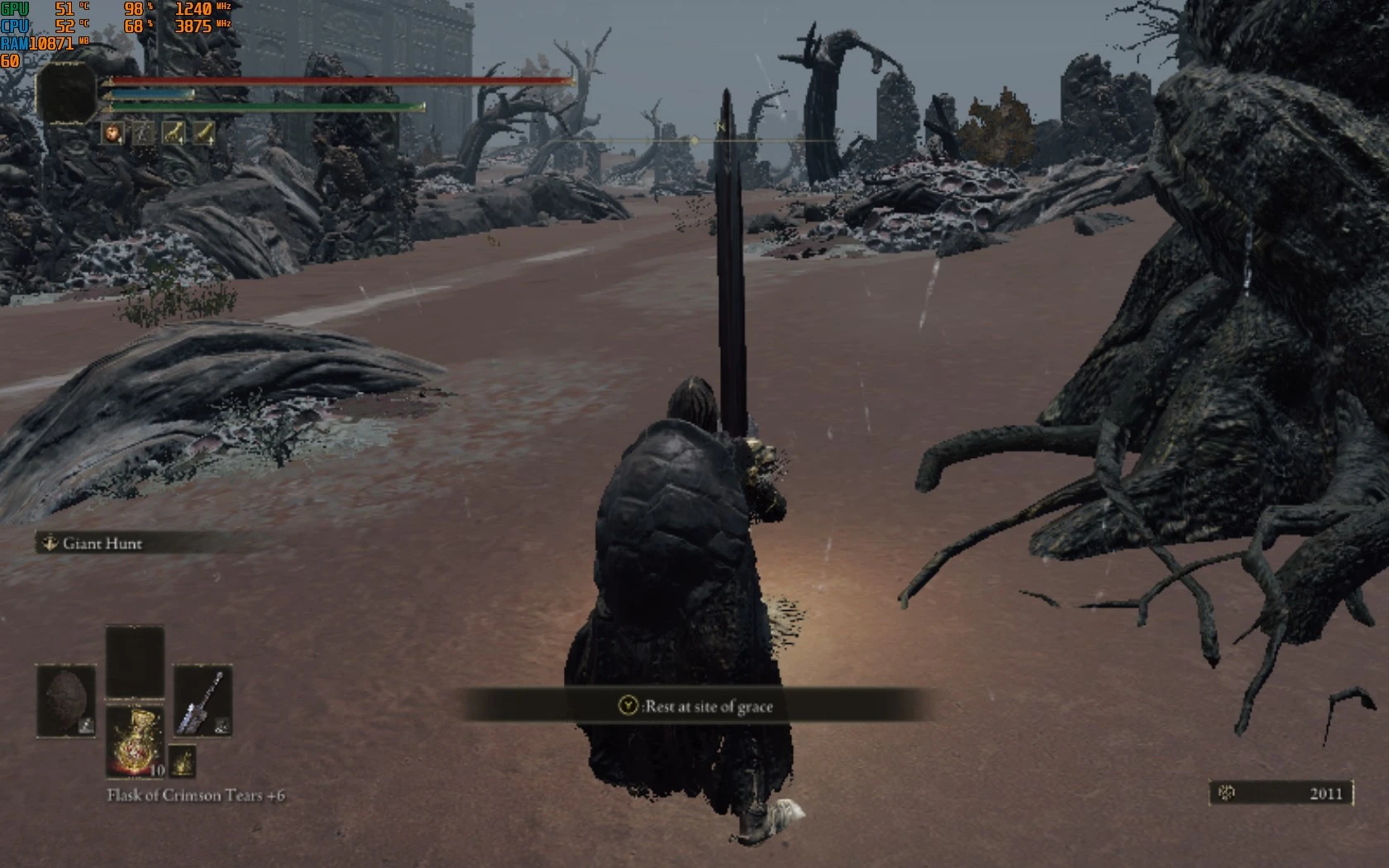
Options to disable Grass, Shadows, Weather Effects, Wet Effect and more. With .csv files to edit or merge with another mod.
Do not use this in online mode!
-
[]Make a backup of your save.[/]
[]Make a backup of your regulation.bin file located in your game's folder: \ELDEN RING\Game\[/]
[]Put the edited regulation file in your game's folder.[/]
[]Launch the game in offline mode with EAC disabled.
Details on how to launch the game without EAC:
Elden Ring - PCGamingWiki
Anti-cheat toggler and offline launcher at Elden Ring Nexus
Offline launcher (No EAC) at Elden Ring Nexus [/]
[]Enjoy.[/]
Merging regulation.bin mods
The .csv file that comes with the mod is for merging the mod with other regulation.bin mods. You can go to the param with the same name as the .csv file and import the .csv file to it.
The tool used to make this mod and other regulation.bin mods is Vawser's Smithbox. You can find Smithbox here: Smithbox
You can follow a video like these to merge regulation.bin mods (You do not need to unpack your game with UXM):
How To merge Mods With Smith Box
Elden Ring Tutorial How To Update/Merge Regulation Bin Mod Files (Game Version 1. 16)
Optional steps to somewhat improve performance even more
You can disable VolumetricEffectsQuality, EffectsQuality and RaytracingQuality by following these steps (credits to temtem04):
-
[]Go to C:\Users\YourUsername\AppData\Roaming\EldenRing. Here's where you can find your save and a file named GraphicsConfig.xml.[/]
[]Open GraphicsConfig.xml with Notepad.[/]
[]Copy and paste the text below. Don't forget to change the resolution to whatever you need cause if you change it in-game your graphics settings will reset.[/]
<?xml version="1. 0" encoding="UTF-16" ?>
<config><ScreenMode>FULLSCREEN</ScreenMode>
<Resolution-WindowScreenWidth>1024</Resolution-WindowScreenWidth>
<Resolution-WindowScreenHeight>576</Resolution-WindowScreenHeight>
<Resolution-FullScreenWidth>1024</Resolution-FullScreenWidth>
<Resolution-FullScreenHeight>768</Resolution-FullScreenHeight>
<Resolution-BorderlessScreenWidth>1680</Resolution-BorderlessScreenWidth>
<Resolution-BorderlessScreenHeight>945</Resolution-BorderlessScreenHeight>
<Auto-detectBestRenderingSettings>OFF</Auto-detectBestRenderingSettings>
<QualitySetting>CUSTOM</QualitySetting>
<TextureQuality>LOW</TextureQuality>
<Antialiasing
-
[]Go to C:\Users\YourUsername\AppData\Roaming\EldenRing. Here's where you can find your save and a file named GraphicsConfig.xml.[/]
Performance Boost For Potato PC is a visual optimization mod for low-end systems, offering toggles to disable grass, shadows, weather effects, wet effects, and more. It includes .csv files for easy editing or merging with other mods. With 1,441 endorsements and 76,240 downloads, it's a popular choice for players seeking performance gains.
✨ Key Features
📊 Pros & Cons
✅ Pros
- Community-approved with 1,441 endorsements and 76,240 downloads.
- Simple toggles for major performance hogs like grass and shadows.
- CSV files make it easy to tweak or merge with other mods.
⚠️ Cons
- No list of specific effects beyond the ones mentioned.
- Last updated in August 2025 — may not be compatible with future game patches.
For players on low-end PCs who want to squeeze out more FPS by disabling heavy visual effects. If you're on a decent rig, you probably don't need this. Skip if you want to keep your game looking pretty — this is purely a performance trade-off.
💡 Beginner Tips
- Check if your game has an anti-cheat that might flag modified files; disable it if needed.
- Use the .csv files to merge with other mods — just copy the lines you want.
- Test each toggle individually to see which gives the biggest FPS boost without ruining your visuals.
📊 Mod Details
- Game
- Elden Ring Mods
- Author
- yakuzadeso
- Version
- 8.2
- Downloads
- 76,240
- Endorsements
- 1,441
- Category
- Visuals
- Created
- 3/12/2022
- Updated
- 8/28/2025
🔧 How to Install Elden Ring Mods
Download from Nexus.
📖 Full step-by-step install guide for Elden Ring →
Visit the official mod page for specific installation instructions for this mod.
🎮 Need cheat codes or console commands? Check ur gaming wiki for Elden Ring commands, item IDs, and more.
Keep browsing — more Elden Ring mods await