Unlock the framerate
⚪ Last updated 2022⚠️ Install Order · 1 step
Install in this order, then this mod last — most mods fail to load without their framework and dependencies in place.
Preview
🔍 Analysis
- 👍 1.7% endorsement rate — high engagement, a strong quality signal
- 🏆 #1 of 148 Visuals mods in this game by downloads
📋 About This Mod
Check out my other mods:
Remove chromatic aberration, Remove vignette, Remove black bars, Fix the camera, Adjust the FoV, Increase animation distance, Disable rune loss, Skip the intro logos.
Requirements:
-
[]Turn off vsync or any other graphics card setting that may lock the FPS: https://github.com/uberhalit/EldenRingFpsUnlockAndMore?tab=readme-ov-file#follow-these-steps-on-nvidia-see-below-for-gsync (the mod on the linked page is not mine).
[
]Download Elden Mod Loader which will automatically load the mod on startup. - If you're having issues, try putting the game into borderless windowed in the game graphics options.
Installation:
Place the contents of "UnlockTheFps.zip" inside your game folder, for example: "G:\SteamLibrary\steamapps\common\ELDEN RING\Game\".
The mod loader will launch the mod when the game starts.
Configuring the FPS limit:
Edit the limit value inside "mods\UnlockTheFps\config.ini".
Source code:
https://github.com/techiew/EldenRingMods
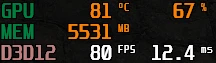
Unlocks the framerate cap in the game, allowing you to set a custom FPS limit (default 300 FPS). A simple, popular utility mod with over 11k endorsements and 677k downloads, last updated in May 2022.
✨ Key Features
📊 Pros & Cons
✅ Pros
- Huge community trust: 11,431 endorsements and 677,680 downloads
- Simple and effective—does exactly what it says
- Essential for high-refresh-rate monitors to get smooth gameplay
⚠️ Cons
- Last updated in 2022—may not work with the latest game version
- Potential for physics or animation issues at high FPS (common in many games)
For PC gamers with high-refresh-rate monitors who want to break the FPS cap for smoother visuals. Skip if you're fine with the default cap or play on a standard 60Hz display.
💡 Beginner Tips
- Check if your game version is compatible, as the mod hasn't been updated since 2022
- Start with the default 300 FPS limit and adjust if you encounter issues
- If you experience physics glitches, try lowering the FPS limit to something like 144 or 165
📊 Mod Details
- Game
- Elden Ring Mods
- Author
- TechieW
- Version
- 4.0
- Downloads
- 677,680
- Endorsements
- 11,431
- Category
- Visuals
- Created
- 3/16/2022
- Updated
- 5/11/2022
🧩 Commonly Used Together
Users add these mods to the same collections — a real compatibility signal, not an AI guess.
🔧 How to Install Elden Ring Mods
Download from Nexus.
📖 Full step-by-step install guide for Elden Ring →
Visit the official mod page for specific installation instructions for this mod.
🎮 Need cheat codes or console commands? Check ur gaming wiki for Elden Ring commands, item IDs, and more.
Keep browsing — more Elden Ring mods await